Your record, read from your broker.
Trades synced from your live or prop account wear the seal, and a payout counts once a person on our team has checked the firm’s document. Nothing on it is typed by you. Share it at one link, or look up any trader.
DT PassportTimes in UTC
Connect view-only, watch the seal land, then share it and verify a payout. On a sample account, with real prices.
Connect view-only
Sign in on cTrader and authorise view-only access. DT Terminal cannot place or change trades.
DT Passport
What your link looks like when shared.
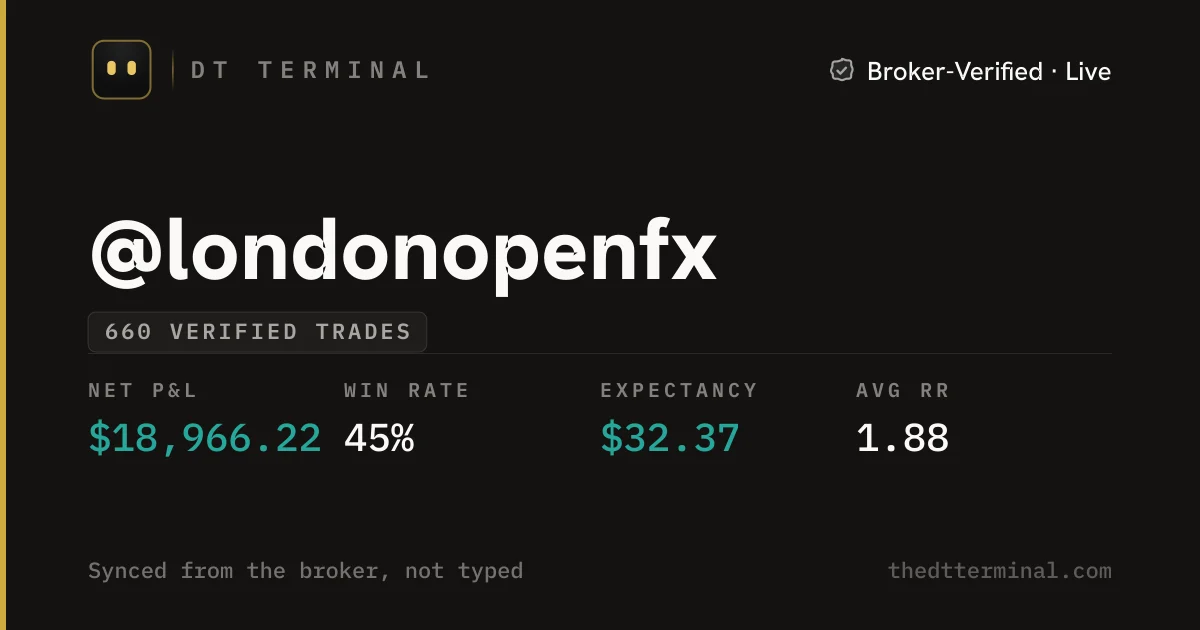
Paste your Passport link into a chat or a post and it opens as a card with your seal and your verified figures. Anyone can open it, with no account and no install.
- Opens for anyone, with no account and no install
- Shows only the accounts you choose to publish
- One switch makes your Passport private again
My record, read from the broker: thedtterminal.com/dtpassport/londonopenfx
How it stays honest.
Three rules hold every number on a Passport. None of them depend on taking your word for it.
- An investor password is read-only and cannot place trades.
Read only
MT4 and MT5 are read only when you connect with your investor password, which can only read, and the connect screen recommends it. cTrader asks you to authorise view-only access, and DT Terminal cannot place or change trades there. Crypto exchanges take a read-only key.
- XAUUSDSell 0.50Broker-Verified · Live+$1,646.50
Read from the broker
Entry, exit, size, time and fees come straight off the broker’s server. Only an account with something at stake counts: a personal demo account reads Demo and never earns the seal.
- Entry4,077.63
- Exit4,044.70
- Size0.50
- NotesYours to edit
Locked once synced
The database refuses changes to a synced trade’s prices, size, times and result, while your notes and tags stay yours. A typed trade never earns a seal, and one typed trade in a figure takes that figure’s seal away.
Each synced account is scored again when new trades arrive, and at least weekly; one that fails a check shows as unverified until a person reviews it. A payout counts only after a person on our team has checked the firm’s receipt. Compare DT Terminal with other ways of proving results
What each seal means
Where a verified record can take you.
Claim a handle and publish, and you rank from your first verified trade. The boards are worked out again every hour, from results the broker reported.
- Live results: broker-verified P&L on live accounts plus verified prop payouts. A firm’s P&L never counts as yours.
- Streaks: days journaled in a row
- Every placement gets its own link and card, so a rank is something you can post
Sample board. The live boards rank verified records only.
What people use it for.
Prop payouts
Show payouts a person on our team has checked beside the trades that earned them.
Mentors and communities
Share one link instead of screenshots, so students and members see results read from the broker.
Rankings
Rank on Live results with your broker-verified results, and on Streaks for days journaled in a row, each placement with its own link.
Edge knows you
Edge learns from the same broker-read trades when it coaches you, so what it shows you starts from your real results, not the ones you remember.
Connect an account before you sign up and see your Passport first.
Questions
It depends on the platform. On MT4 and MT5, the connection is read only when you use your investor password: they connect with the password you give, and the connect screen recommends the investor (read-only) one, which can only read, so use it if your broker offers one. cTrader asks you to authorise view-only account access on cTrader, and DT Terminal cannot place or change trades there. Crypto exchanges take a read-only key.
The database refuses changes to a synced trade’s prices, size, times, fees and result, while your notes, tags and reviews stay yours to edit. Deleting synced trades means removing the whole broker connection first, and a removed connection no longer counts toward any seal.
A typed trade carries no seal, and any figure that counts one loses its seal, so a Passport’s verified numbers only ever come from the broker.
Upload the firm’s payout receipt or statement from your Passport. It shows Under review until a person on our team has checked it against the account and the trades read from its broker, and only then does it count as verified earnings. A payout larger than the profit the account made is refused.
They choose which verified accounts appear on their DT Passport, so a Passport shows the accounts they publish, not every account they hold. A published account shows all of its closed trades, losses included.
Anyone with the link, once you make it public, and only the accounts you choose to publish. One switch makes it private again.
Trades sync through the day, and each synced account is scored again whenever new trades arrive, and at least weekly. An account that fails a check shows as unverified until a person reviews it.
Your synced trades and their seal stay on your record, and your Passport shows when the account last synced. Removing the connection entirely is a separate step, and after it those trades no longer count as verified.
Claiming a handle is free, and the free plan verifies one account that is not MT4 or MT5, such as cTrader or TradeLocker. On the free plan your history comes into your journal when you connect, and you can press Sync once. After that new trades keep your Passport up to date, and Plus syncs them into your journal. MT4, MT5 and more accounts come with the Plus plan. Plus, Pro and Ultra: press Sync as often as you like.
No. The sample Passport, its trades, the payout and the sample board are example data, and each is labelled that way. Real Passports are found with the search box above.
Connect your broker once.
Your record starts building with your first synced trade, and Edge starts learning from it.