Trading verification · Scalping
Thirty trades a day, without the typing.
Sync the broker on Pro and every fill arrives verified, with its costs attached, tagged, counted in R and ready to replay. Thirty trades a day breaks a journal you keep by hand.
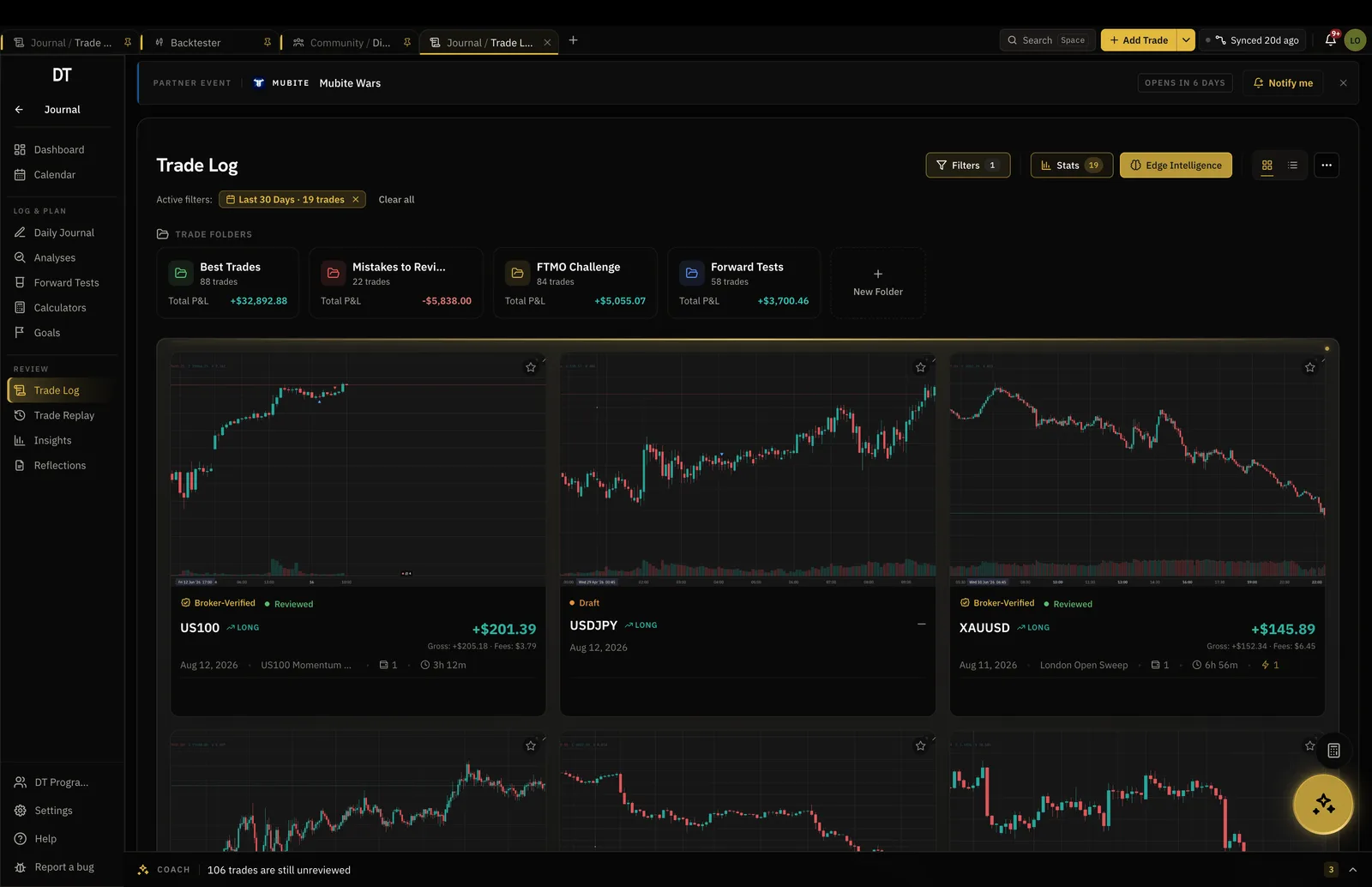
- Unlimited
- Trades on the free plan
- 5
- Custom tags free, three on a trade
- R
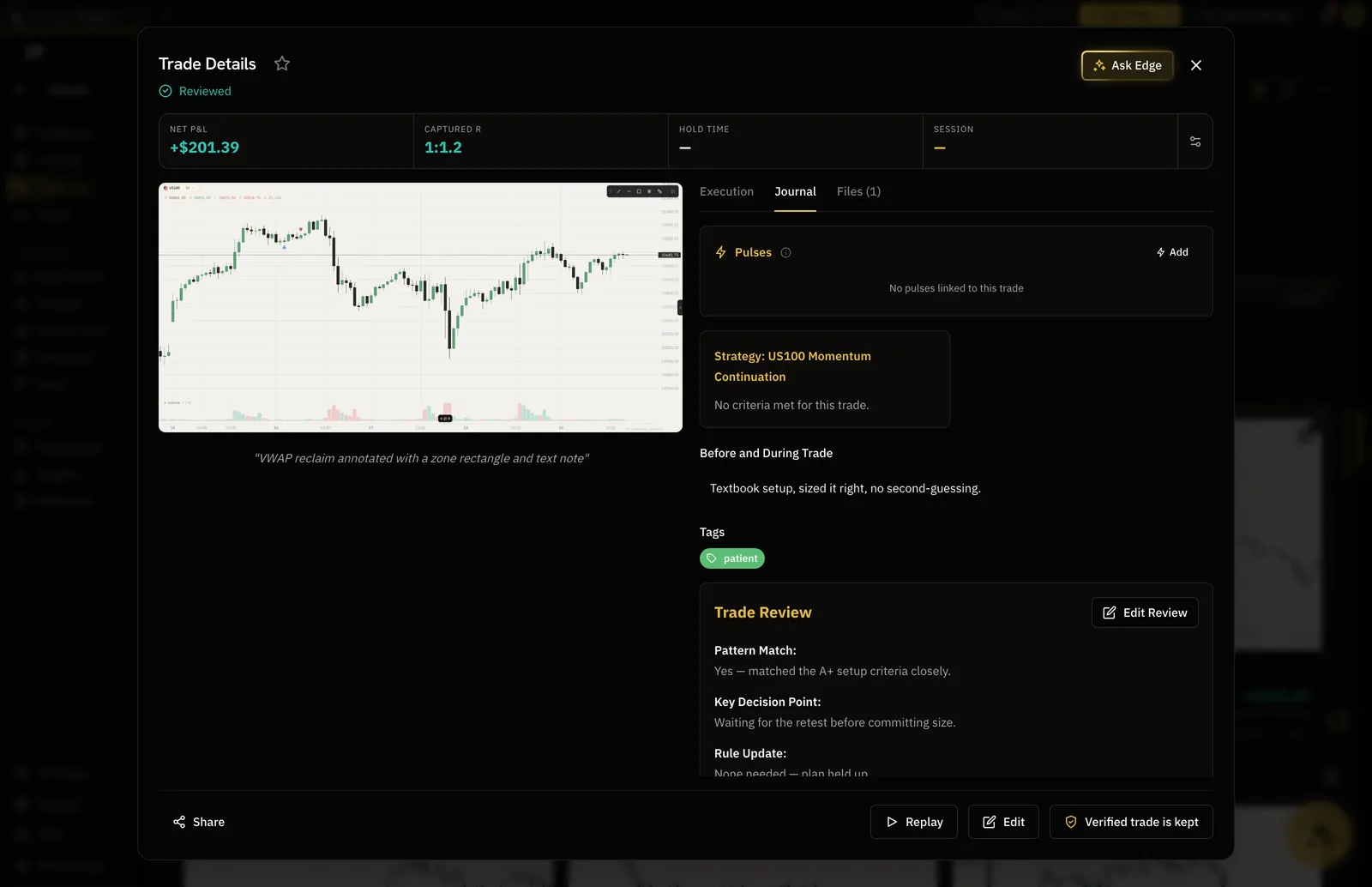
- Per-trade multiple on the card
- 10 trades
- Per CSV batch on free
How it works
- 01
Sync or import
On Pro, a read-only MT4 or MT5 login fills the log on its own. Or export from your platform and drop the CSV in.
- 02
Tag the setup
Three tags on a trade covers setup, session and pattern. Tagging is what makes a hundred trades readable.
- 03
Read it in R
Each trade carries its R multiple, so size differences stop hiding which setup actually pays.
Volume
A log that holds a real scalping week.
Partials, scale-ins and stop moves arrive the way the server saw them, so the numbers are not a reconstruction from memory two days later.
- Unlimited trades, free and on Pro
- Partials and scale-ins matched to the position
- Orders matched to the fill they became
Costs
Commission and swap ride along with the fill.
A scalper lives or dies on costs. Synced trades carry the broker's own commission and swap, so the net R is the one on your statement rather than the gross one that flatters you.
- Costs read from the broker, not estimated
- Net R on the trade and in every breakdown
- Per-lot commission set once in the backtester
Tags
A hundred trades, sorted by what they were.
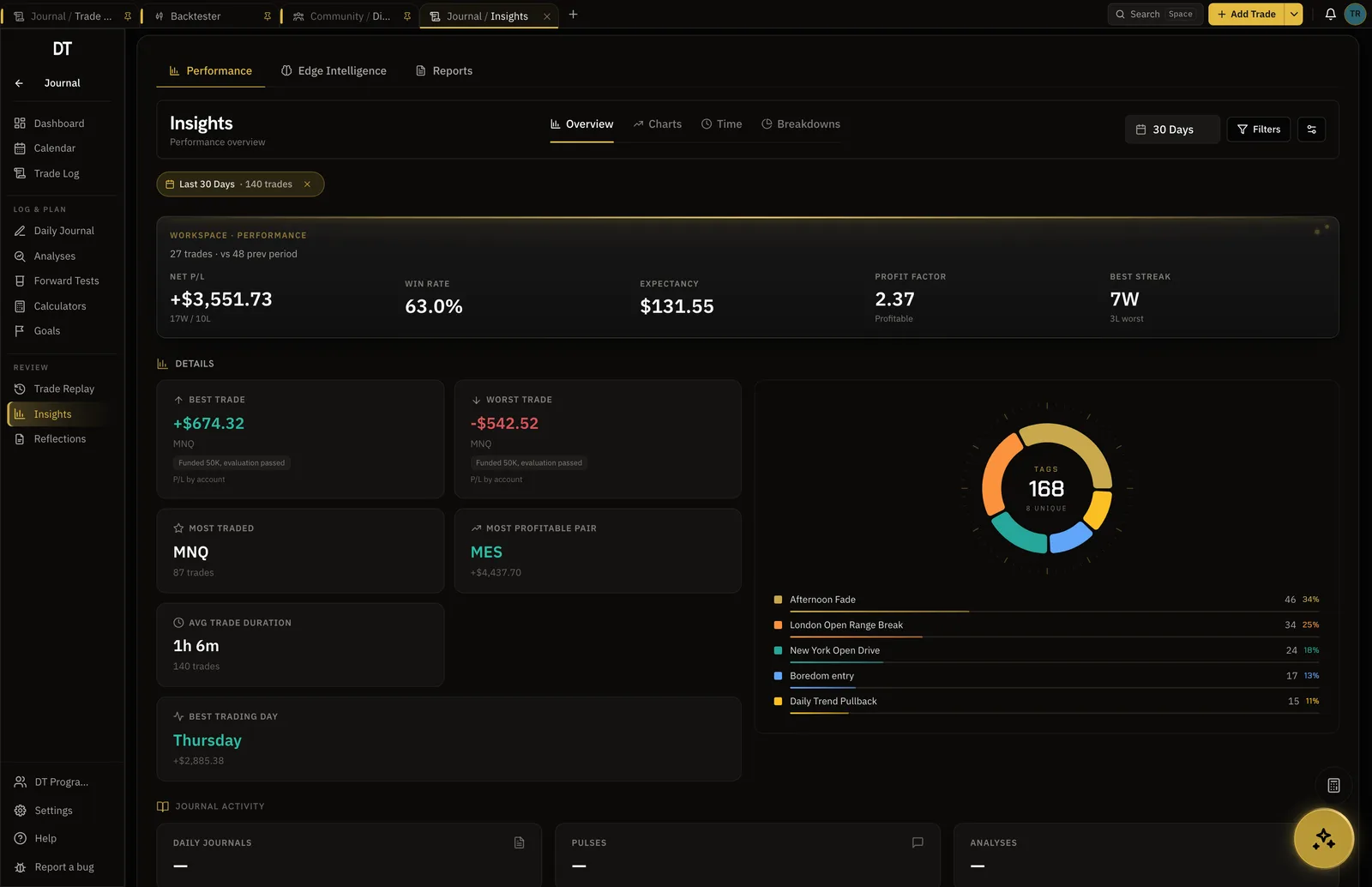
Tag the setup and the record stops being a list and starts being an argument. Filter to one tag and the win rate, expectancy and drawdown recompute for it alone.
- 5 custom tags on free, unlimited on Pro
- Up to three tags on any one trade
- Filter every stat by tag on Pro
Replay
Watch the one that stopped you out.
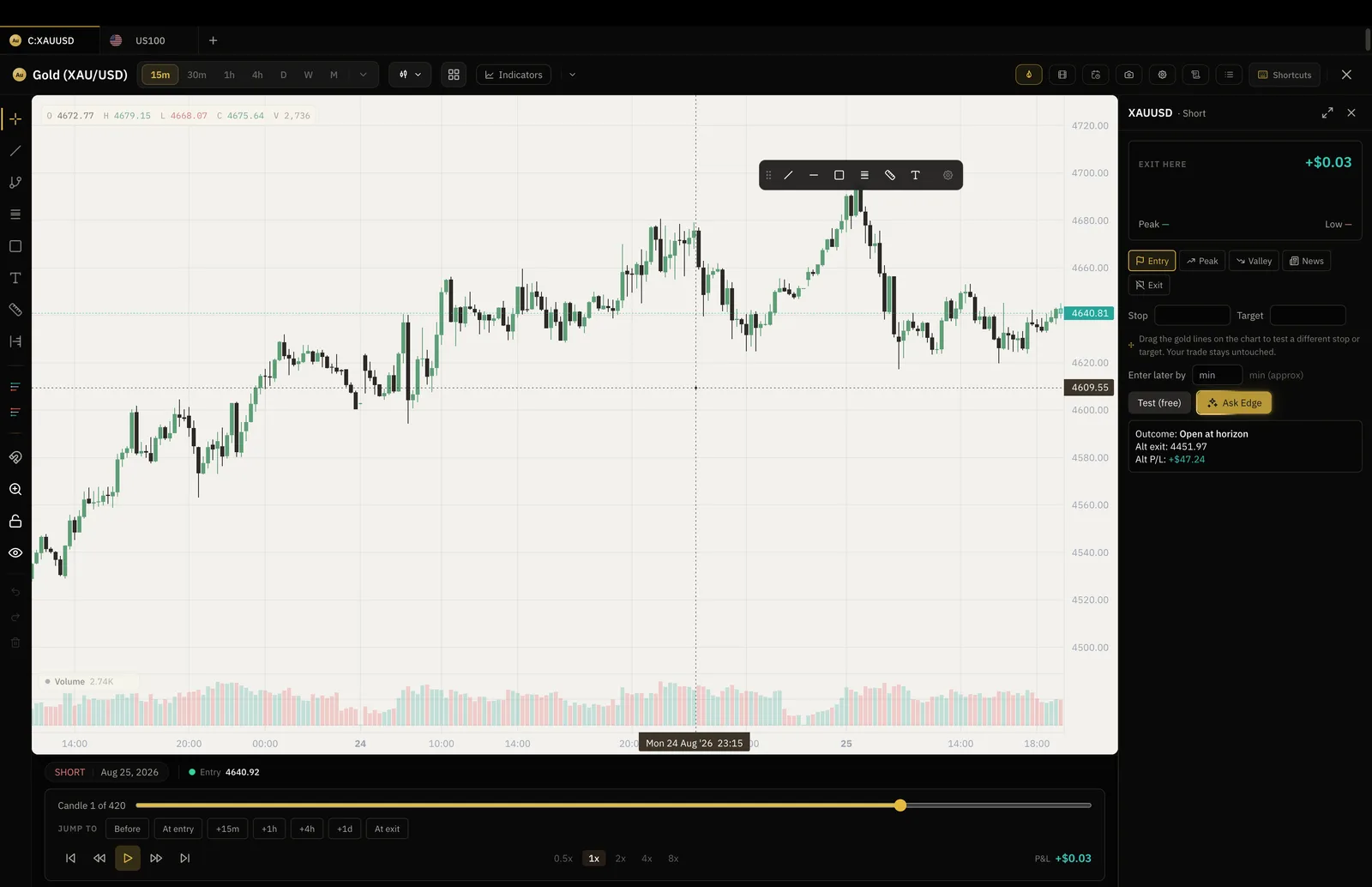
Open a trade and the chart rewinds to the entry and plays forward bar by bar, with your levels drawn where they were. Then move the stop and see what the same trade would have paid.
- Bar by bar, at the speed you choose
- What-if exits tested against the tape
- Pro feature, on our own charts
What is free
Log and tag for free.
Sync, unlimited tags and Trade Replay are Pro, $18 a month.
| Feature | Free | Pro |
|---|---|---|
| Manual and CSV logging | ||
| Import per batch | 10 trades | Unlimited |
| Broker auto-syncMT4, MT5, cTrader, TradeLocker and supported crypto exchanges | ||
| Tags | 5 | Unlimited |
| Trade Replay and what-if exits |
Full comparison on the pricing page.
Questions
Can it handle thirty or forty trades a day?
Yes. Trades are unlimited on the free plan and on Pro. The part that does not scale is typing them, which is what broker sync is for.
How do I get a day of scalps in without typing?
Connect an MT4 or MT5 account read-only on Pro and fills arrive on their own. On free you can import a CSV, 10 trades at a time.
Are commission and swap included?
On synced trades, yes: they come from the broker with the fill and are part of the net result. On a trade you type or import, you enter the cost yourself.
How many tags do I get?
5 custom tags on the free plan, with up to three on any single trade. Pro removes both caps.
Is there a written method for scalping?
The Scalper and Day Trader playbook is free to read at /playbook/scalper-playbook. It covers entries, management, when to stop for the day and how to review a high-volume record.
Can I run DT Terminal from Claude?
Soon. We are building an MCP connector that opens the whole of DT Terminal to Claude: every workspace and every piece of your data, to read and to act on, with your consent per scope. It works with any assistant that speaks MCP, and it is in development, not live yet.
Sync a week and sort it by setup.
Free to log and tag. Sync is Pro.
Your privacy choices
Essential storage keeps DT Terminal working. Optional: product analytics and 60-day referral attribution. Change it any time in our Privacy Policy.