Trading verification · Stocks
A stock journal you keep on purpose.
No stock broker connects yet, so a stock record here is one you keep on purpose rather than one the broker verifies. Type the trade in or import the CSV your broker exports, write down why you took it, and let the record tell you which setups are paying.
- None
- Stock brokers that sync today
- 10 trades
- Per CSV import, free
- 3
- Tags per trade, free
- $18
- Pro, per month
How it works
- 01
Log or import
Type the position in, or drop in a CSV. Free imports 10 trades a batch.
- 02
Say why
Setup and pattern tags, a screenshot of the chart, and the reason you took it.
- 03
Read the record
Win rate, expectancy and drawdown by ticker, setup and hold time.
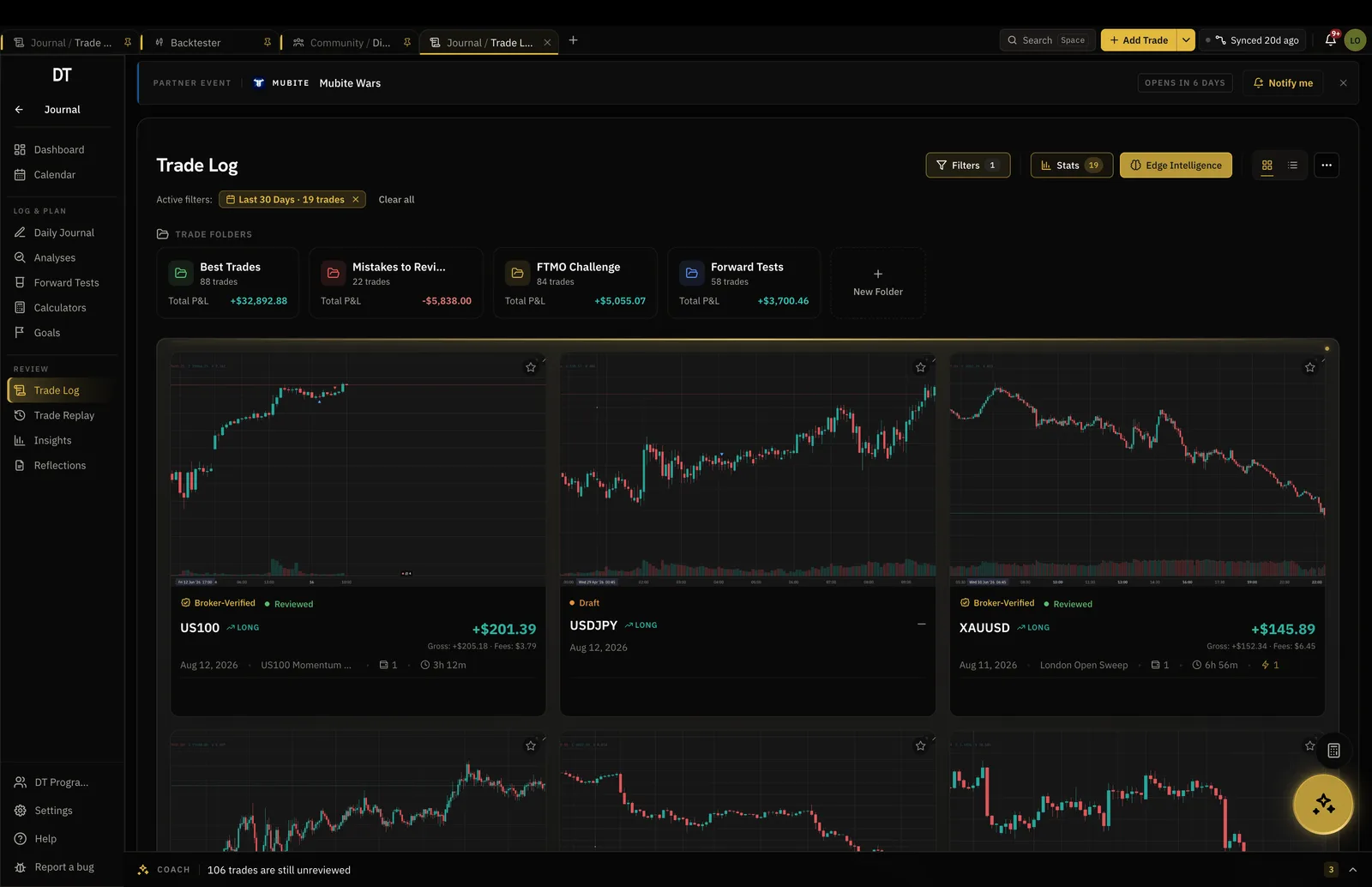
Trade log
Every position with its reasoning attached.
Share count, entry, exit and fees on one side, and the thinking on the other, so a trade stays a decision you can go back and argue with.
- Manual entry or CSV import
- Setup, pattern and hold-time tags
- Screenshots and notes on every position
The review
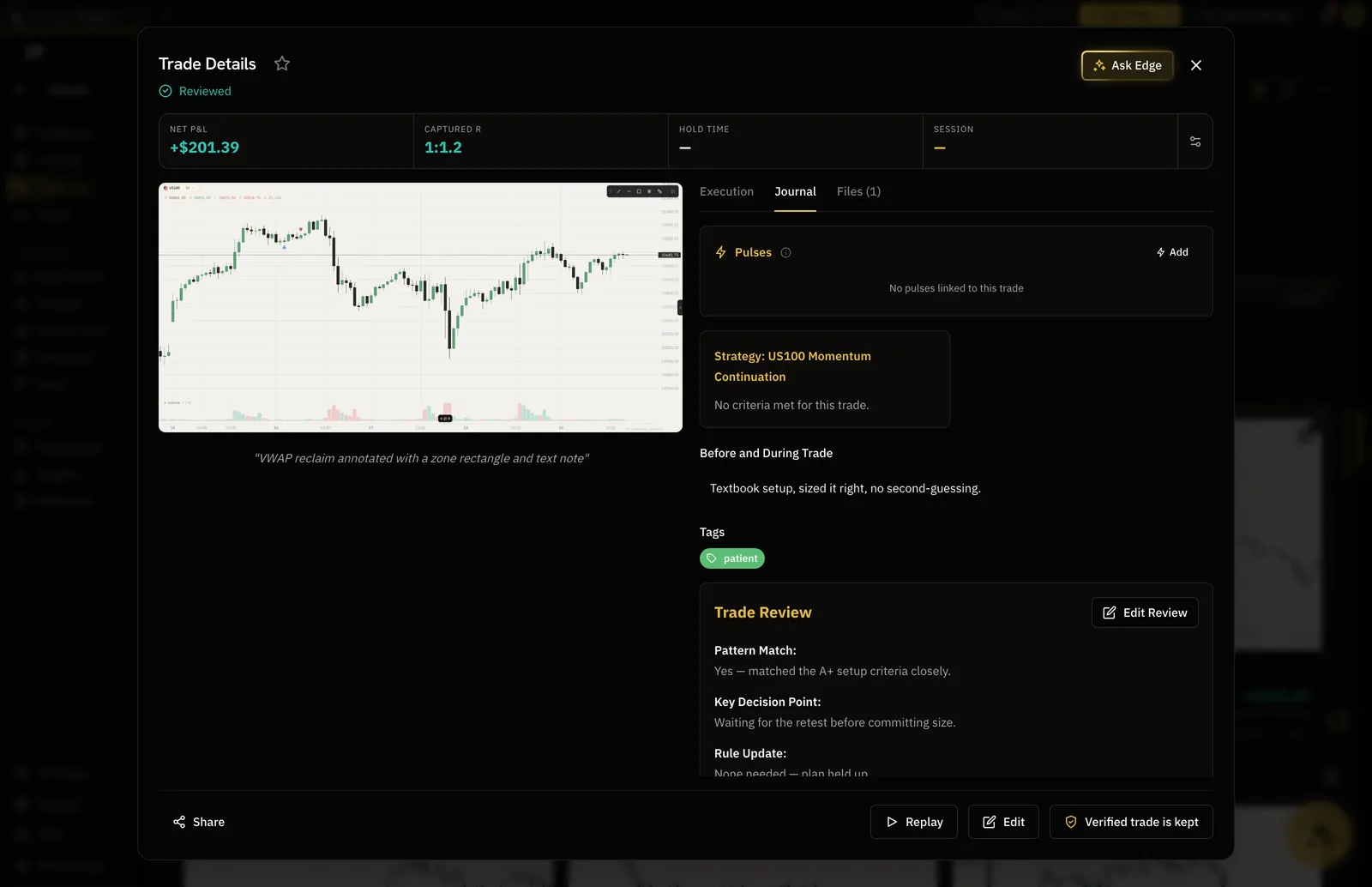
The review is what changes next month.
A reviewed trade carries what you would do again and what you would not. The journal keeps a reviewed count so the habit is visible.
- A structured review on every trade
- What you would repeat, in your words
- Reviewed trades marked on the record
Insights
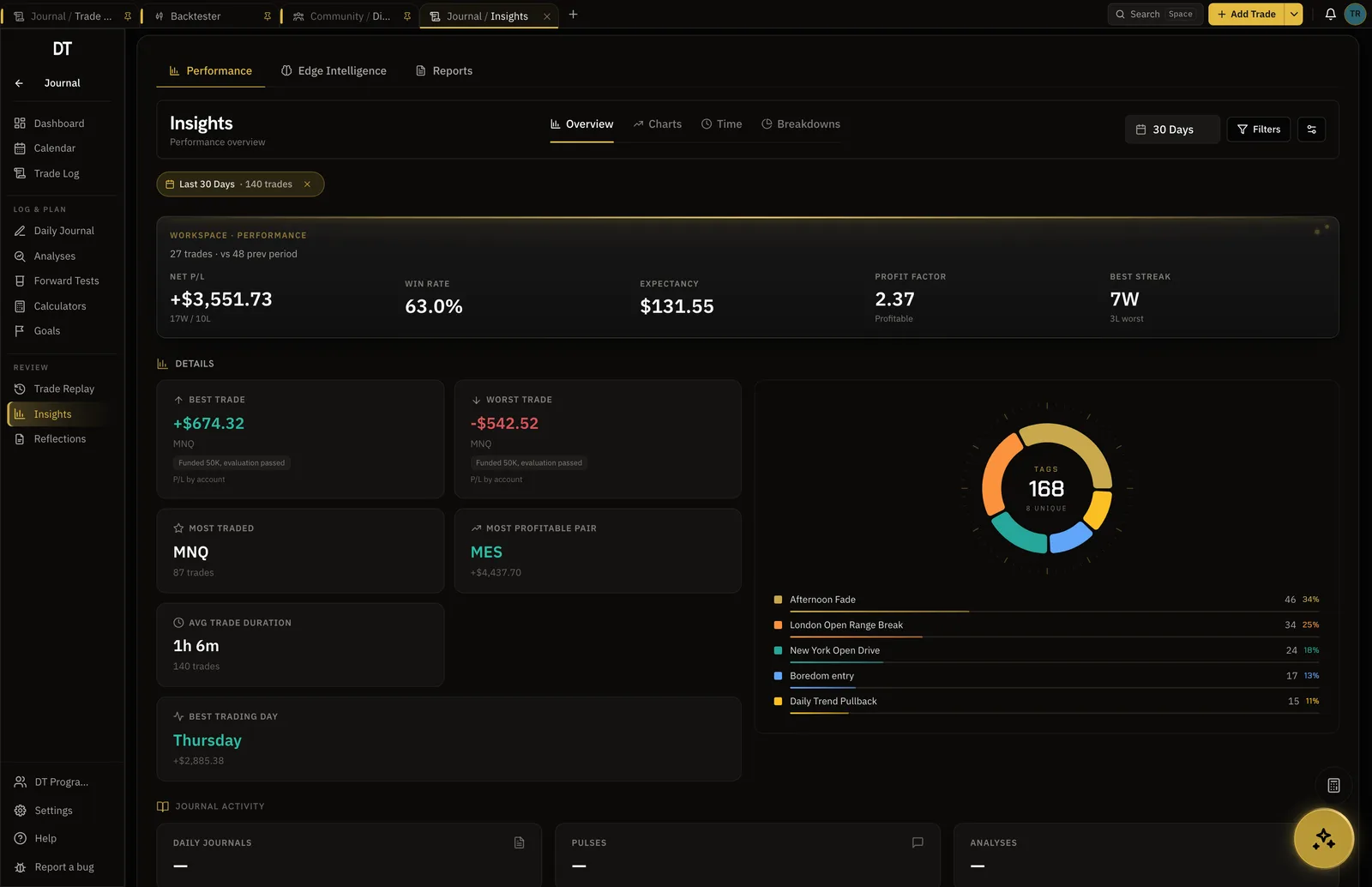
Which tickers and setups are carrying you.
Filter by ticker, setup, tag or month and every number recomputes, so the account stops being one blended figure.
- Expectancy by setup and ticker
- Equity curve and drawdown
- Compare two trades, or two months
Read this first
Stock broker sync and stock backtesting are not live.
No stock broker connects to DT Terminal today: stock trades come in by hand or by CSV, and the verified seal is available on the MT4, MT5, cTrader, TradeLocker and crypto exchange accounts that do sync. The backtester covers forex, indices, futures, metals and crypto, and does not carry single stocks.
What is free
Logging and reviewing are free on one account.
Pro takes the caps off, $18 a month or $149 a year.
| Feature | Free | Pro |
|---|---|---|
| Manual and CSV logging | ||
| Import per batch | 10 trades | Unlimited |
| Basic performance insightsTrade count, average R:R, PnL chart | ||
| Detailed filtered trade stats | ||
| Tags | 5 | Unlimited |
| Trading accounts | 1 | Unlimited |
Full comparison on the pricing page.
Questions
Can DT Terminal connect to my stock broker?
Not yet. No stock broker syncs today. Webull, Robinhood, moomoo, Zerodha, Dhan and Trading 212 appear in the broker directory so you can label the account they belong to, and none of them connect. Stock trades are logged by hand or imported by CSV.
How do I get my history in?
By CSV. Export the filled orders from your broker and drop the file in: executions are paired into round-trip trades for you. A free account imports 10 trades a batch, and Pro imports without limit.
Can I backtest stocks here?
No. The backtester replays real candles for forex, indices, futures, metals and crypto, and single stocks are not among them. If you trade stocks and indices both, the index side can be backtested today.
Can a stock record be verified?
Not today. The verified seal means DT Terminal read the trade from the broker itself, which needs a connection that stock brokers do not offer us yet. A stock record is marked self-reported, and it is still yours to keep and publish.
Is the stock journal free?
Yes. One trading account, unlimited trades, 3 tags a trade and the dashboard, with no card and no trial clock. Pro is $18 a month and removes the caps.
Can I run DT Terminal from Claude?
Soon. We are building an MCP connector that opens the whole of DT Terminal to Claude: every workspace and every piece of your data, to read and to act on, with your consent per scope. It works with any assistant that speaks MCP, and it is in development, not live yet.
Start the stock record by hand today.
The trades you log by hand this month are the ones the dashboard reads next month.
Your privacy choices
Essential storage keeps DT Terminal working. Optional: product analytics and 60-day referral attribution. Change it any time in our Privacy Policy.