For influencers
A record your audience can open, not a screenshot.
Your audience asks one question under every post: is this real. A DT Passport answers it at a link anyone can open, read from your broker rather than typed, and the link, the card and the badge carry that answer into your bio, your posts and your video descriptions.
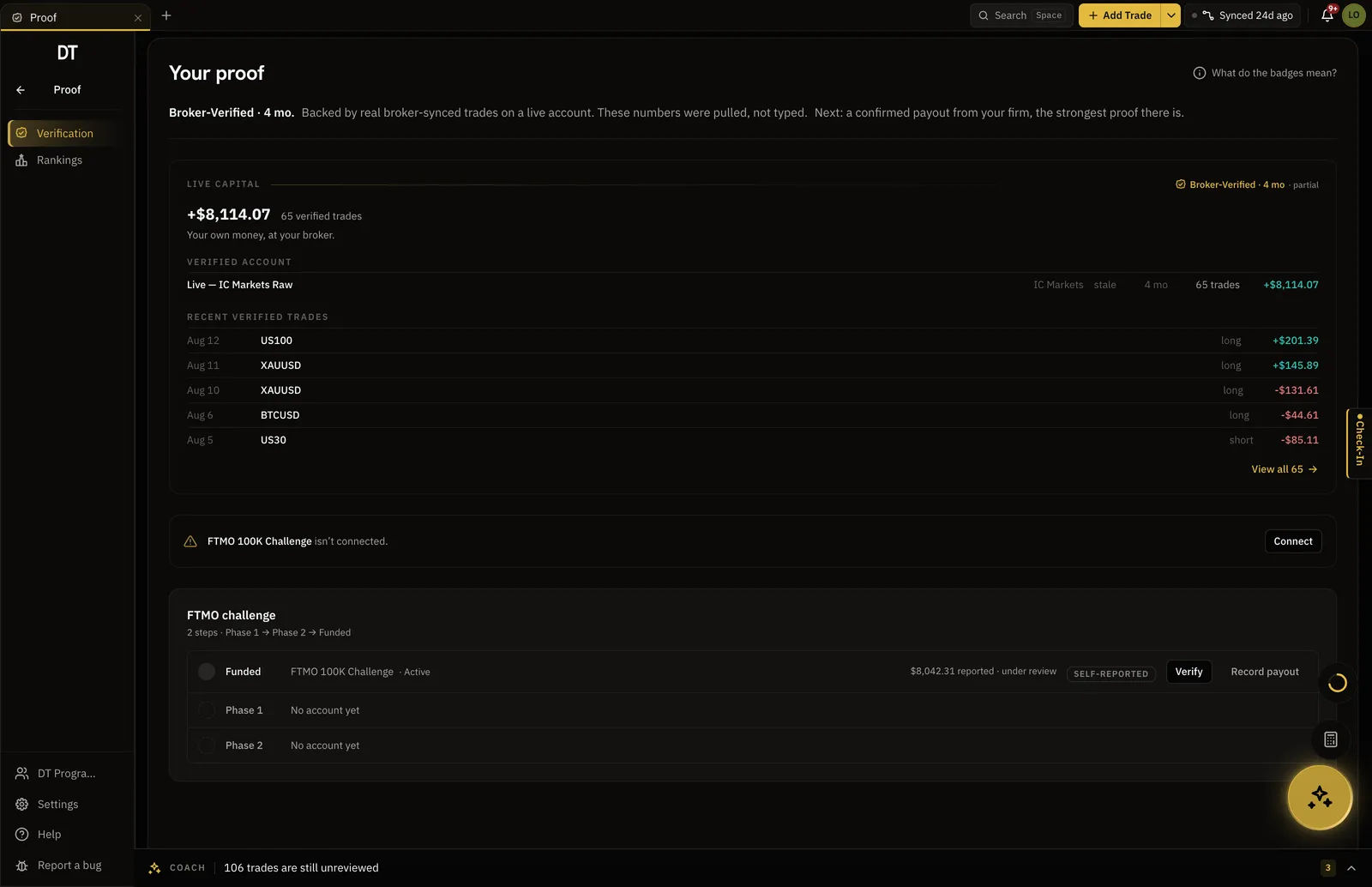
- Public
- A link anyone can open
- Broker-Verified
- The seal on a synced live account
- 148+
- Brokers and exchanges that sync
- Free
- The handle and the record
How a creator sets it up
- 01
Claim the handle
The name comes before the account. Pick it and the page it will live at, thedtterminal.com/dtpassport/yourhandle, is shown as you type.
- 02
Connect the account
Read-only, on Pro. The seal arrives with your first synced fill and names the broker that sent it.
- 03
Share the link
Copy the link, the card or the badge and put it wherever your audience already reads you.
- 04
Let it update itself
Every fill your broker sends lands on the page. There is nothing to screenshot again next month.
The DT Passport
One link, and the question is answered.
Your record lives at thedtterminal.com/dtpassport/yourhandle. The numbers on it were read from your broker, the seal on each account names who verified it, and a reader needs no account of their own to open it.
- Read from the broker, never typed in
- Public or Private from one switch in the header
- Demo and backtest accounts never publish
Share it
A link, a card and a badge for the bio.
Copy the link from the passport header, export the card at 2x for a feed, or copy the badge as Markdown or HTML for a Discord bio, a Linktree row or a video description. A pasted passport link unfurls as the record itself rather than your avatar, and the same record is what the results boards rank.
- Copy link and open, from the passport header
- A share card exported at 2x, sent with the page it pictures
- A badge that states the tier and links back to the record
Creator programme
Get paid for the people you send.
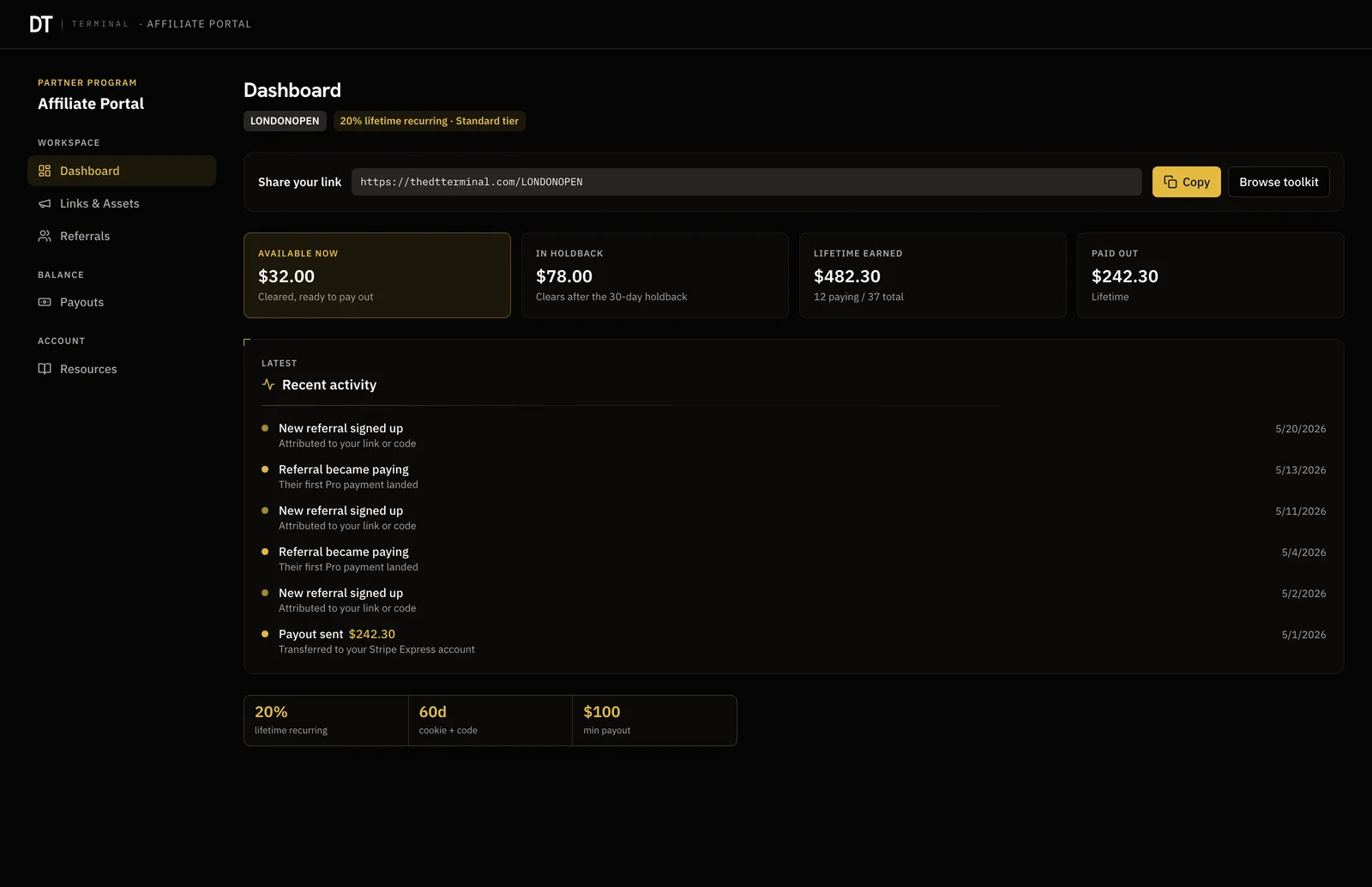
Apply once in the affiliate portal. Approved, you get a link you can say out loud and a code that does not expire, a 60-day cookie and the code attribute a signup back to you, and the standard tier pays 20% of every payment for as long as that person stays subscribed.
- One link and one permanent code, no quota and no minimum audience
- Referrals, cleared and held earnings, and payouts in one portal
- Stripe Express pays out once the balance clears the minimum
What this page does not do
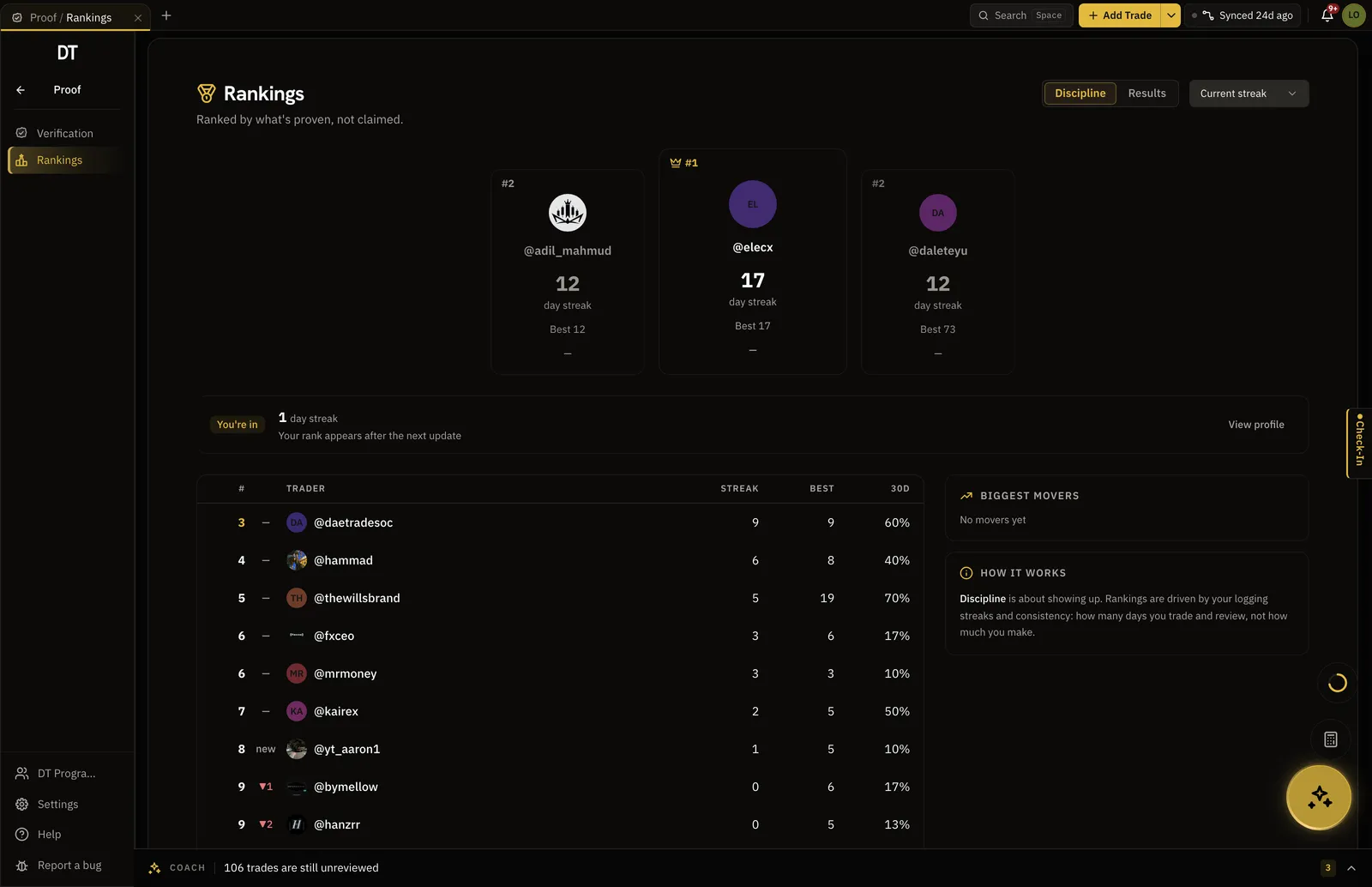
We verify records. We do not rank creators.
DT Terminal counts no followers, measures no reach and publishes no league table of influencers. An account you type in by hand publishes as self-reported and carries no seal, and the results boards count synced trades only. A broker connection is part of Pro, so the record is free to keep and the seal needs Pro.
Questions
What does my audience see at the link?
The record: the accounts that are verified, the trades behind the numbers, how long each account has been syncing, and a seal naming who verified it. Reading it needs no account and no login.
Can I keep an account off the page?
Yes. Every account has its own switch on the Accounts view, and the whole page has one in the passport header that reads Public or Private. Demo and backtest accounts never publish at all.
What does the seal actually mean?
Broker-Verified means DT Terminal read those fills from your live broker account rather than taking your word for them. On a prop firm account it reads Firm-Verified. A seal describes the account the numbers came from, never the trader in general.
What happens to trades I log by hand?
They sit in the same journal and publish as self-reported, with no seal, and the results boards do not count them. That difference is the whole reason the seal is worth showing.
How does the referral link work?
Apply in the affiliate portal and we review it. Once you are approved, your link and code attribute a signup back to you through a 60-day cookie and the code itself, and the standard tier pays 20% of every payment while that person stays subscribed. Your own current rate is in the portal.
What does it cost me?
Nothing to claim the handle, keep the journal and publish the record. Broker sync, which is what puts the seal on it, is part of Pro at $18 a month or $149 a year.
Can I run DT Terminal from Claude?
Soon. We are building an MCP connector that opens the whole of DT Terminal to Claude: every workspace and every piece of your data, to read and to act on, with your consent per scope. It works with any assistant that speaks MCP, and it is in development, not live yet.
Put the proof where the comments are.
The handle is free and the page exists the moment you claim it. The seal arrives with your first synced fill.
Your privacy choices
Essential storage keeps DT Terminal working, and we measure how the product is used on our own servers so we can see what needs fixing. That measurement is never shared and you can switch it off in your privacy choices. Optional, and off until you allow them: third-party analytics and 60-day referral attribution.