How to verify your trading track record
By DT Terminal · Published · Prices checked 5 October 2026
To verify your trading track record, connect the real account to a third party that reads the trades straight from the broker, then share the page it publishes instead of a screenshot. A credible record has four properties: the trades came from the broker, not a keyboard; their prices and P&L cannot be edited afterwards; deposits and withdrawals are kept out of the return; and the account is live or funded, not a retail demo. In DT Terminal you connect MT4 or MT5 with the investor password, or link cTrader, TradeLocker, Tradovate or a crypto exchange, and synced trades earn a Broker-Verified seal, or Firm-Verified on a prop account. Add prop payouts and certificates, which are checked against the synced trades, then claim a DT Passport and share its link. Be straight about the limits: there is no stock broker sync yet, and no check that the publisher is the account holder.
Where a record can be verified today
What each kind of account can prove in DT Terminal.
| Account | How it connects | What the record shows |
|---|---|---|
| MT4 and MT5 | Account number, investor password and server | The seal, plus a time-weighted return that deposits and withdrawals do not move |
| cTrader | View-only authorisation | The seal, with a simple return on the account size |
| TradeLocker | Linked from the broker picker | The seal, with P&L calculated before fees |
| Tradovate futures | The platform's own sign in, read only | The seal once its trades reconcile with the account's cash ledger |
| Crypto exchanges | An API key with read permission | The seal, with a simple return on the account size |
| Prop firm accounts | The same way as the platform they run on | A Firm-Verified seal and verified payouts, not the firm's P&L |
| Demo at a retail broker | Not counted, however it connects | No seal, so it stays off the public record |
| Stocks and other futures platforms | No stock broker sync yet; file import into the journal | Journal trades with no seal |
Live personal accounts read Broker-Verified and prop accounts read Firm-Verified. The free plan verifies one account that is not MT4 or MT5; MT4 and MT5 verification and more synced accounts start on Verified.
The procedure
Seven steps. The first two apply whatever platform you use; the rest show how it is done in DT Terminal, ending with what a verified record still cannot tell anyone.
01Why a screenshot proves nothing
A screenshot of a P&L can be cropped, edited, or taken from the one good month. A spreadsheet can be typed. A broker statement is better, but it is still a file you hand over, and the reader has to trust that you did not pick the account or the dates. If you have posted real results and been called a liar, this is why: the evidence sits under your control, so it convinces nobody who already doubts you.
A credible record takes that control away from you. The trades arrive from the broker rather than your keyboard, their prices and results are locked once they land, deposits are kept out of the return so a top up does not pass for skill, and a third party publishes the page, so the reader opens it for themselves instead of looking at your picture of it. Whatever platform you choose, check it does all four.
- Trades pulled from the broker, never typed or imported from a file
- Market facts locked once they arrive, so a loss cannot be edited into a win
- Deposits and withdrawals kept apart from trading P&L
- A public page the reader opens themselves, not an image of one
02Choose the account that tells the truth
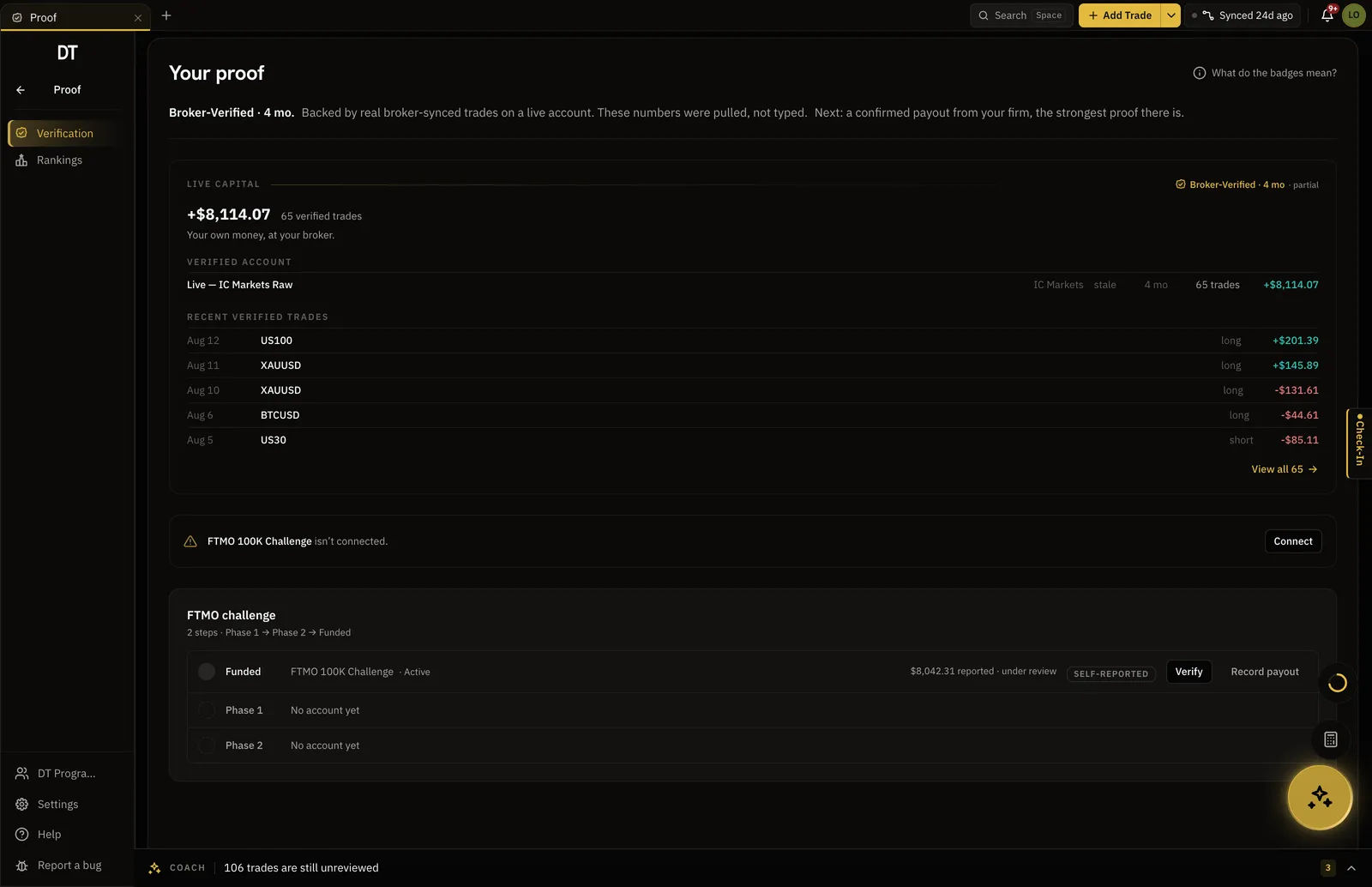
Verify the account people are actually asking about. That means a live account with your own money, or a funded or challenge account at a prop firm. A demo account at a retail broker is not counted as verified, because nothing is at stake on it. Prop challenges are different: they run on demo servers by design, so what matters there is that the account is connected and the firm is recognised from the broker server rather than declared by you.
Keep one account per purpose. If you scalp on one account and swing trade on another, verify both rather than blending them, and keep practice and backtests out of the record altogether. In DT Terminal backtest and practice accounts never appear on the public Passport, so they cannot dilute or flatter it.
- Live personal accounts earn Broker-Verified
- Prop firm accounts earn Firm-Verified, with the firm read from the broker server
- A retail demo account earns no seal
03Connect it read only
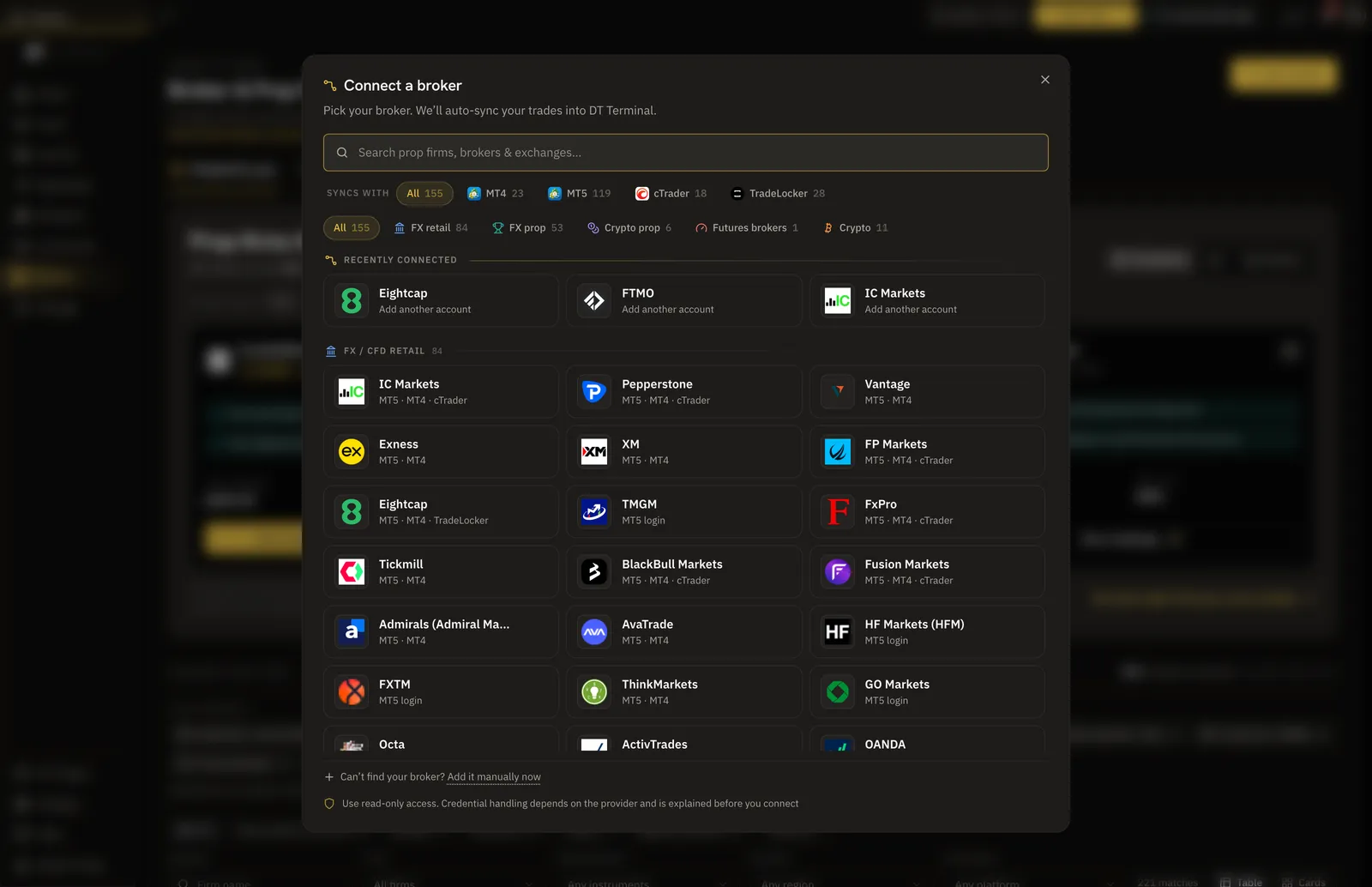
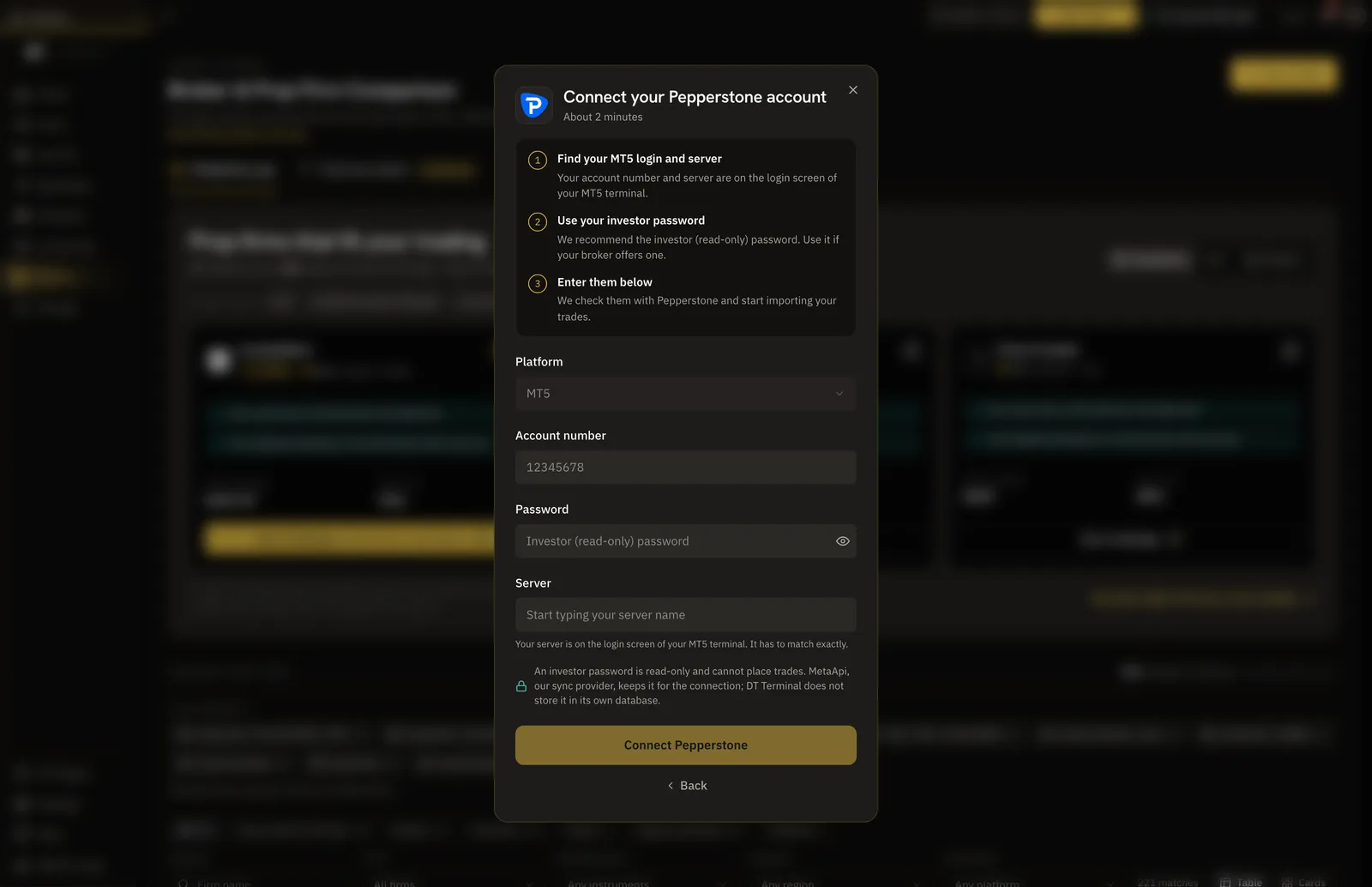
Verification means the platform reads the trades from the broker itself. On MT4 or MT5 you enter the account number, the server and a password. Use the investor password, which is read only, rather than your master password. DT Terminal recommends it, though the form will accept either, so the choice is yours.
cTrader connects through view-only authorisation, Tradovate with the platform's own sign in, and TradeLocker from the same broker picker. Crypto exchanges connect with an API key: create one with read permission and nothing else, because DT Terminal checks that the key can read, not that trading is switched off on it. Once connected, the history comes in from the broker and the trades carry the seal.
- MT4 and MT5: account number, investor password and server
- cTrader by view-only authorisation, Tradovate by its own sign in
- Crypto: a key with read permission and nothing more
Two platforms with a caveat
TradeLocker accounts earn the seal, but their P&L is calculated before fees, because the platform does not report commission or swap to us. A Tradovate account earns the seal once its trades reconcile with the account's own cash ledger.
04Keep the record clean
Once trades are synced, their market facts are locked: symbol, side, prices, size, times, fees and P&L. You cannot edit them, and a hand logged trade cannot be added to a broker-linked account. What stays editable is what you write about a trade, its notes, tags and strategy, which is where the journal comes in. A verified record shows what happened; the journal is where you work out why, and how to do better next month.
Keep the connection running. Each Passport shows how long every connection has synced continuously, as reported by the broker's server, and a long unbroken run is part of what makes a record believable. DT Terminal also refuses to remove an account while its connection is running. Deposits and withdrawals are recorded apart from trading P&L, and on MT4 and MT5 the headline percent is time-weighted, so adding money to the account does not move it.
- Synced prices, sizes, times, fees and P&L are locked
- Notes, tags and strategy stay yours to edit
- Continuous sync time is shown on the Passport, so gaps are visible
05Add prop payouts and certificates
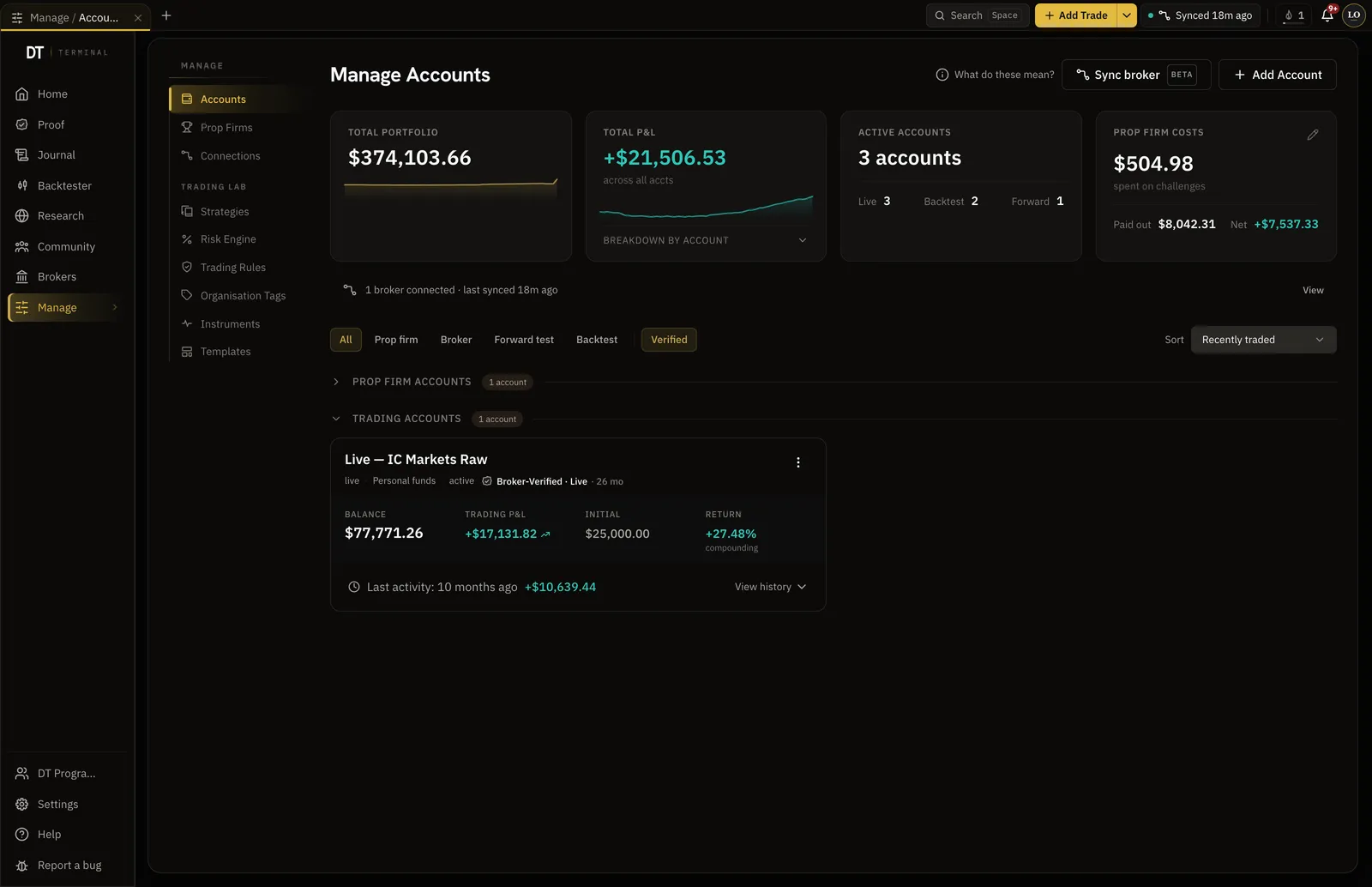
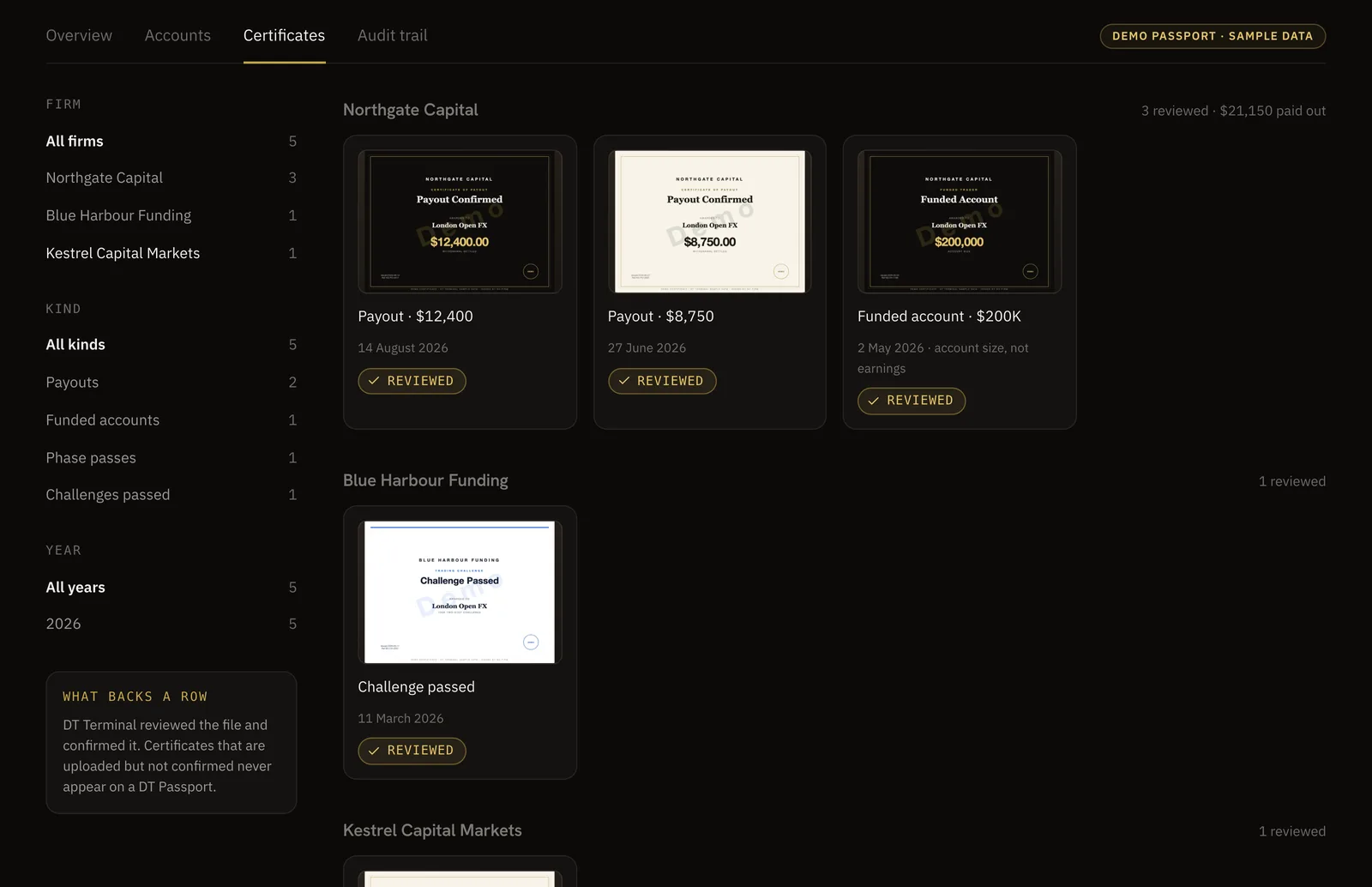
A funded account proves more when the money it paid out is on the record too. In DT Terminal you can submit a payout or a firm certificate against a synced prop account. Each one is screened for plausibility and reconciled against that account's broker-synced trades. Payouts and funded account certificates are then reviewed by a person before they appear; a challenge pass can be confirmed sooner when the synced trades already show it.
On the public Passport a prop account shows its verified payouts rather than the firm's P&L, under a Firm-Verified seal, and the challenge sits beside the funded account that it earned rather than being replaced by it. A certificate that is uploaded but not confirmed never appears.
- Payouts and certificates are checked against the account's synced trades
- Payouts and funded certificates go to a person before they show
- Prop accounts show verified payouts, never the firm's P&L
06Publish your Passport and share the link
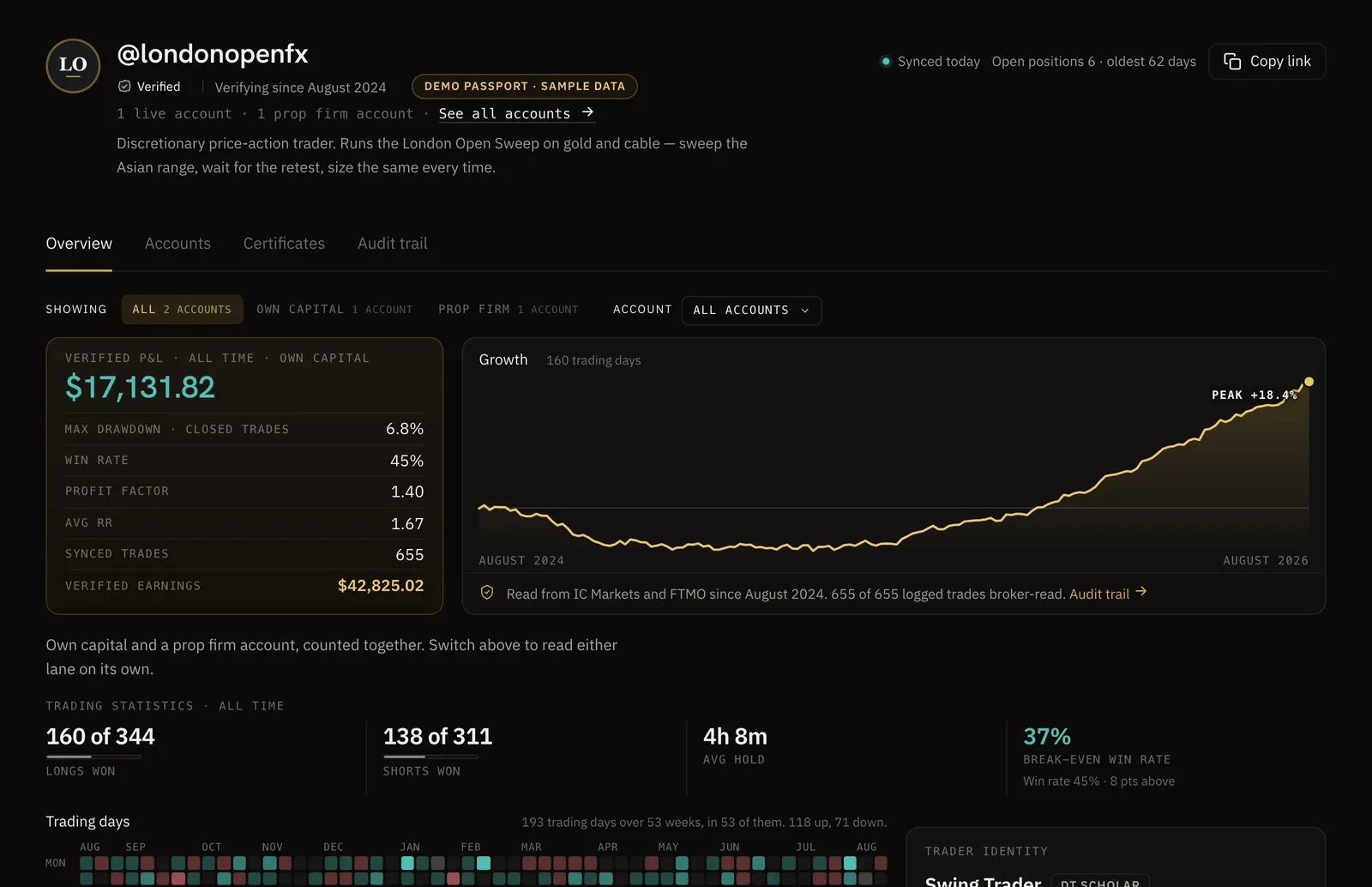
Claim a handle and your DT Passport lives at thedtterminal.com/dtpassport/ followed by that handle. It is public by default once claimed, and you can make it private at any time. It shows broker-verified records and nothing else: verified P&L, max drawdown, win rate, profit factor, average RR and trade count, a growth curve in dollars or percent, a trading-day calendar, and each public account with its seal. Records are split into own capital and prop firm lanes, across Overview, Accounts, Certificates and Audit trail tabs.
Then put the link wherever the doubt lives: your social bio, a pinned post, the application to a firm, the page where you sell a course. A student or an employer can open it, see when each account started syncing, and read the numbers for themselves. You choose whether public P&L shows in dollars, percent, R or not at all, and you can switch on a per-trade audit trail and a payout ledger, which are off until you do.
- One link at a handle you claim, public by default and private whenever you choose
- Backtests and practice accounts never appear on it
- Audit trail and payout ledger are opt in, account by account
07Know what verification does not cover
A verified record proves the trades came from the broker account that was connected. DT Terminal does not run KYC or check that the person publishing is the account holder; anyone holding an account's investor password or read key can connect it. A visitor sees the accounts the owner made public and is not told about any the owner keeps private. And after disconnecting, the owner can remove that connection's synced history.
Coverage has gaps too. There is no stock broker sync yet, futures accounts verify through Tradovate and no other platform, and the time-weighted return covers MT4 and MT5 alone; cTrader and crypto accounts show a simple return on the account size instead. Say these things yourself when you share a record. A trader who names the limits of their own proof is easier to believe than one who claims it covers everything.
- No check that the publisher is the account holder
- Accounts kept private are not flagged to visitors
- No stock broker sync yet, and futures through Tradovate alone
FAQ
Connect the real account to a platform that reads trades straight from the broker, keep that connection running, and share the public page it publishes. In DT Terminal that means linking MT4 or MT5 with the investor password, or cTrader, TradeLocker, Tradovate or a crypto exchange, then claiming a DT Passport. Synced trades earn a Broker-Verified seal on a live account and Firm-Verified on a prop account.
Not to anyone who doubts you. A screenshot can be cropped, edited or chosen from a good month, and a statement is still a file you control. What convinces a sceptic is a page published by a third party that read the trades from the broker, with the prices and P&L locked and deposits kept out of the return.
Myfxbook verifies a track record against the broker using the account number, the read only investor password, the broker and the server, reports gain as a time-weighted return, and on MT4 and MT5 adds a check that you hold the master password. Registration and tracking are free there, and no journal or per trade review appears in its help centre. DT Terminal verifies MT4 and MT5 with the investor password too, also connects cTrader, TradeLocker, Tradovate and crypto exchanges, and keeps the record beside a journal and a backtester. It does not run that master password check. Our verification comparison sets the platforms side by side.
A demo account at a retail broker does not count, because nothing is at stake on it. Prop challenges run on demo servers by design, so a blunt rule against demo accounts would exclude every funded trader. In DT Terminal a synced prop account earns a Firm-Verified seal, with the firm recognised from the broker server rather than typed in.
Futures, yes, through Tradovate: the account connects with the platform's own sign in and earns the seal once its trades reconcile with the account's cash ledger. A futures account on another platform is imported from that platform's CSV export, which brings the trades into the journal but does not earn a seal. Stocks cannot be verified today, because there is no stock broker sync yet.
Submit the payout against the synced prop account. It is screened for plausibility, reconciled against that account's broker-synced trades and reviewed by a person before it appears on your Passport. A prop account shows its verified payouts rather than the firm's P&L, and funded and challenge certificates sit on the Certificates tab, grouped by firm.
Yes. Your Passport is public by default once you claim a handle, and you can make it private at any time, or choose which accounts are public. Be aware that a visitor is not told about accounts you keep private, so if you are showing a firm or an investor, say which accounts they are looking at.
No. DT Terminal confirms the trades came from the broker account that was connected, but it does not run KYC or check that the person publishing is the account holder. Anyone holding an account's investor password or read key can connect it, so treat the record as proof of the account, not of the person.