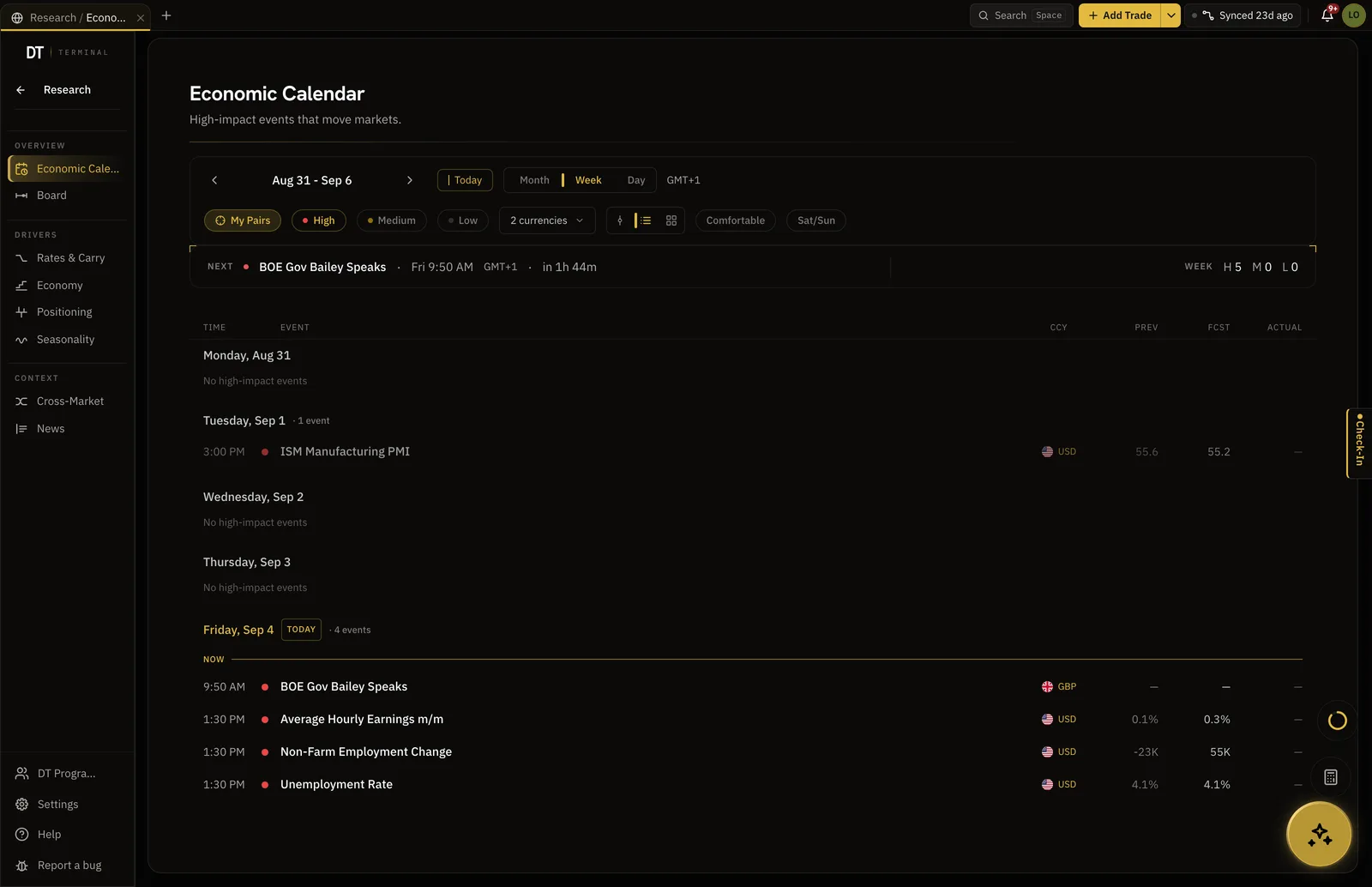
The calendar, filtered to your pairs.
Cut the week to the currencies you actually trade, and set a reminder before the releases that move them. The same workspace holds positioning, seasonality and the news schedule.
- Free alerts on high-impact events
- 3
- One filter, your instruments
- My Pairs
- Where a reminder arrives
- Email and in app
- Pro, per month
- $24
Where the calendar fits
Before the loop: the week cut to the pairs you trade, with a reminder before the releases that move them.
Save your instruments
Research reads the pairs you save, and falls back to the currencies your logged trades already name.
Filter the week
My Pairs and high impact cut the calendar down to what touches your book. The next release counts down at the top.
Set the reminder
Choose how long before the release you want telling. It reaches you by email and in the app.
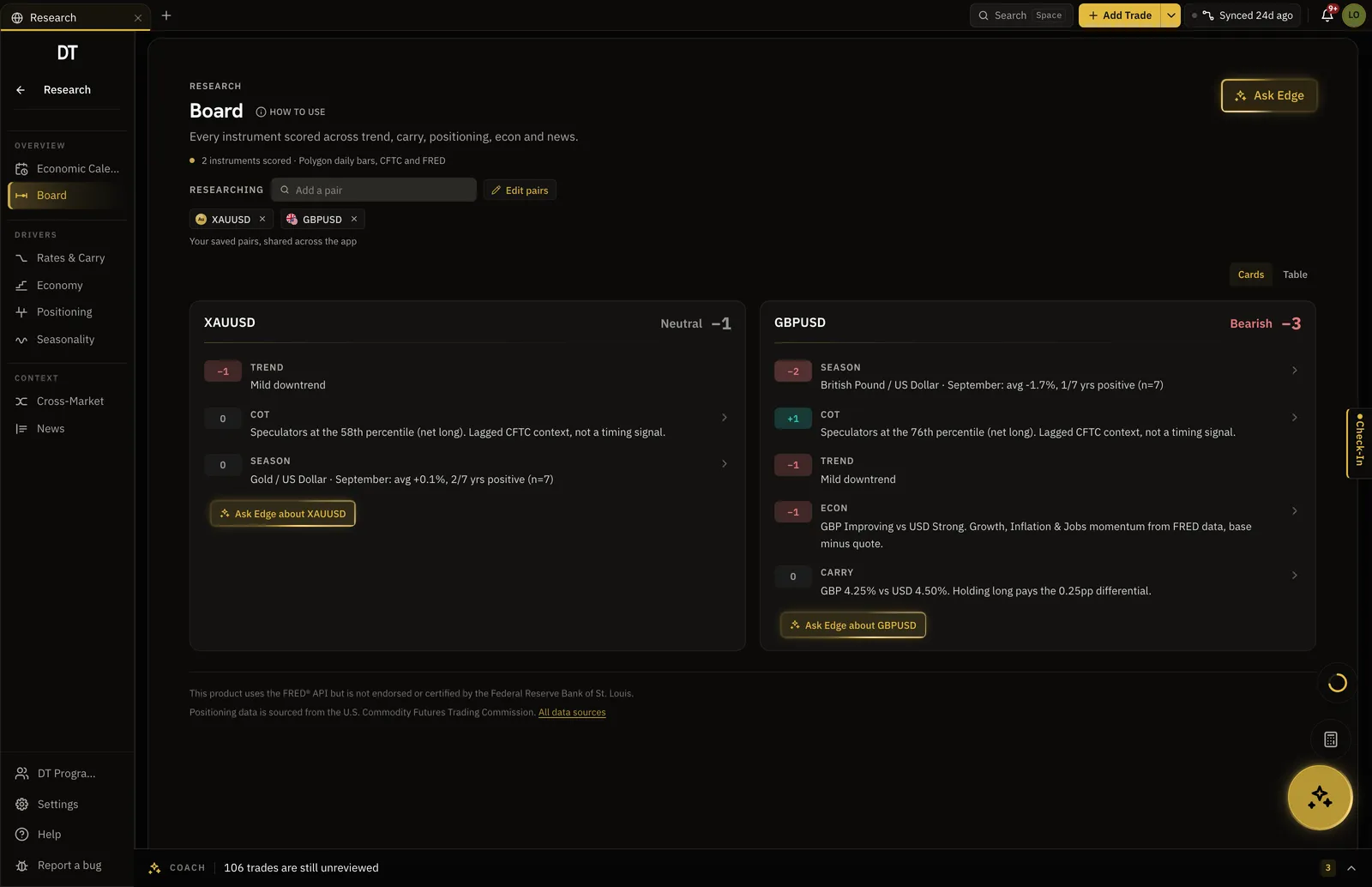
The calendar is one driver of six.
Trend, carry, positioning, econ, news and seasonality are each scored and signed for every instrument you save, so the week ahead is read beside the rest of the context rather than in a tab of its own.
- Six signals scored per instrument
- Each score links to the section behind it
- Ask Edge why, from the card
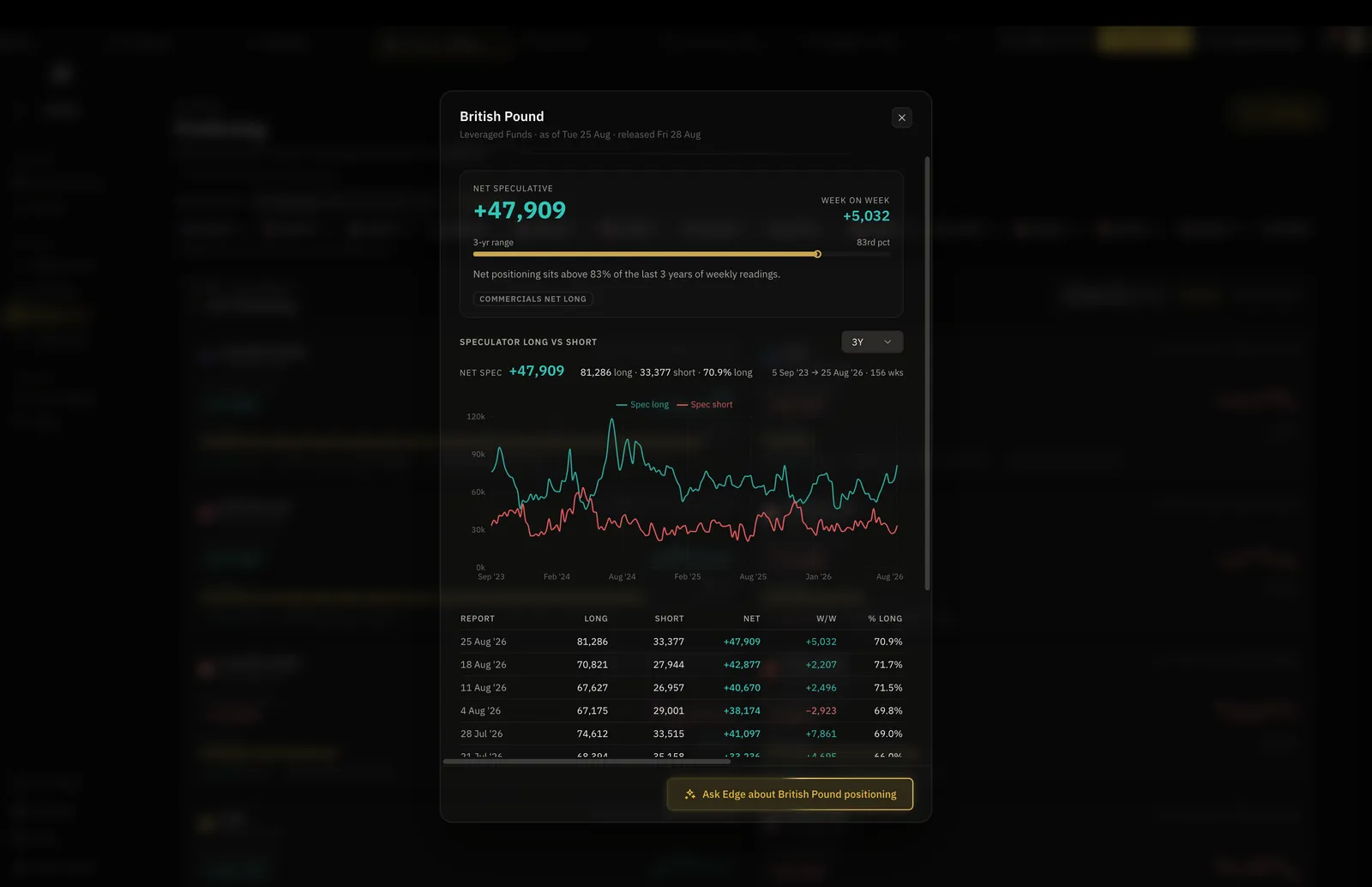
Who is positioned where, week by week.
Net speculative positioning against its three year range, from the weekly Commitments of Traders report, with every report underneath it.
- Sourced from the U.S. CFTC
- Net specs and the weekly change
- Three years of reports, one table
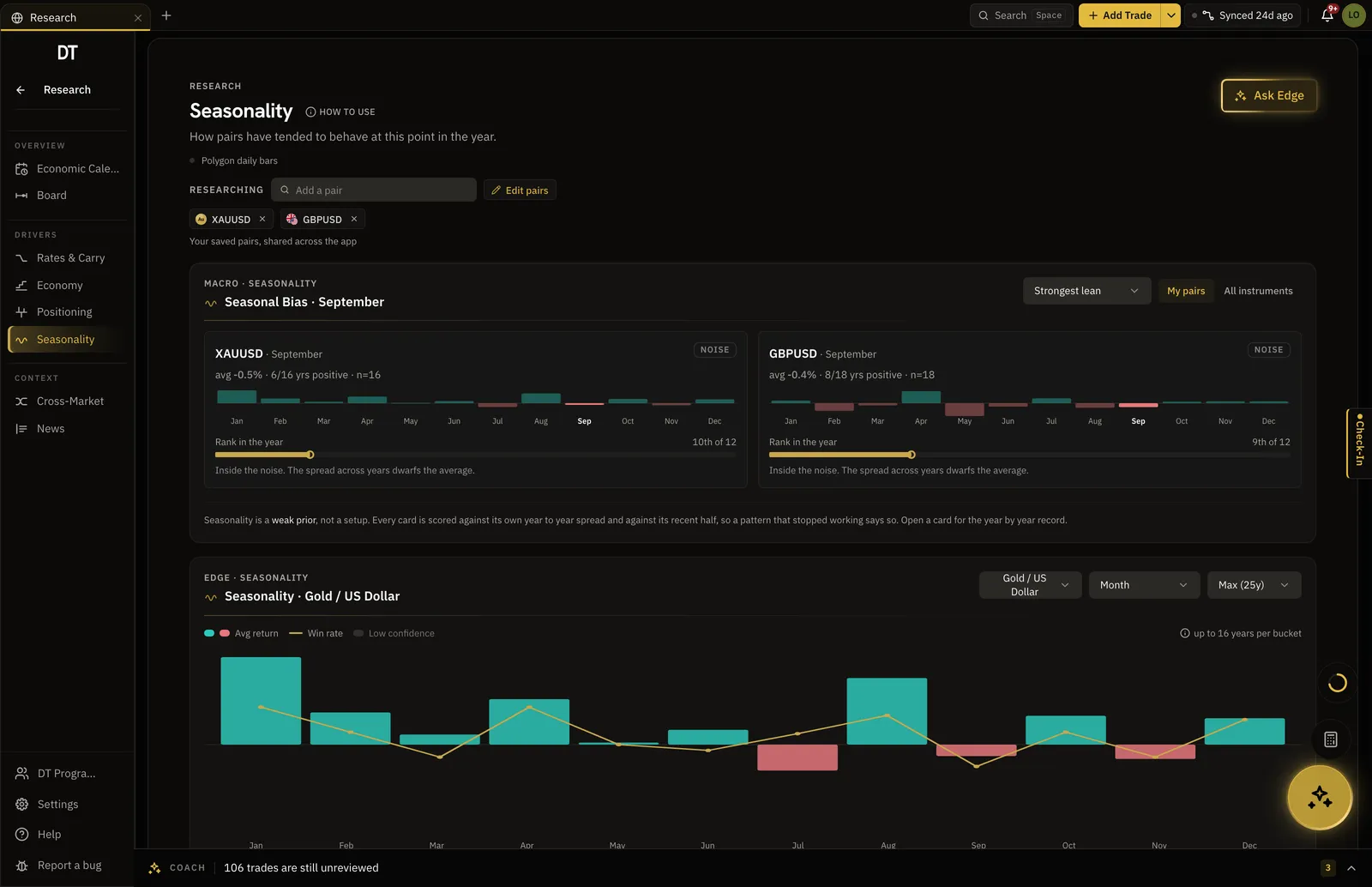
What this month has usually done.
How each saved pair has tended to behave at this point in the year, with the page saying plainly when the pattern is inside the noise.
- Average return and win rate by month
- The rank of this month against the other 11
- Called noise when it is noise
Numbers you can trust.
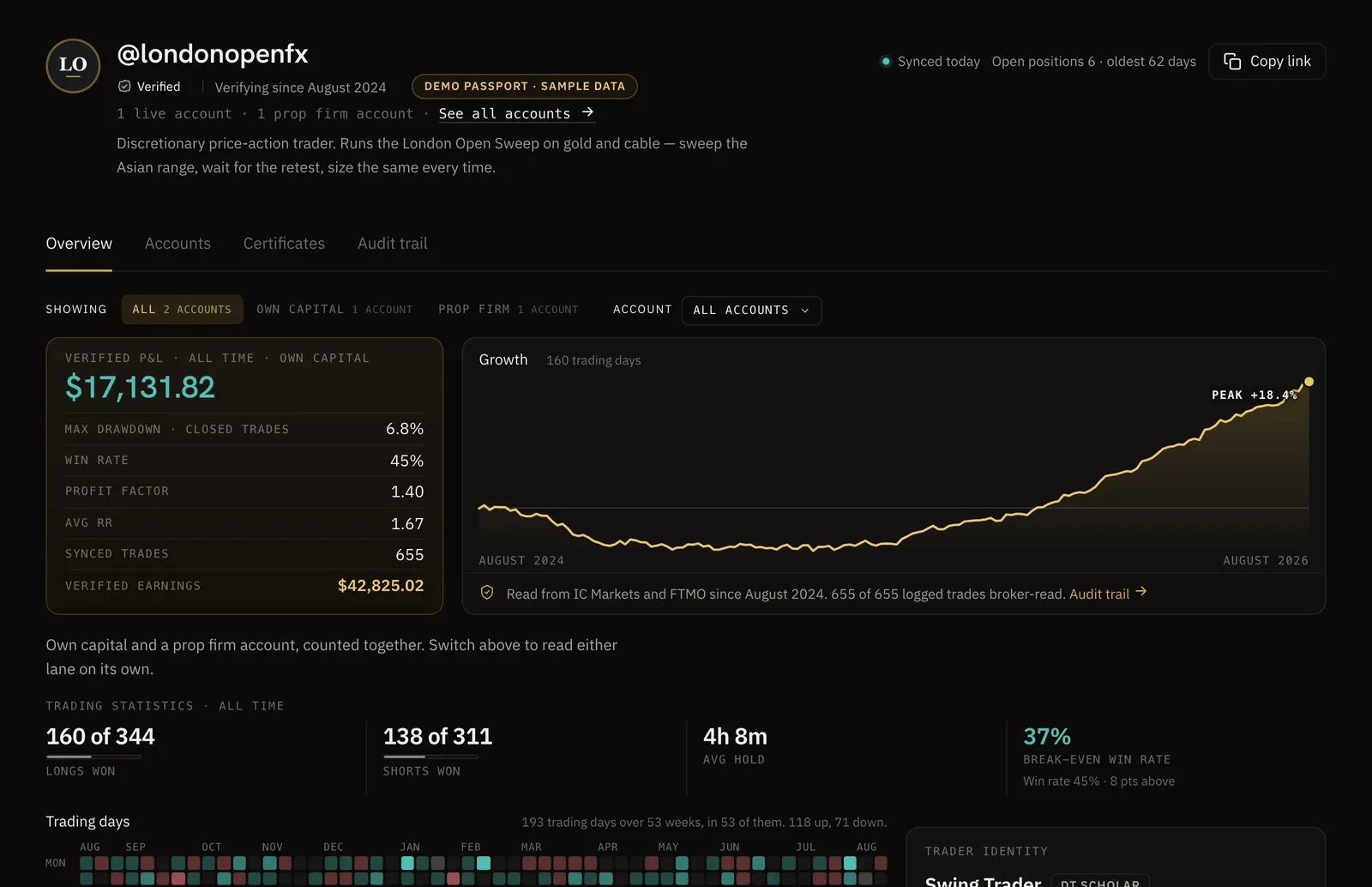
Sync your broker and your record becomes a DT Passport: one link with your P&L and growth read from the broker, shared only when you choose.
The calendar and three alerts come with Free and Plus.
Pro takes the cap off, $24 a month or $199 a year.
| Feature | Free | Plus | Pro |
|---|---|---|---|
| Economic calendar and filters | |||
| Active event alerts | 3, high impact only | 5, high impact only | 20 |
| Reminders per alert | One | One | Multiple |
| Recurring rule for an event | |||
| Full event impact read | One sample event | One sample event |
Full comparison on the pricing page.
Yes. The calendar, the filters and the countdown are free, with up to three alerts on high-impact events and one reminder each, and Plus keeps the same alerts. Pro, at $24 a month or $199 a year, makes alerts unlimited and adds multiple reminders and recurring rules.
My Pairs reads the instruments you saved in Research. If you have not saved any, it falls back to the currencies your logged trades already name, so the filter works on day one.
By email and as a notification in the app, however many minutes before the release you asked for. An alert can cover one event or recur every time that event comes round, which is a Pro rule.
The currency, the impact rating, the time, and previous, forecast and actual as the figure lands. High-impact releases for your pairs can be read on their own with everything else filtered out.
Yes. The AI coach reads the Research workspace the way it reads your journal, so you can ask what is coming for a pair you trade and get the calendar and the positioning behind it in one answer.
Know what is coming before the week starts.
The calendar and the first three alerts cost nothing. Set one in a minute.