Market research
The drivers, scored in one place.
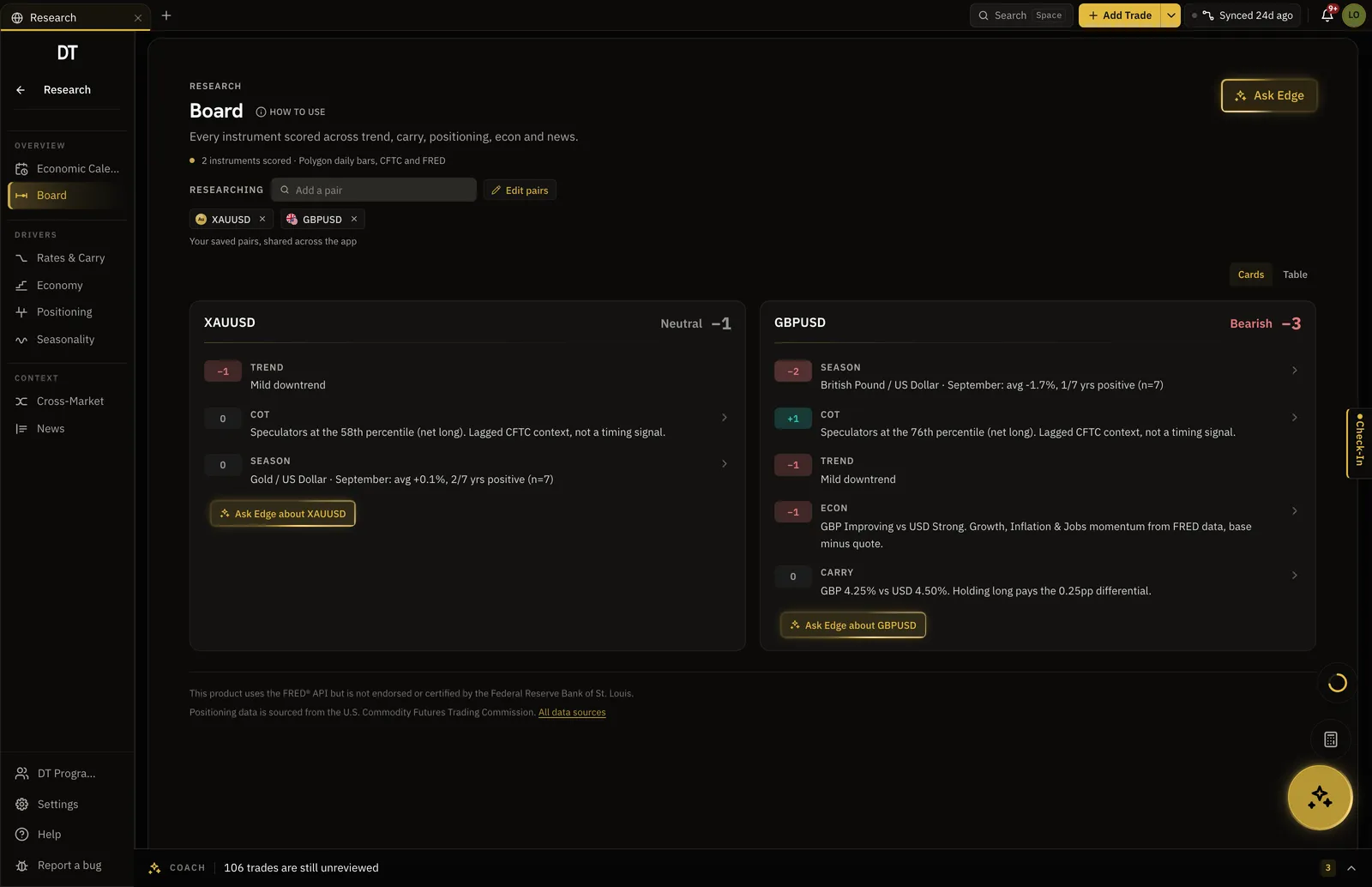
Trend, carry, positioning, econ, news and seasonality are scored for every instrument you save. The board shows its working, and the call stays yours.
- Six
- Signals scored per instrument
- CFTC
- Source of the positioning data
- FRED
- Source of the rates and econ series
- $18
- Pro, per month
How it works
- 01
Save the instruments
The board is your scope: the pairs you research, edited in the header and remembered.
- 02
Read the row
Each driver is scored and signed, and they sum to one net score per instrument. Nothing is hidden behind a number.
- 03
Open the driver
Click a signal to land in the section that produced it, or ask Edge why from the card.
Positioning
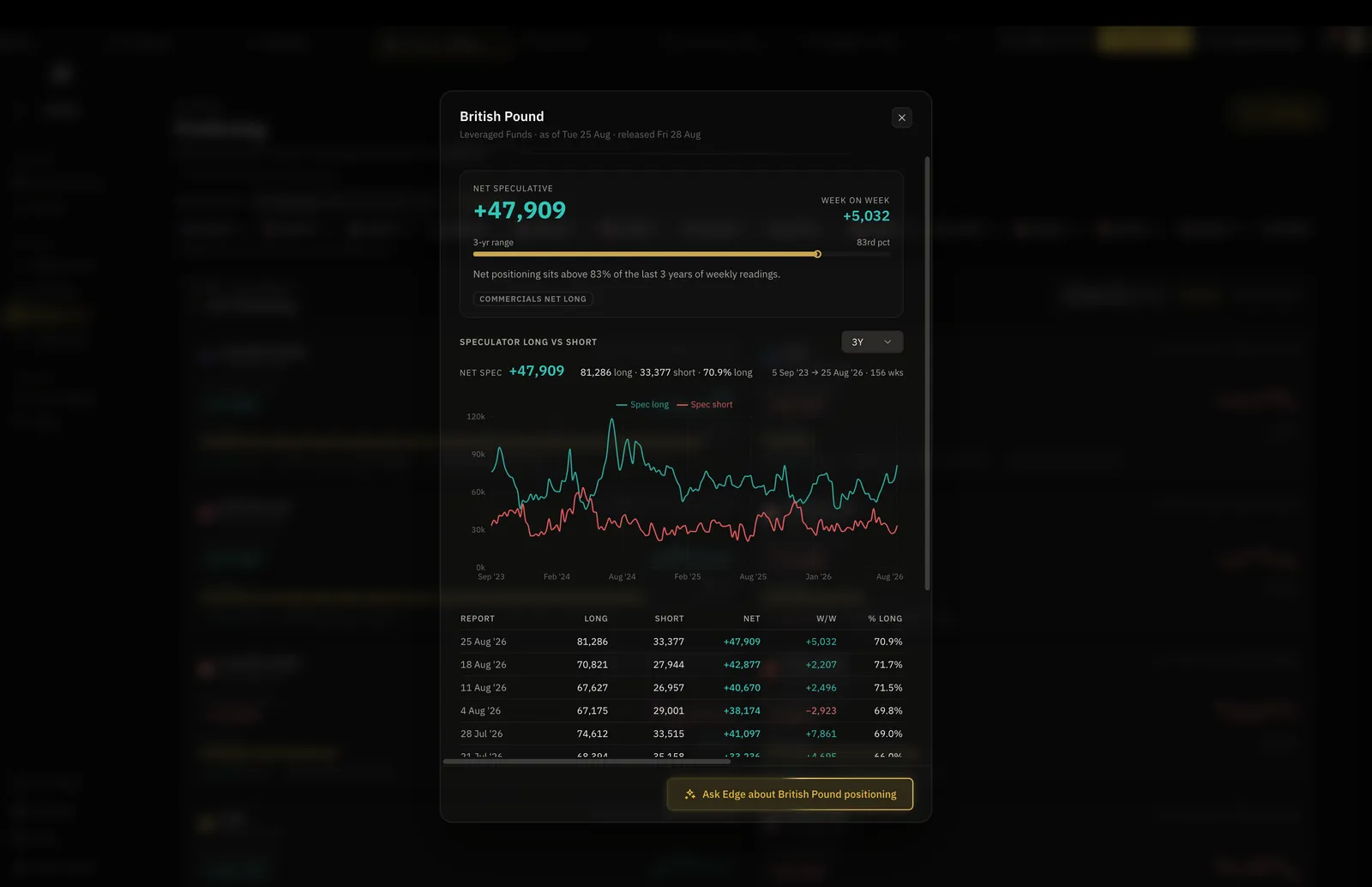
The weekly COT report, already read.
Net speculative positioning against its three year range, so a crowded book reads as a percentile rather than a headline.
- Sourced from the U.S. CFTC
- Longs against shorts, week by week
- Three years of reports underneath
Seasonality
A prior, with its strength stated.
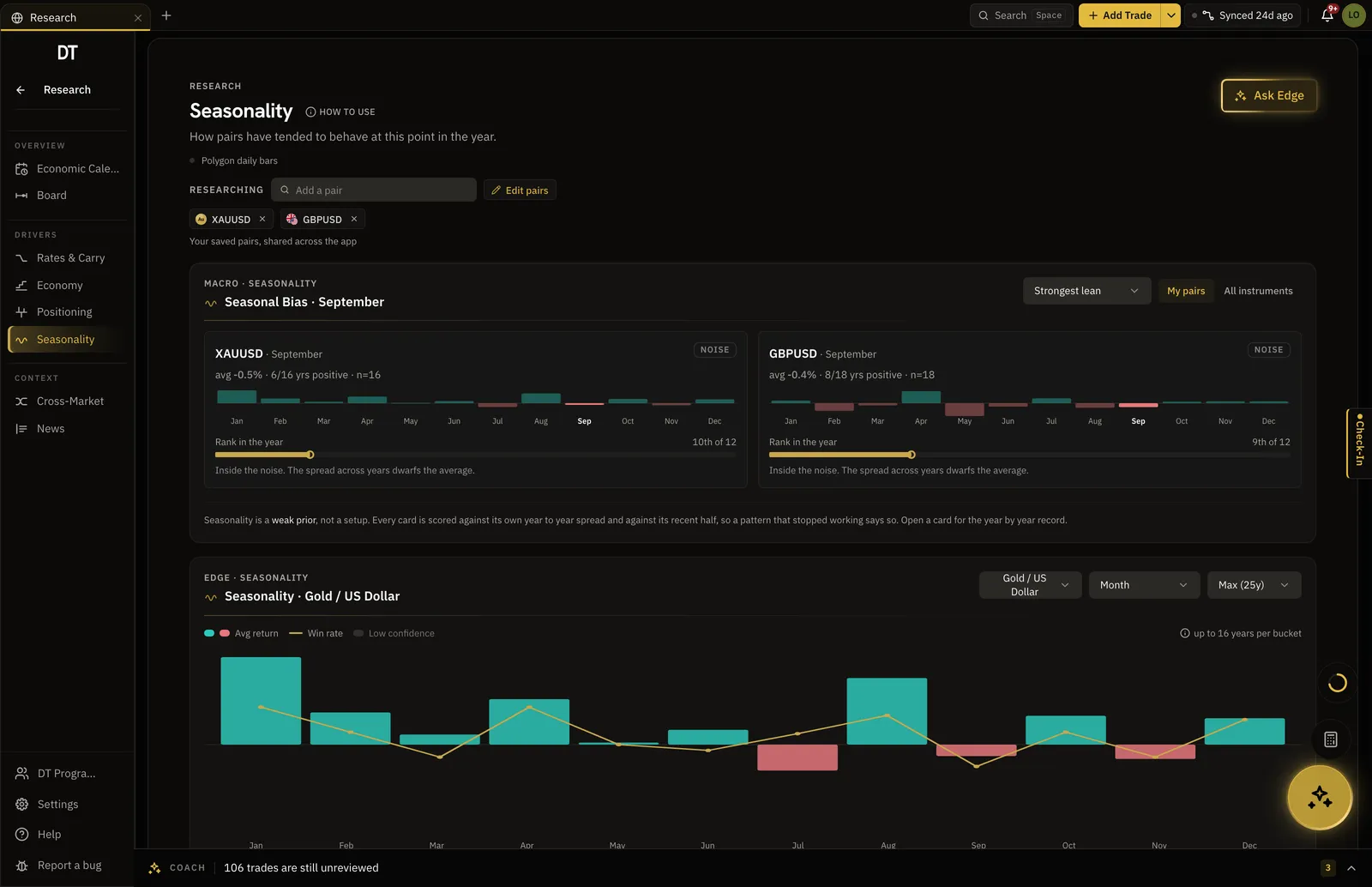
How the pair has behaved at this point in the year across years of daily bars, and a plain line when the month is inside the noise.
- Average return and win rate by month
- This month ranked against the other 11
- Says when there is no signal
Edge AI
The coach reads the board too.
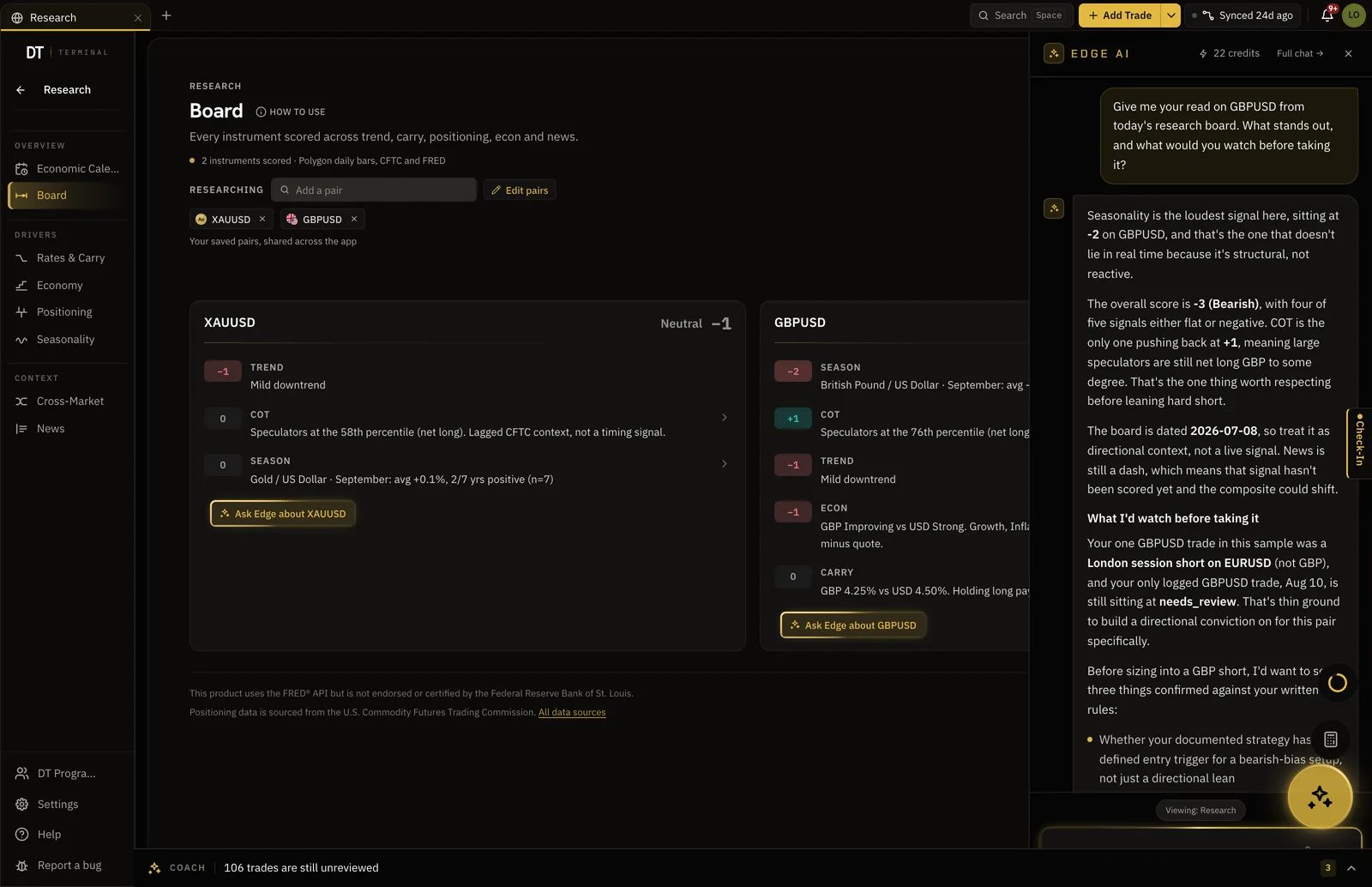
One click sends a pair card to Edge, which reads the scores and says what it would watch, in the same panel that reads your journal.
- Ask Edge about any instrument
- It answers from the scores on screen
- Beside your journal, not across tabs
What is free
The board and the calendar are free.
The depth behind each driver is Pro, $18 a month.
| Feature | Free | Pro |
|---|---|---|
| The Research board and its scores | ||
| Economic calendar and filters | ||
| Full COT history and weekly table | ||
| Seasonality across your instruments | ||
| Event impact read on every event | One sample event |
Full comparison on the pricing page.
Questions
Is the research free?
The board, its scores and the economic calendar are free. The full COT history, seasonality across your instruments and the event impact read are Pro, at $18 a month or $149 a year.
Does it tell me what to trade?
No. It scores the drivers and shows the working behind each one, and the directional call is yours to make. Nothing here is advice and nothing places a trade.
Where does the data come from?
Positioning is sourced from the U.S. Commodity Futures Trading Commission, rates and econ series from the FRED API, and prices from our market data provider. Every source is named on the data sources page.
Which instruments does it cover?
The ones you save. The board is your own scope of pairs, edited in the header, and the calendar, news and seasonality all follow that same list.
How is this different from reading a news site?
A news site tells everybody the same thing. This scores the drivers for the instruments you trade, sits in the terminal that holds your journal, and can be read by the coach that knows your record.
Can I run DT Terminal from Claude?
Soon. We are building an MCP connector that opens the whole of DT Terminal to Claude: every workspace and every piece of your data, to read and to act on, with your consent per scope. It works with any assistant that speaks MCP, and it is in development, not live yet.
Read the drivers before you take the trade.
The board is free. Save two pairs and see what it says about them.
Your privacy choices
Essential storage keeps DT Terminal working. Optional: product analytics and 60-day referral attribution. Change it any time in our Privacy Policy.