Trading verification · Breaking even
Breakeven is an edge the costs are eating.
A flat account after months of work usually means something is working and something else is giving it back. Fees, early exits and one bad setup are the usual suspects, and a verified record shows which it is.
- What fees take, in one figure
- Gross to net
- Other stops and targets replayed
- What-if exits
- Which setup carries the rest
- By setup
- Pro, per month
- $24
Your week on DT Terminal
One way a week runs, using the tools on this page.
- Monday
Fees arrive with fills
Synced on Verified or Pro, in the broker’s own figures
- Tuesday
Read gross to net
See how much of the gross the fees take
- Wednesday
Replay the exits
What a different stop or target would have made, on Pro
- Thursday
Split by setup
Find the setup paying for another, on Verified and Pro
- Friday
Cut one, then check
Let the record say a month later whether it held
How it works
- 01
Count the costs
Sync the broker on Verified or Pro and the fees arrive on every fill. Gross to net shows how much of the gross they take.
- 02
Test the exits
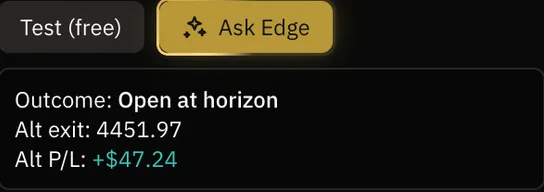
Trade Replay plays a trade again bar by bar and draws a different stop or target on the real bars, so you can see what it would have made.
- 03
Cut what does not pay
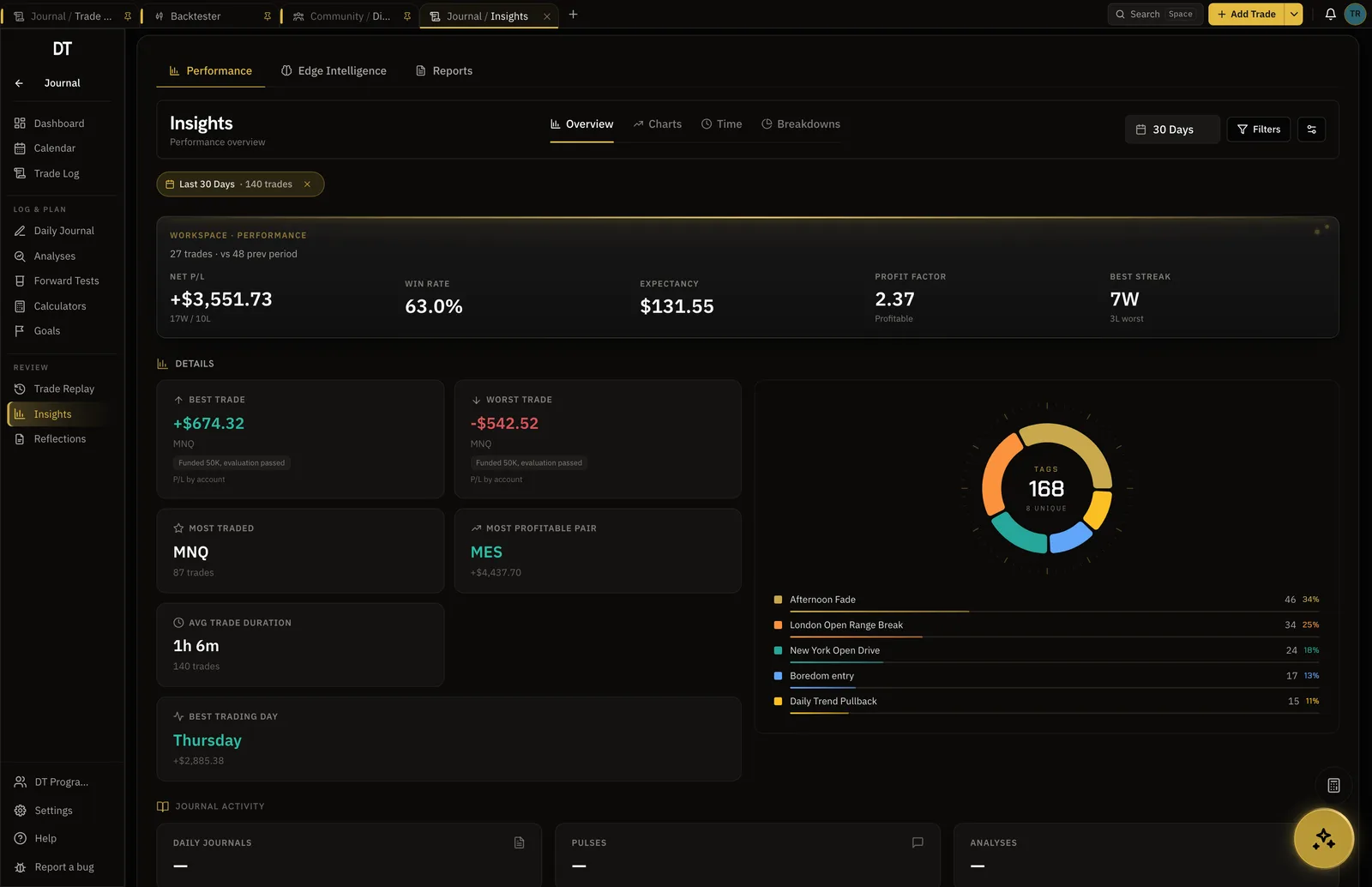
Filter by setup and session. Breakeven is often one profitable setup carrying one that loses.
Gross to net
The edge might be there. The fees might be taking it.
Analytics puts gross, fees and net side by side. On a synced account the fees are the broker's own figures, commission and swap netted into one number, so a strategy that makes money before costs and none after shows it plainly.
- Fees read from the broker on synced trades
- Gross, fees and net in one row
- Equity curve after costs
Exits
What a different exit would have made.
Trade Replay shows any single trade again, bar by bar, with what-if exits drawn on the real bars, so you can see whether a wider stop or a later target would have kept the winner you cut.
- What-if exits on the real bars
- Any logged trade, synced, typed or imported
- On Pro
Setups
Often one setup is paying for another.
Filter the record by strategy, tag and session on Verified and Pro. A breakeven total can hide a setup that makes money and one that loses the same amount, and cutting the second is a change you can check a month later.
- Strategy-level performance on Verified and Pro
- Filter every stat by tag and account
- Edge Shape by R for each view
What is free
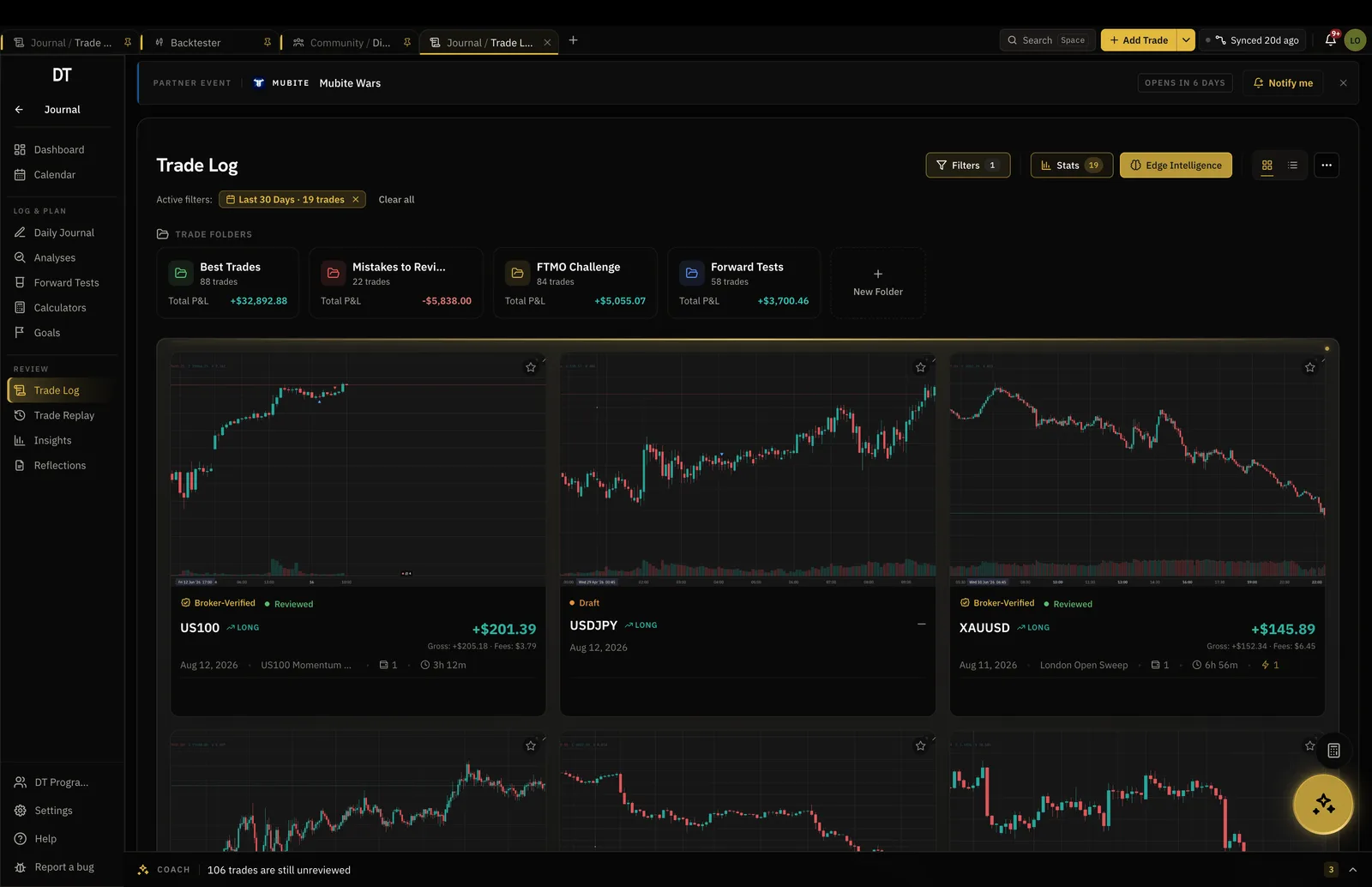
Journal and see your basic results free.
Fee-accurate journal sync and filters start on Verified, $9 a month, and Trade Replay is Pro, $24.
| Feature | Free | Verified | Pro |
|---|---|---|---|
| Broker auto-syncInto your journal: MT4, MT5, cTrader, TradeLocker, Tradovate and supported crypto exchanges. Free pulls its one verified account to the passport only | Passport only | Into your journal | Into your journal |
| Detailed filtered trade statsAnalytics and Reports filters come with Verified and Pro. Trade Log filters are free | |||
| Strategy-level performance trackingFree shows win rate, profit factor and expectancy on each strategy card. Verified and Pro add the full strategy breakdowns in Analytics | Strategy cards | Full breakdowns | Full breakdowns |
| Trade ReplayWatch a real trade play out again on the chart, with what-if exits | |||
| Daily journals, structure included |
Full comparison on the pricing page.
FAQ
Often because a small edge is real but thin, and costs or exits take it. Fees on every fill, winners closed early and one losing setup can each flatten an otherwise working strategy.
No. Brokers send them as one fees figure on the fill, and the app keeps it that way rather than inventing a split. Gross to net shows the total they take.
Open the trade in Trade Replay. It plays the market back bar by bar with your levels where they were, and a what-if exit shows what a different stop or target would have made, so you can see whether your exits are giving back the edge. It is a Pro feature.
It might, or it might not. A what-if exit shows what a past trade would have done, which is evidence, not a promise. Test a change, then let the record say whether it held.
Journaling, basic insights and verifying one account are free. Broker sync into the journal with the real fees and filtered stats by setup start on Verified, and Trade Replay is Pro.
Yes. DT Terminal Connect is our MCP connector: Claude, ChatGPT and other AI apps can read and update your journal, backtests and synced accounts, with your consent per scope. It needs a paid plan: on Verified a connected app can read your account, and on Pro it can also write to your journal. Set it up in Settings, MCP. You choose what each app may do, see what it did, and can disconnect it there at any time.
Something is working. Find what is giving it back.
Free to start. Sharper on Verified and Pro.