Trading verification · TradingView
Chart where you chart. Keep the record here.
Chart on TradingView and keep the verified record here: on Pro, sync the MT4, MT5, cTrader, TradeLocker or crypto account that filled the trade and replay it on our charts, or bring it in by CSV for free, then finish a backtest with stats instead of an impression.
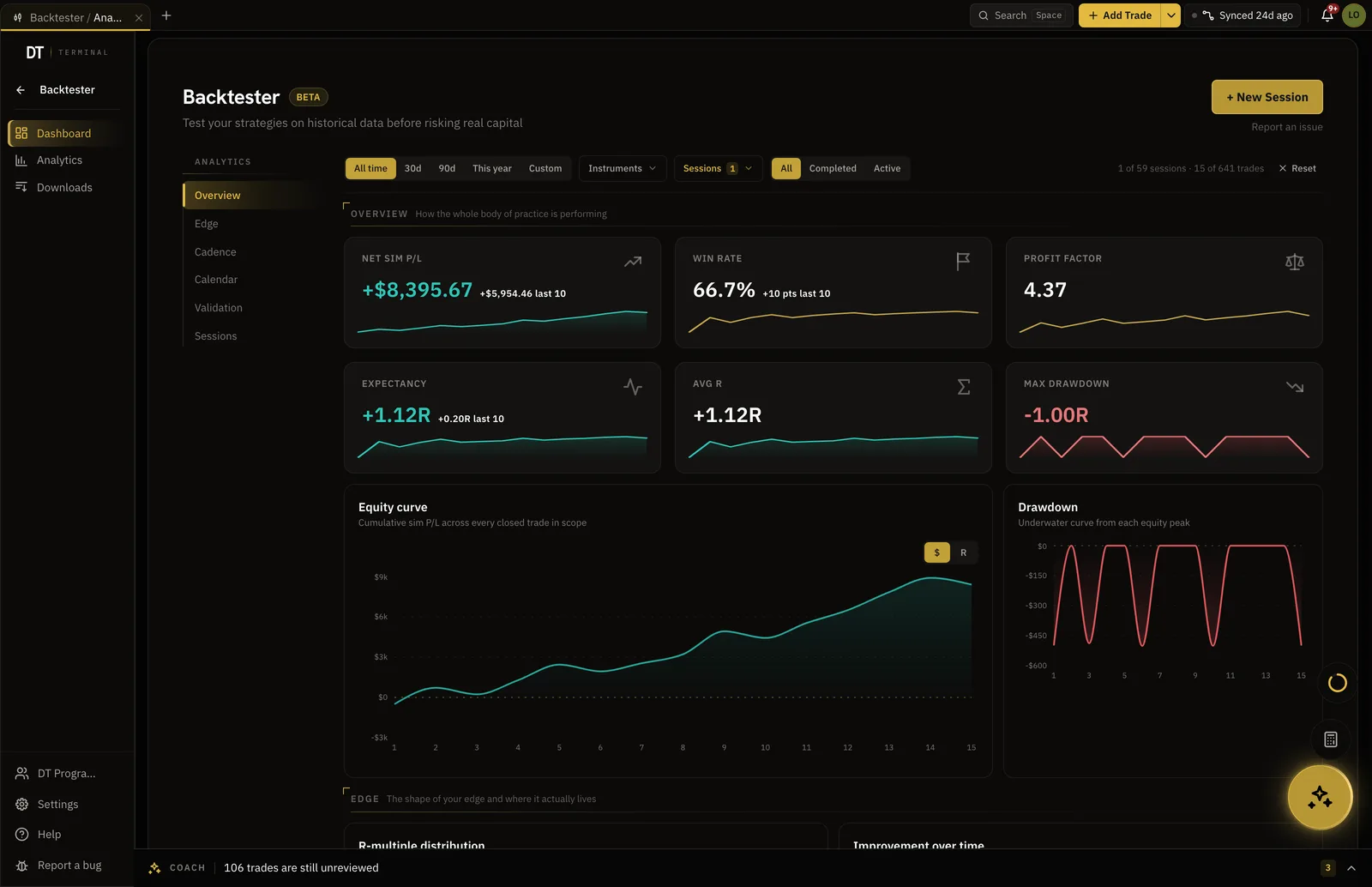
- Jump to time
- Start the replay at any date
- 2 lifetime
- Backtest sessions free
- 10 trades
- Per CSV import free
- $18
- Pro, per month
How it works
- 01
Log the trade you took
Type it in with the reason, or import a CSV from the broker that filled it.
- 02
Backtest the setup
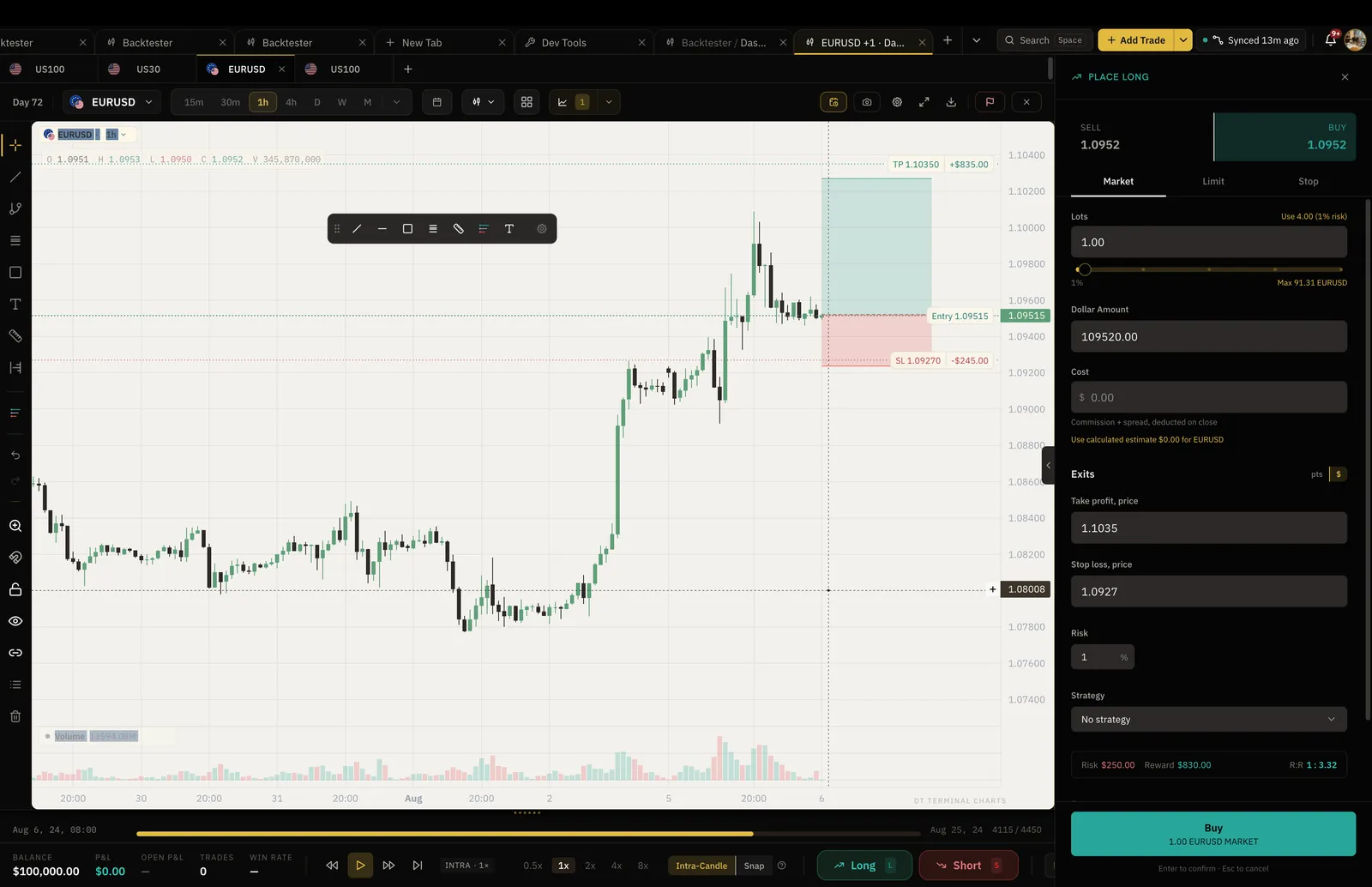
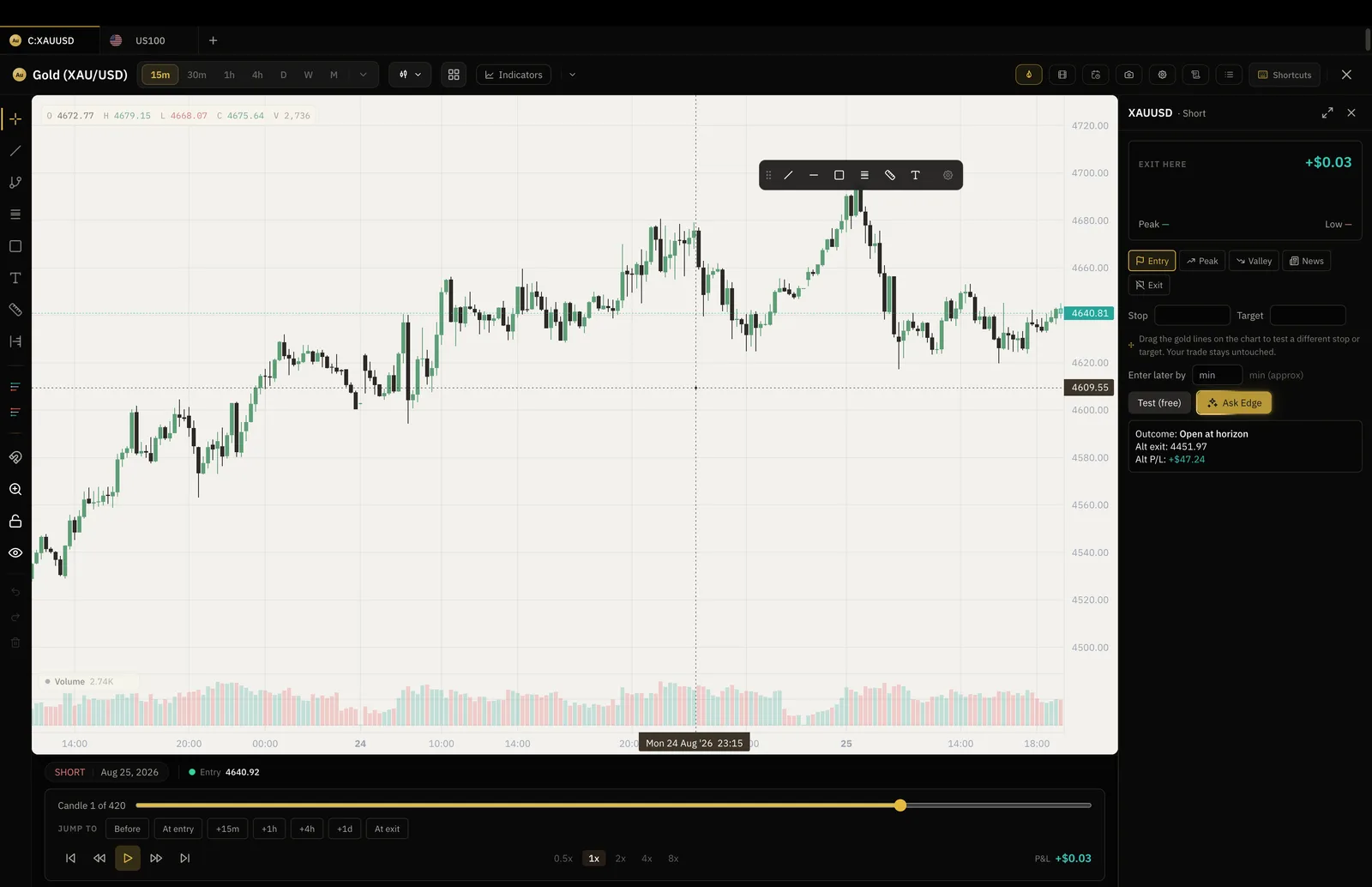
Jump to a date, step the chart forward one bar at a time, and place entries, stops and targets as if it were live.
- 03
Read the result
The run ends with win rate, expectancy and drawdown, and on Pro the trades export into the same Trade Log as your live ones.
Bar replay, with a record
How this differs from bar replay on a charting site.
Both step a historical chart forward. Here each simulated trade is logged with its R multiple and the session ends with its own stats, so what you tested can be compared with what you actually traded.
- Every simulated trade logged with its R
- Win rate, expectancy and drawdown per session
- Export to your Trade Log on Pro
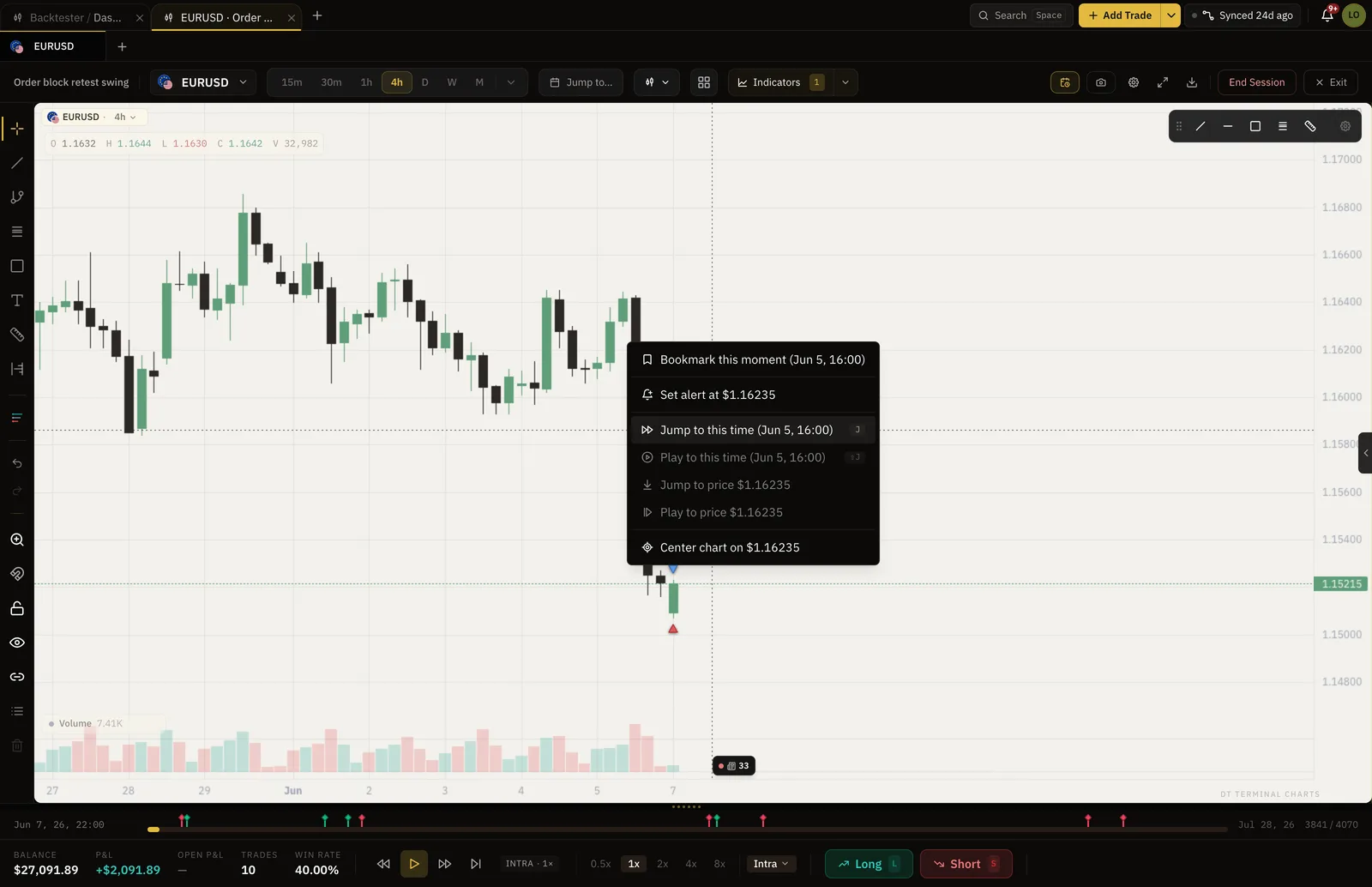
Jump to time
Start at the candle worth studying.
Jump to a release, a session open or the day a setup failed, instead of scrolling through the quiet hours to reach it.
- Any date and time
- The future stays hidden until you step into it
- Your drawings stay on the chart
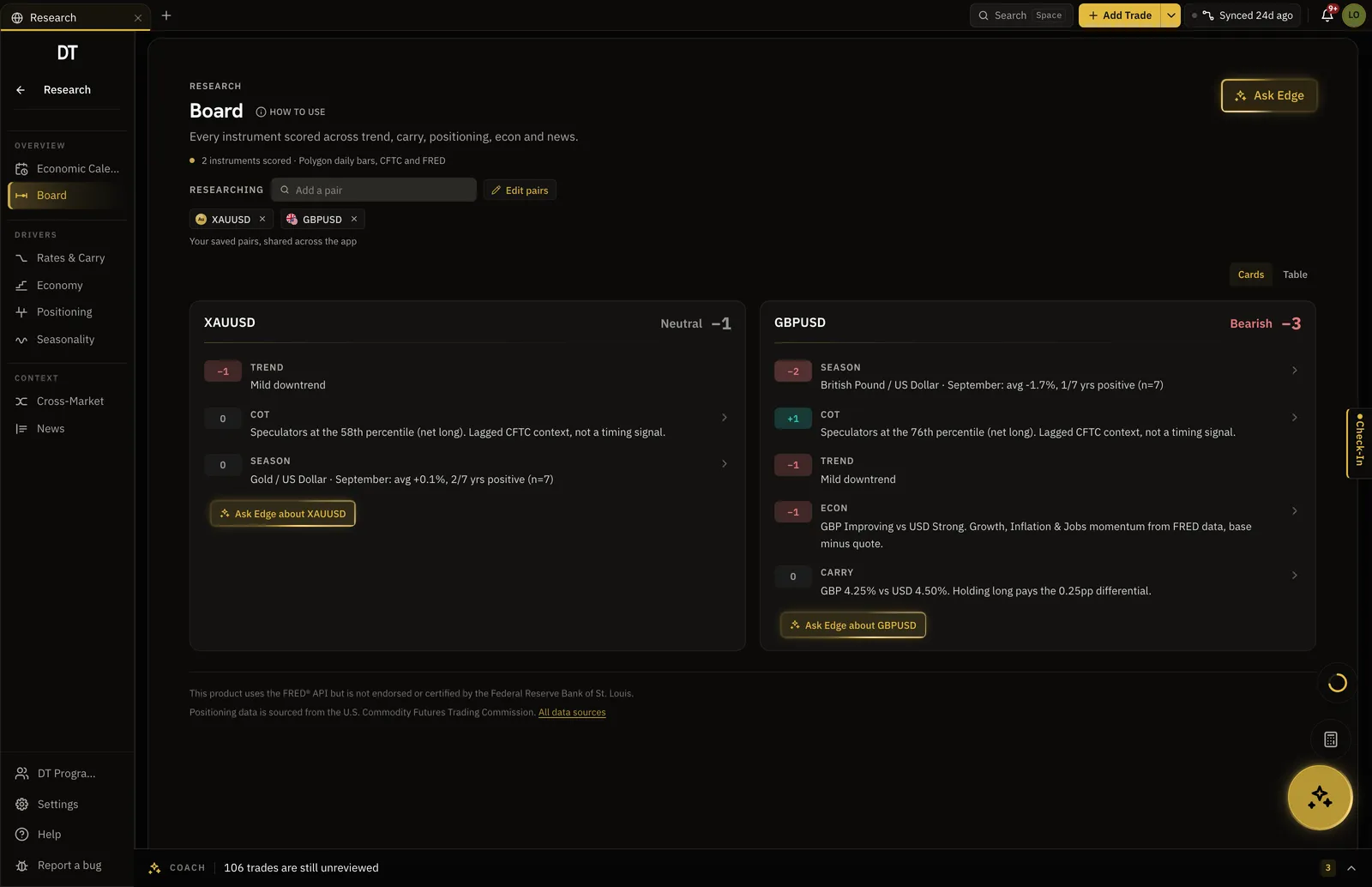
Research
Calendar, positioning and seasonality, one tab away.
Trend, carry, positioning, seasonality and news are scored for each instrument you save, next to the journal rather than in another window.
- Economic calendar with alerts
- COT positioning
- Seasonal tendency by month
Trade replay
Watch your own trade again, then change the exit.
On Pro a logged trade replays bar by bar with its levels drawn where they were, and a what-if exit shows what another rule would have paid.
- Works on typed and imported trades
- Entry, stop and exit on the bars
- The tested exit is saved to the trade
Worth knowing
TradingView does not connect to DT Terminal.
TradingView is where the chart lives; the fills belong to your broker. So trades come in by hand, by CSV, or on Pro through a read-only connection to the MT4, MT5, cTrader, TradeLocker or crypto account that filled them.
What is free
Log, import and run two backtest sessions free.
Pro takes the caps off, $18 a month or $149 a year.
| Feature | Free | Pro |
|---|---|---|
| Manual and CSV logging | ||
| Import per batch | 10 trades | Unlimited |
| Backtest sessions | 2 lifetime | Unlimited |
| Trades per session | 50 | Unlimited |
| Markets per session | 1 | Unlimited |
| Trade Replay and what-if exits | ||
| Export backtests to your Trade Log |
Full comparison on the pricing page.
Questions
Does DT Terminal connect to TradingView?
No, and it is not planned: TradingView is a charting site, and the fills you would want in a journal belong to your broker. Log by hand, import a CSV, or connect the broker account itself.
I place orders through a broker inside TradingView. Can that account sync?
If that broker gives you an MT4, MT5, cTrader or TradeLocker account, or it is one of the 10 supported crypto exchanges, the account syncs on Pro and the trades arrive verified. Otherwise export the history as a CSV.
How is the backtester different from bar replay?
Both step a historical chart forward one bar at a time. The backtester also logs every simulated trade with its R multiple, ends the session with win rate, expectancy and drawdown, and on Pro exports those trades into the journal beside your live ones.
Which markets can I backtest?
The forex pairs, metals, indices, crypto and futures with historical candles in the app, on the charts inside DT Terminal. Coverage grows as data partners are added.
What does it cost to start?
Nothing. Logging by hand, CSV imports of 10 trades a batch and 2 full backtest sessions are free, with no card. Pro is $18 a month or $149 a year.
Can I run DT Terminal from Claude?
Soon. We are building an MCP connector that opens the whole of DT Terminal to Claude: every workspace and every piece of your data, to read and to act on, with your consent per scope. It works with any assistant that speaks MCP, and it is in development, not live yet.
Keep the chart. Add the record.
Two backtest sessions and unlimited logged trades are free.
Your privacy choices
Essential storage keeps DT Terminal working. Optional: product analytics and 60-day referral attribution. Change it any time in our Privacy Policy.