Track whether your trading is improving.
Connect your broker once or log trades by hand, and every trade lands with its notes, tags and screenshots. Edge reads the whole record and tells you which setups, sessions and habits to fix next, with the backtester and lessons one click away. Free syncs one account that is not MT4 or MT5 into your journal hourly, and logging by hand is always free.
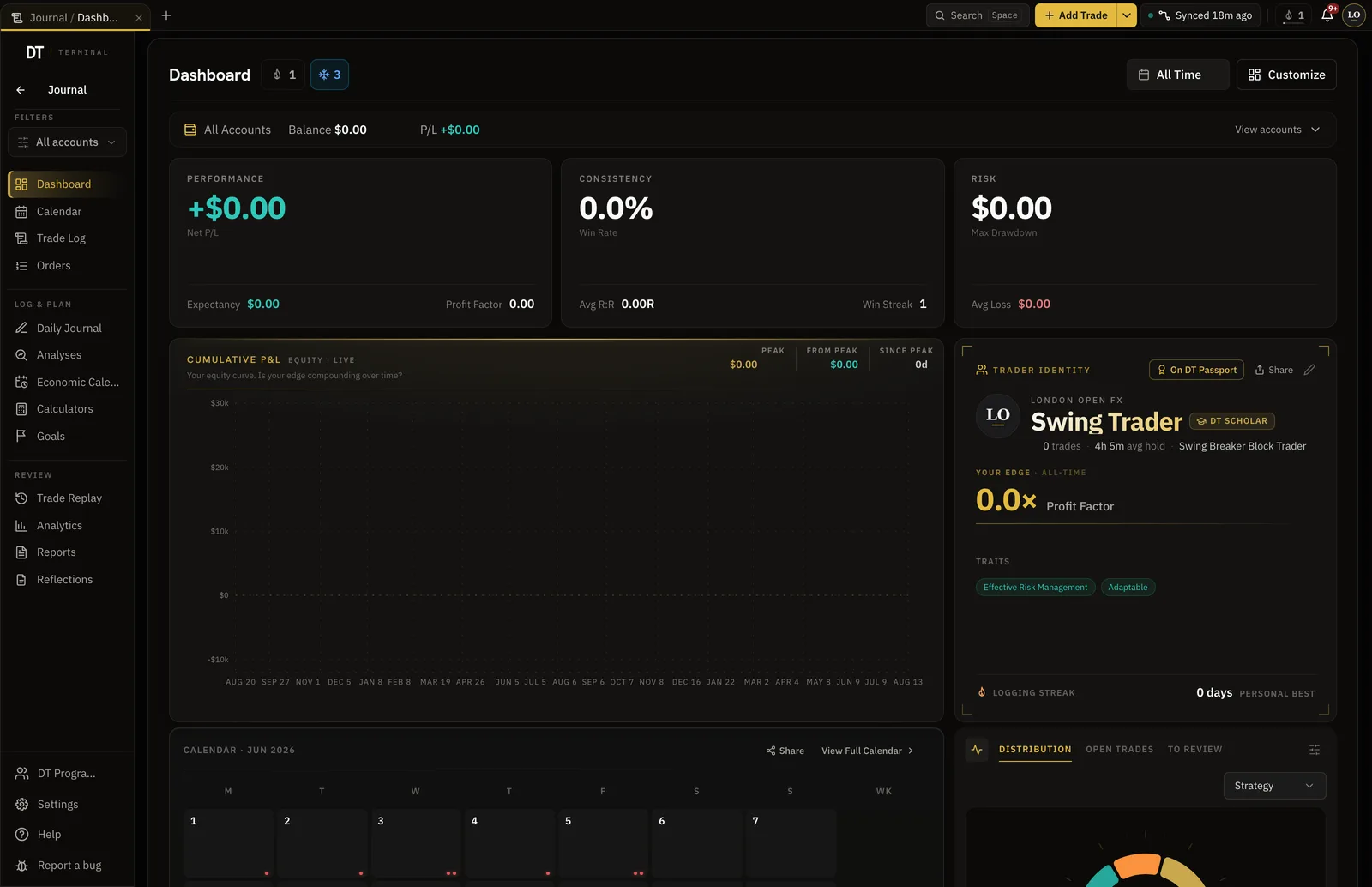
- To practice, log and review
- One place
- Brokers and exchanges sync
- 428+
- To start, no card
- $0
- Pro, per month
- $24
Where the journal sits
Edge reads the whole record and tells you which setups, sessions and habits to fix next.
Log or sync
Type a trade in, import a CSV, or let your broker fill the log for you.
Review it
Notes, tags and a screenshot on every trade. On Pro, replay it bar by bar and test another exit.
Let Edge read it
The AI coach reads every trade and journal entry and suggests what to test next.
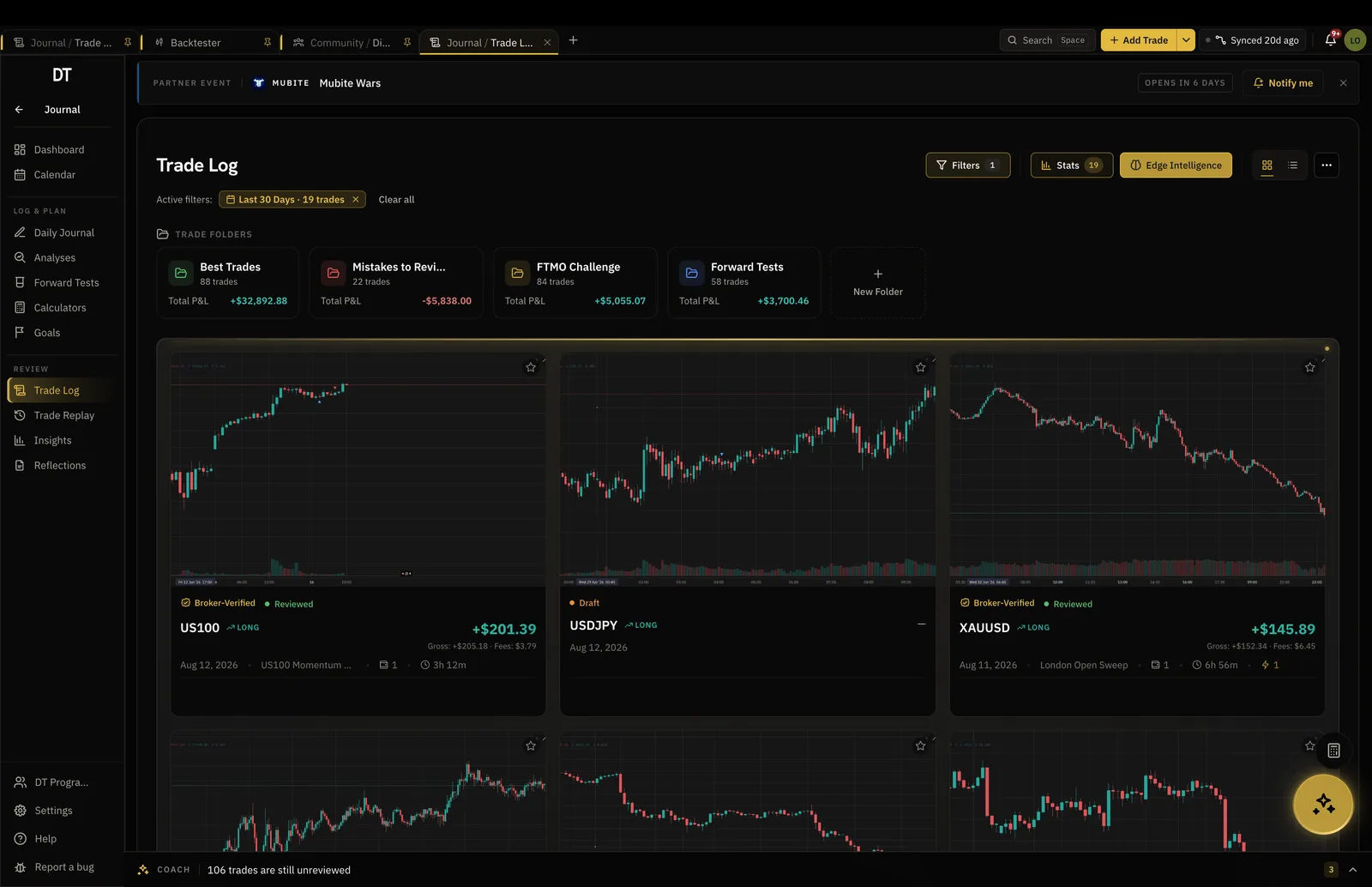
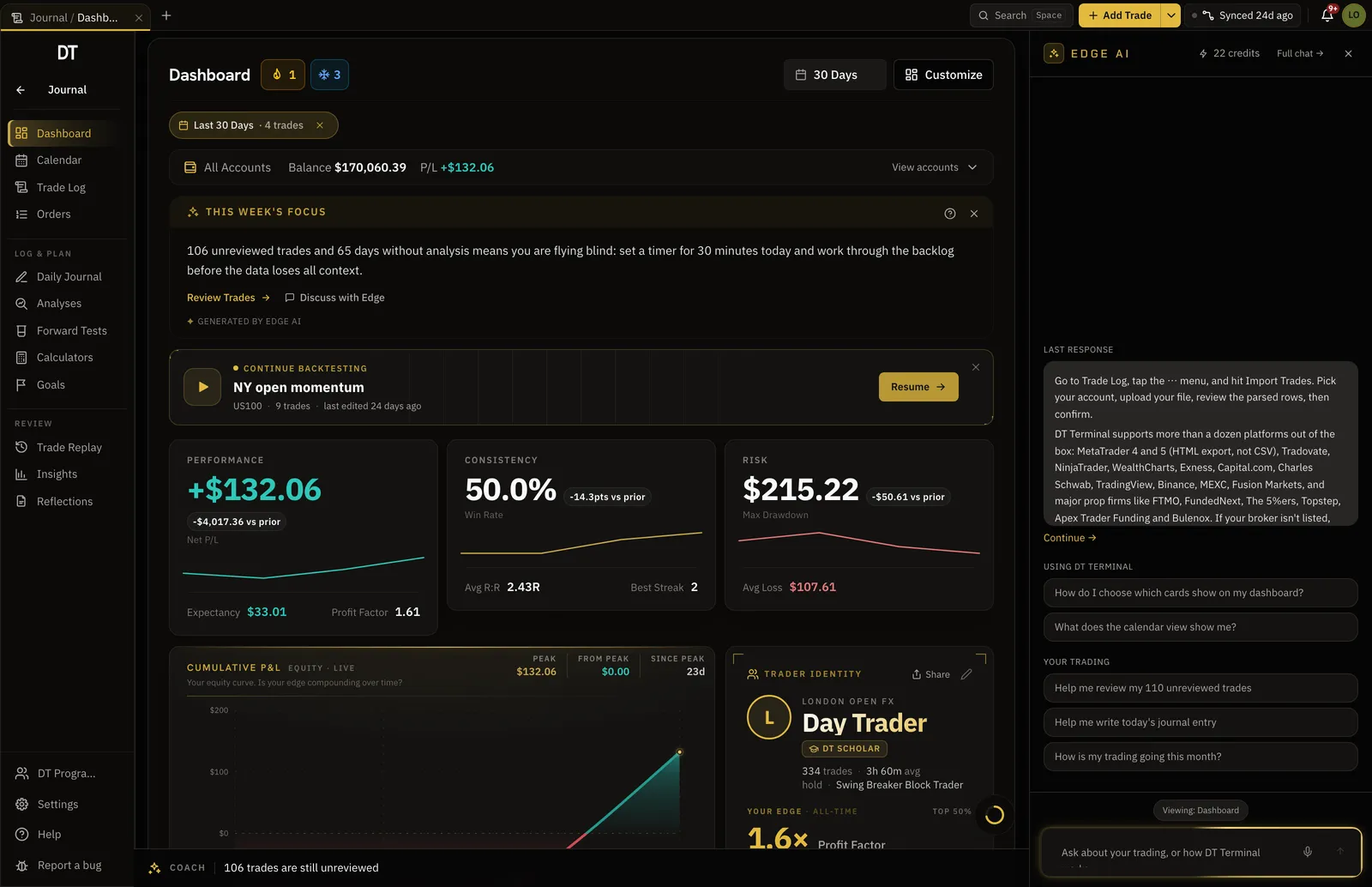
Every trade with its reasoning attached.
Tags, screenshots, notes and the R multiple on every entry, so a trade is a decision you can revisit rather than a number.
- Manual, CSV and broker entries side by side
- Setup, pattern and session tags
- Screenshots and notes on every fill
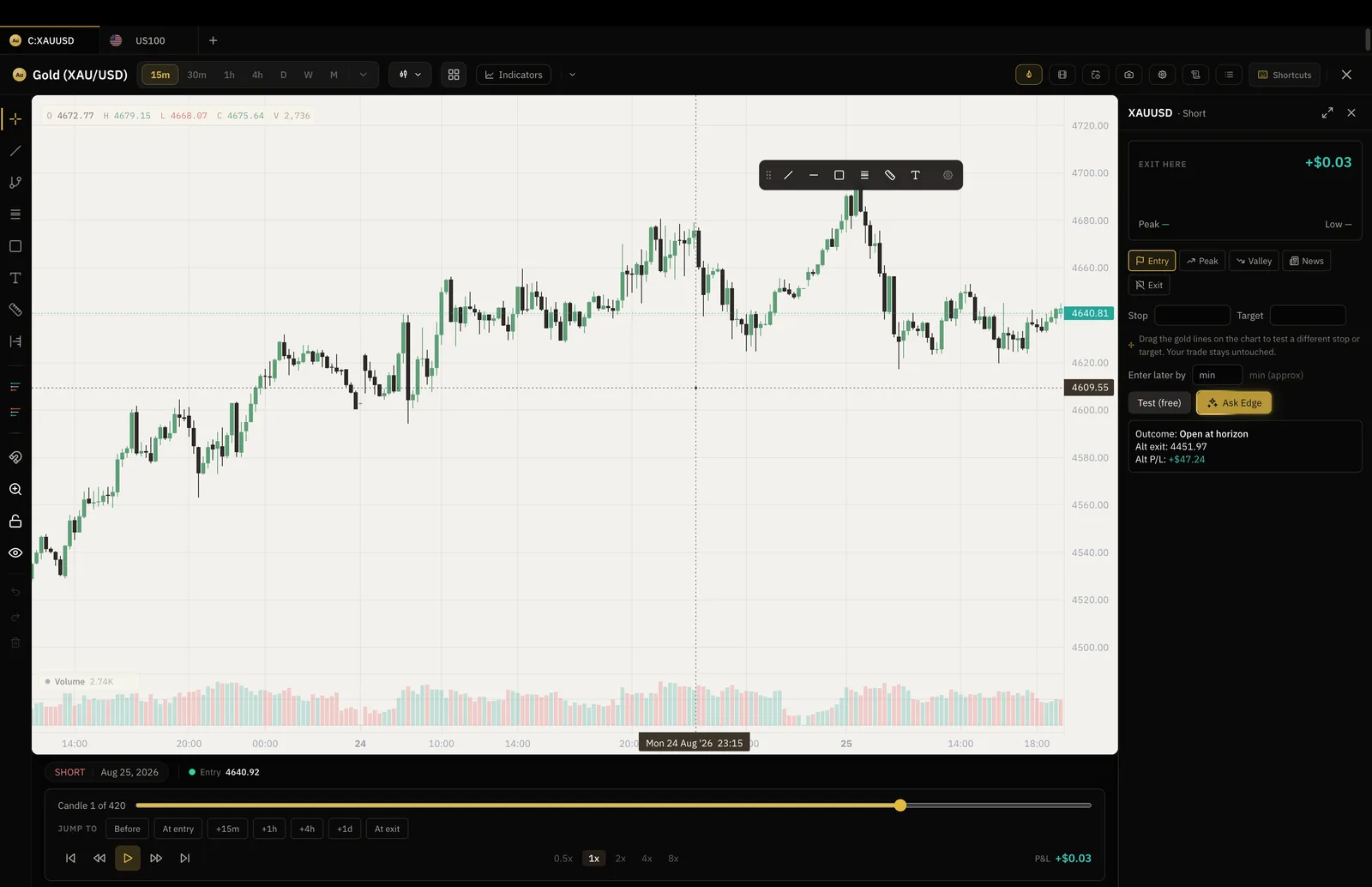
Replay any trade bar by bar.
Open a trade and watch the market move through it, with your entry, stop and exit drawn where they were.
- Your own charts, not an embed
- Entry, stop and target on the bars
- Outcome and what it cost, on the way out
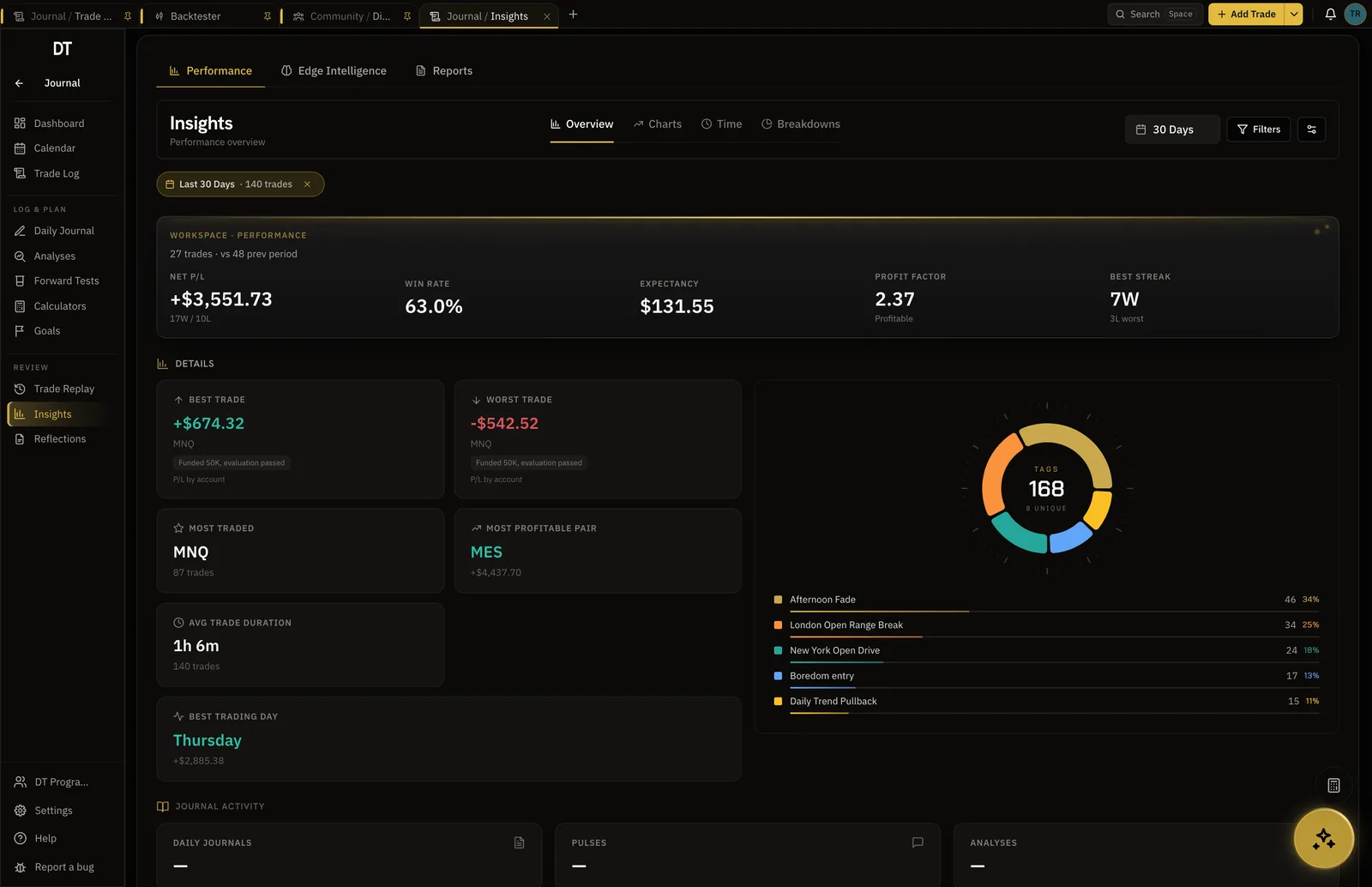
Win rate, expectancy and drawdown, by anything.
Filter the record by setup, session, day, instrument or tag and the numbers recompute, so you can see which part of your trading is paying for the rest.
- Equity curve and drawdown
- Expectancy by setup and session
- Compare two months in Reports
A coach that reads your journal, not a chatbot.
Edge sits inside the journal, reads your trades and notes, and answers with your own numbers. It suggests backtests. You decide.
- Answers from your record, not the internet
- Suggests the next thing to test
- Reads screenshots you drop in
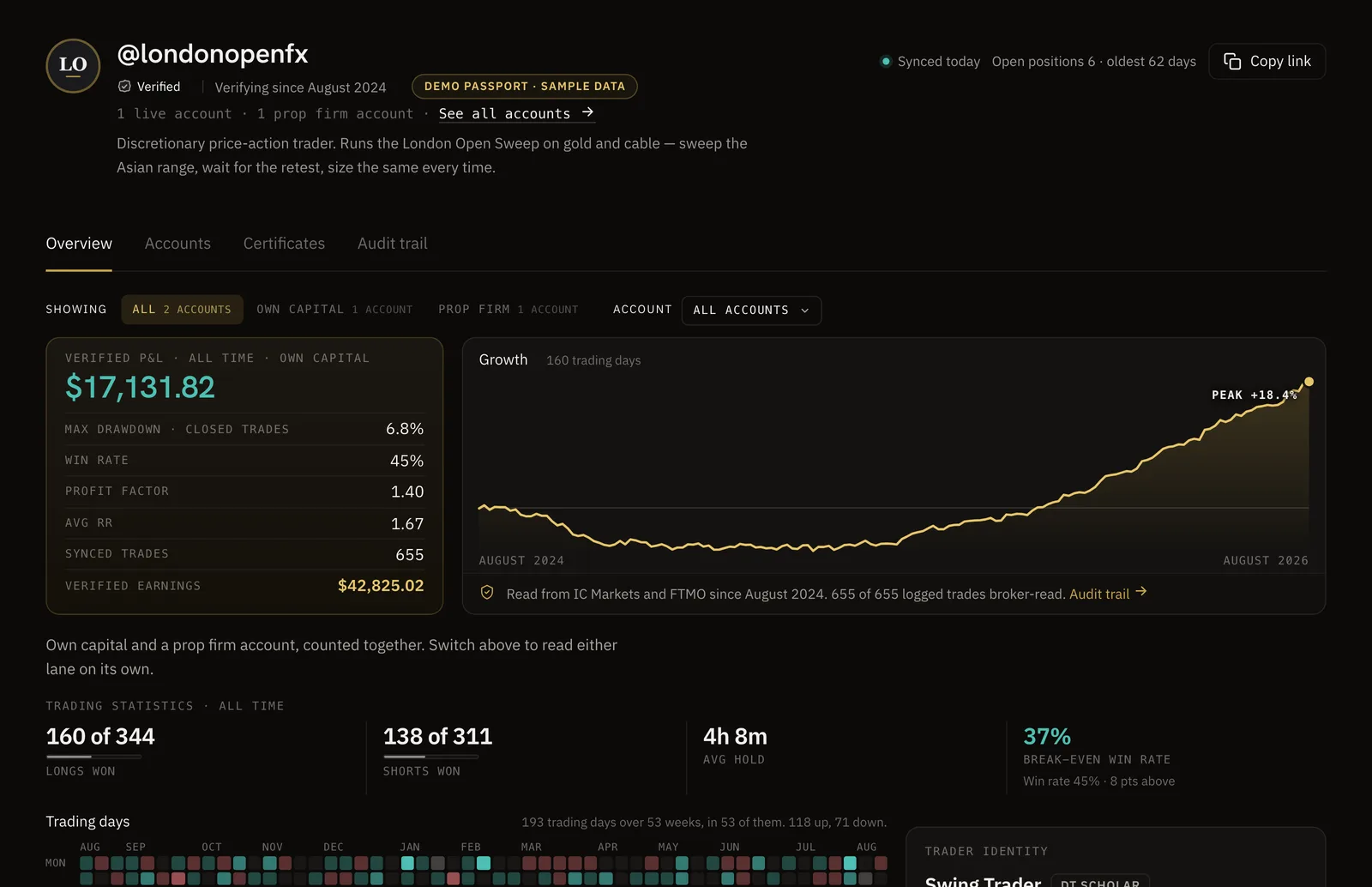
Numbers you can trust.
Sync your broker and your record becomes a DT Passport: one link with your P&L and growth read from the broker, shared only when you choose.
Free covers the journal and syncs one account.
Plus adds MT4, MT5 and more synced accounts for $9 a month, and Pro takes the caps off for $24.
| Feature | Free | Plus | Pro |
|---|---|---|---|
| Manual and CSV logging | |||
| Trades | Unlimited | Unlimited | Unlimited |
| Trading accounts | 1 | 3 | Unlimited |
| Linked broker accounts | 1 | 3 | 10 |
| Verified trades and the seal | 1 account, not MT4 or MT5 | ||
| Broker auto-sync | Into your journal, hourly | Into your journal | Into your journal |
| Trade Replay and what-if exits | |||
| Tags per trade | 3 | Unlimited | Unlimited |
| Trades per import batch | 50 trades | Unlimited | Unlimited |
| Edge questions a month | 20 / month | 50 / month | Unlimited |
Full comparison on the pricing page.
Yes. A free account logs unlimited trades on one trading account, with tags, notes, screenshots and the dashboard. There is no trial clock and no card. Free syncs one account that is not MT4 or MT5 into your journal hourly. Plus is $9 a month or $89 a year and adds MT4, MT5 and more synced accounts. Pro is $24 a month or $199 a year and takes the caps off the journal and backtester, with more of the AI coach every month.
Any MT4 or MT5 broker, cTrader, TradeLocker and Tradovate accounts, and supported crypto exchanges, through a read-only connection. Free syncs one account that is not MT4 or MT5 into your journal hourly, and Plus adds MT4, MT5 and more accounts. The catalogue names 428 today, and an MT4 or MT5 broker that is not named still connects through the generic rows.
A verified trade was read from your broker by DT Terminal rather than typed by you. It carries a seal on your record and on your public page, and it is what a prop firm or a funder can check.
Yes, by CSV. Free imports 50 trades per batch and there is no limit on how many batches. Plus and Pro import without limit, and a broker connection on either pulls your history into the journal directly.
The web app runs anywhere, the desktop app is out for Windows and macOS, and the mobile app is on its way. The journal is one record across all of them.
Connections are read-only. DT Terminal can see fills and balances and can never place, change or close a trade.
Yes. DT Terminal Connect is our MCP connector: Claude, ChatGPT and other AI apps can read and update your journal, backtests and synced accounts, with your consent per scope. It needs a paid plan: on Plus a connected app can read your account, and on Pro it can also write to your journal. Set it up in Settings, MCP. You choose what each app may do, see what it did, and can disconnect it there at any time.
Start the record today.
A week of logged trades is enough for the dashboard to say something. A month is enough for Edge to.