Journal the TradeLocker account you are trading.
Connect the TradeLocker account, broker or prop firm, and every fill arrives read from the platform rather than typed. A free account syncs one account into your journal hourly, each account keeps its own drawdown and expectancy, and Edge reads the trades to show which setups to keep and which to cut.
TradeLocker to DT Terminal: Read-only.

Email, password and server. It never places a trade.
Verified fills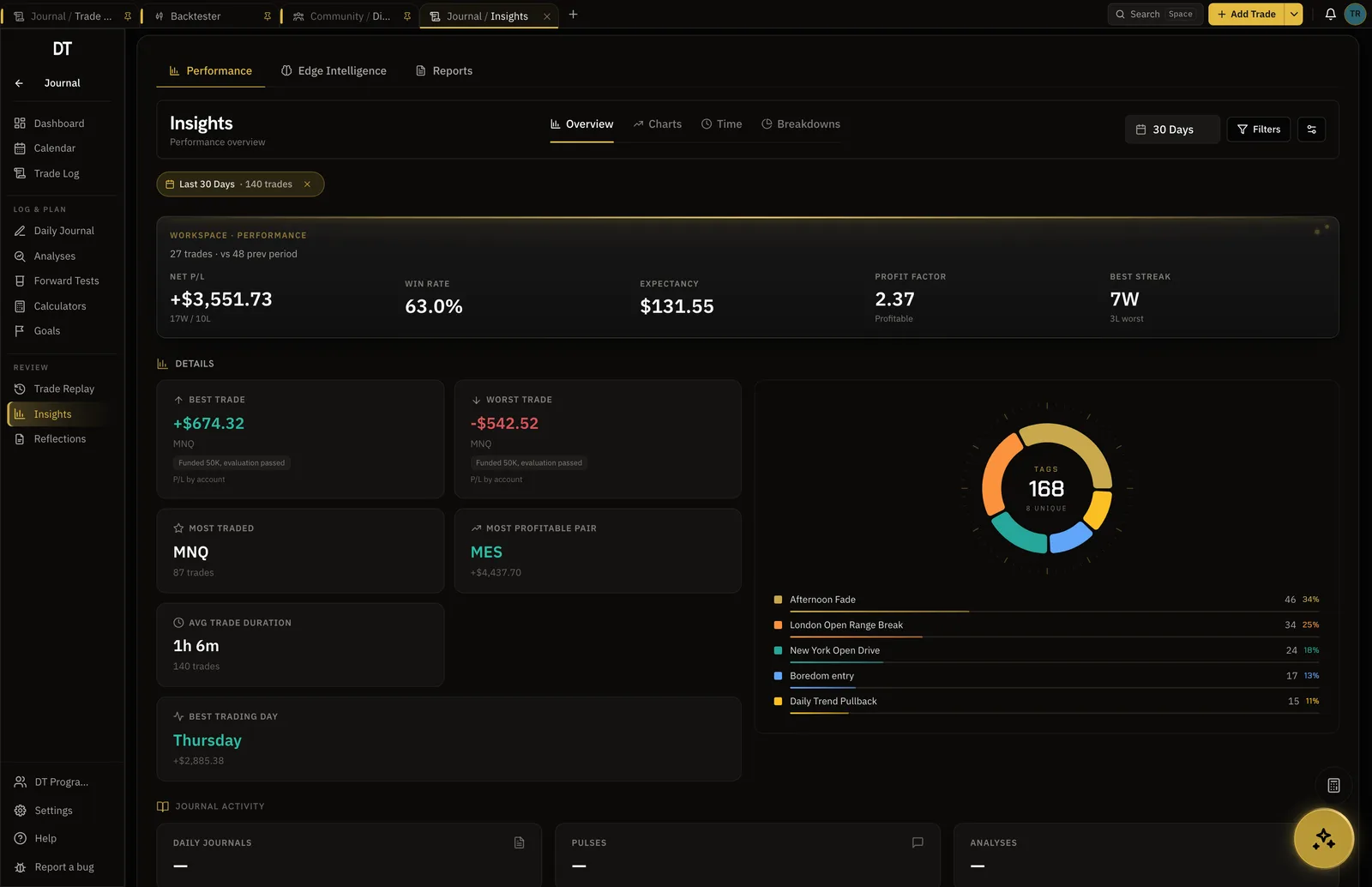
- Shows which setups to fix
- Edge
- FX and CFD prop firms sync by name
- 88+
- Account free, 3 on Plus, unlimited on Pro
- 1
- Plus, per month, for more accounts
- $9
How it works
- 01
Pick the firm
Choose the prop firm or broker from the catalogue, or the generic TradeLocker row if it is not named.
- 02
Connect the account
Enter the TradeLocker email, password and server. DT Terminal reads fills and balances and never places a trade.
- 03
Watch the account
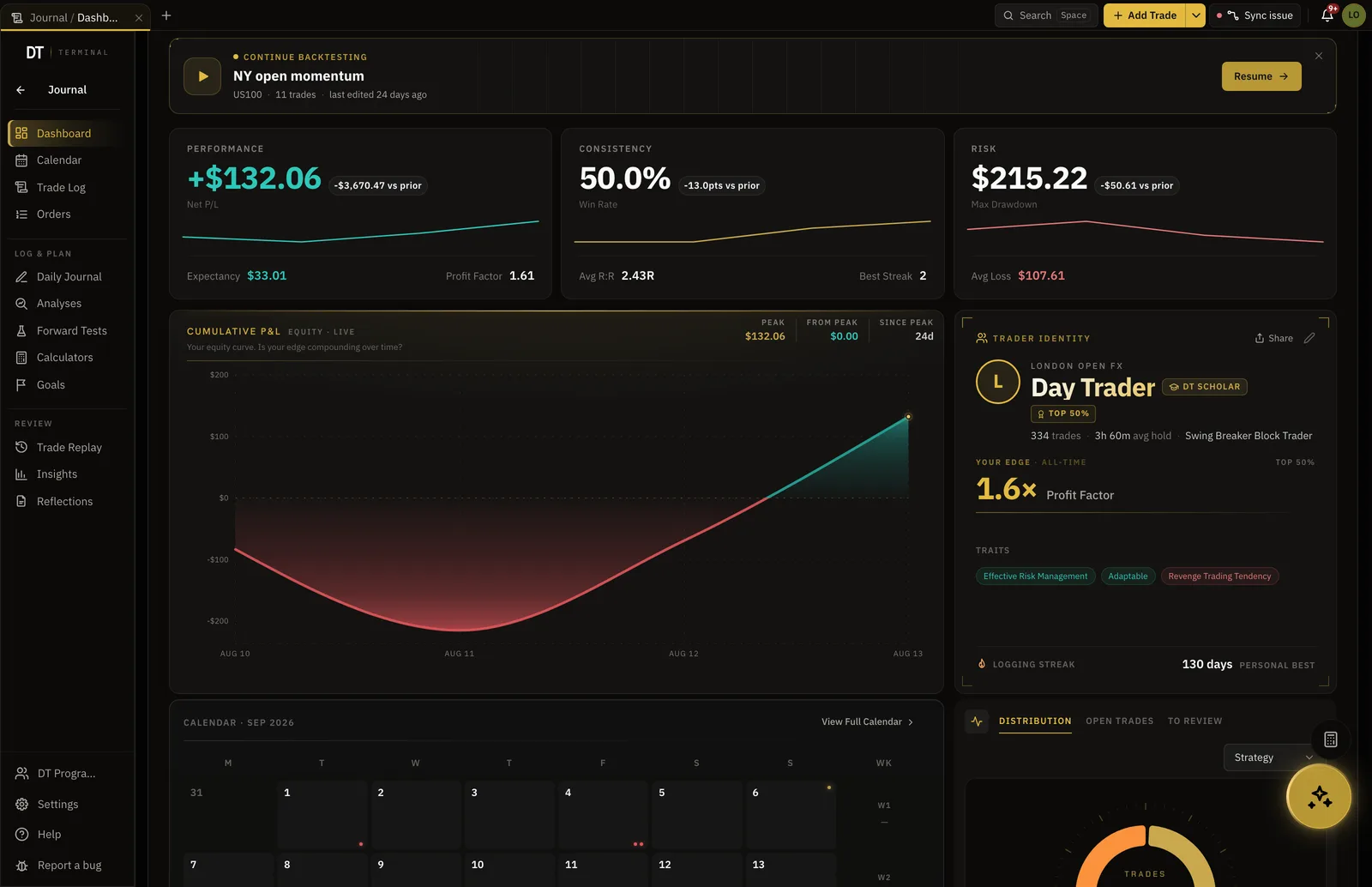
Drawdown, expectancy and the daily picture per account, which is the part an evaluation turns on.
What comes across, and what can't
- Comes across: Every fill, verifiedRead from the platform rather than typed
- Comes across: Prop firm evaluationsA synced account at a recognised prop firm reads Firm-Verified
- Comes across: Each account on its own numbersDrawdown, expectancy and the daily picture per account
- Comes across: Your history by CSVYou review the parsed rows before they save
- Cannot happen: Placing, changing or closing a tradeDT Terminal reads the account and never trades it
- Cannot happen: A verified seal on an imported tradeImported and typed trades are marked self-reported
Prop firms and brokers on TradeLocker
48 prop firms and brokers in the catalogue connect on TradeLocker.










Evaluation, funded and personal, kept apart.
Each account carries its own drawdown, expectancy and rules, and any two can be compared without a spreadsheet in between.
- One account free, 3 on Plus, unlimited on Pro
- Per-account drawdown and expectancy
- One journal across all of them
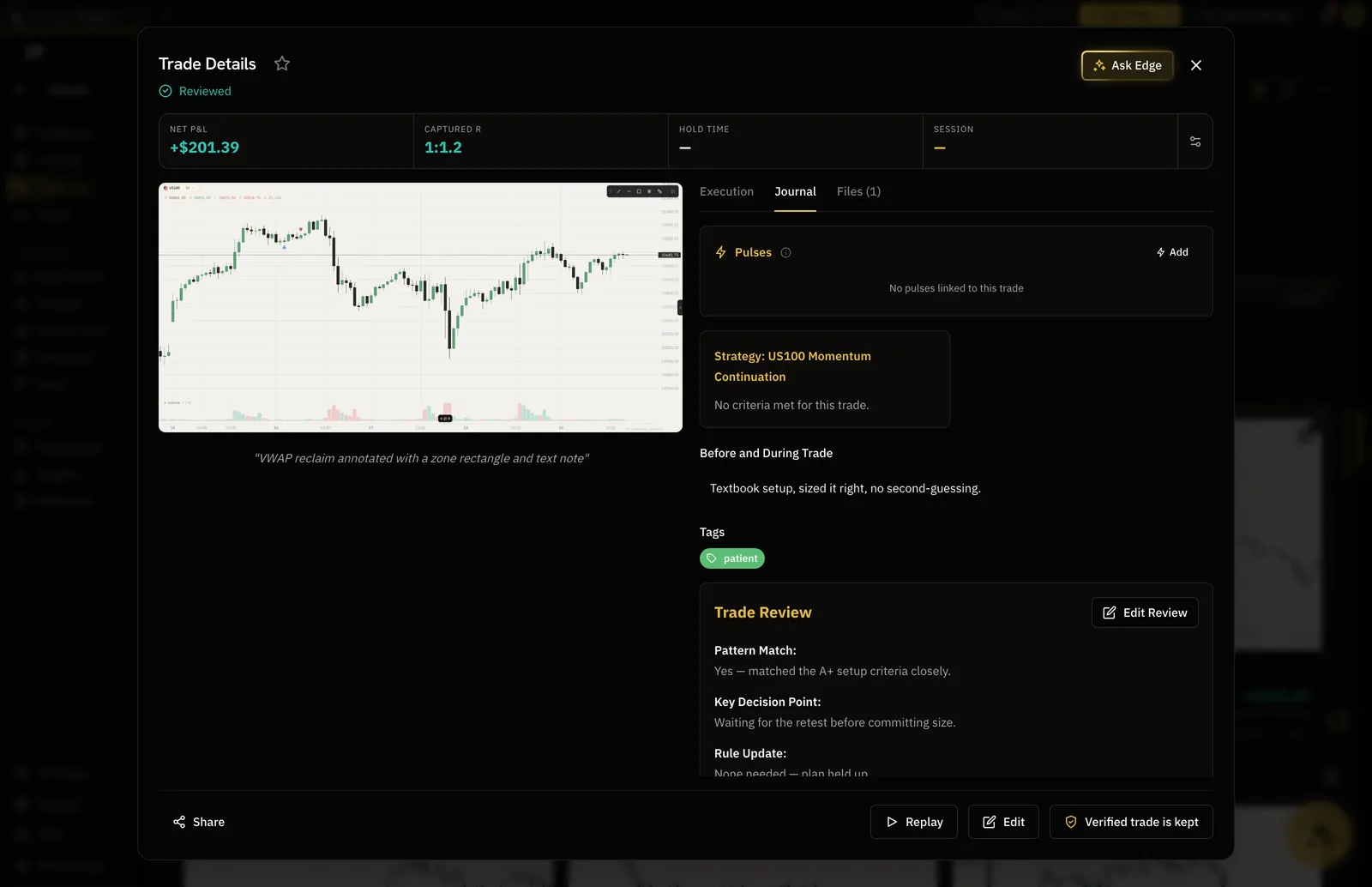
The trade that broke the rule, on the record.
Notes, tags, a screenshot and the review sit on the trade itself, so the day you traded outside the plan is a thing you can go back and read.
- Reviewed trades carry a mark
- 3 tags per trade free
- Edge reads the review as well as the numbers
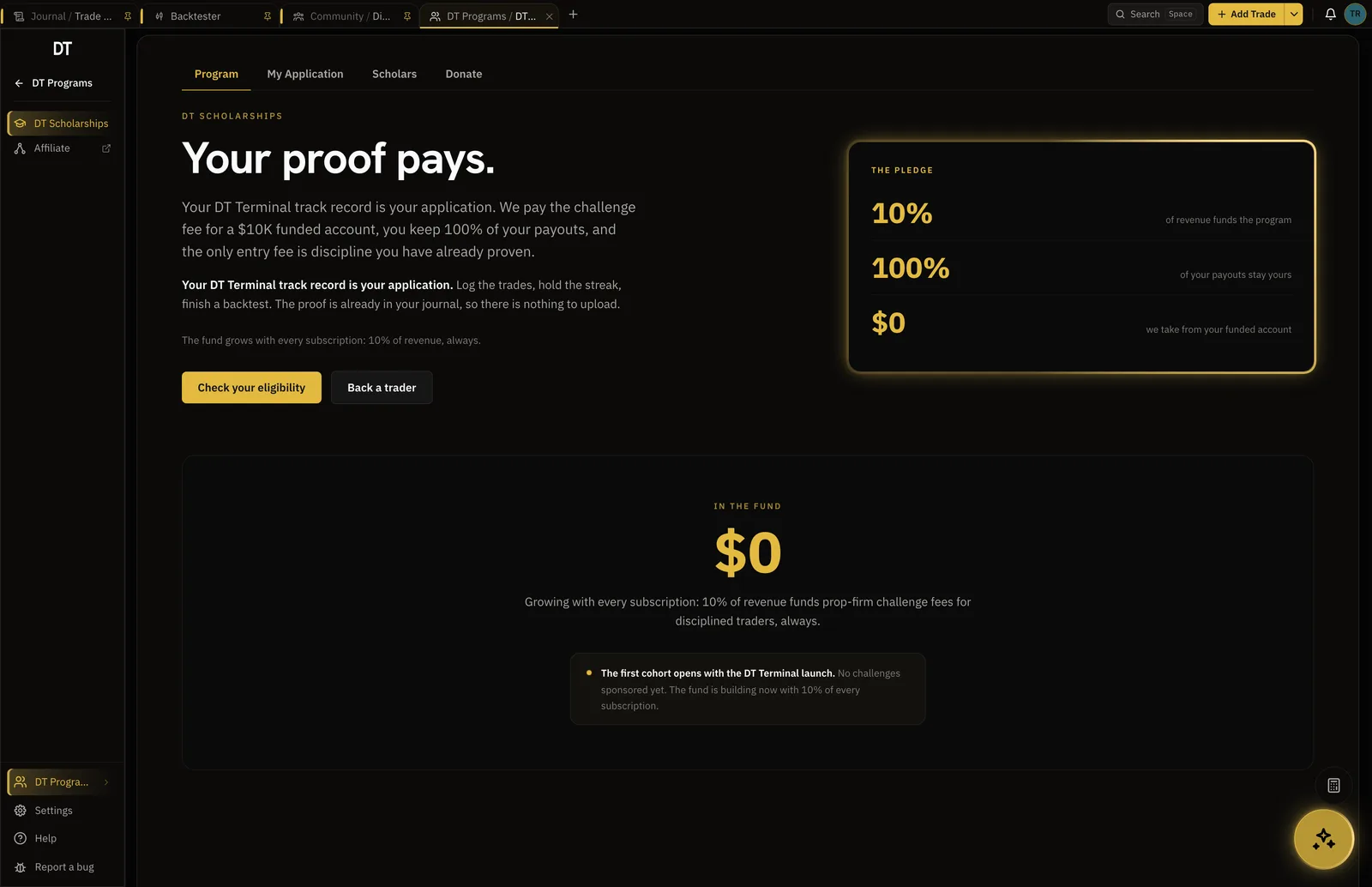
The record can pay for the next evaluation.
DT Scholarships pays a prop firm evaluation of up to $25K in full and takes nothing from the account. The application reads 10+ trades logged, 14-day logging streak and 1+ backtest completed.
- Open to members on every plan
- Evaluation fee paid in full
- You keep 100% of payouts
Free syncs one TradeLocker account into your journal hourly, and logging by hand or CSV is free too.
More accounts start on Plus, $9 a month or $89 a year.
| Feature | Free | Plus | Pro |
|---|---|---|---|
| Manual and CSV logging | |||
| Broker auto-syncInto your journal: MT4, MT5, cTrader, TradeLocker, Tradovate and supported crypto exchanges. Free syncs its one account into your journal every hour | Into your journal, hourly | Into your journal | Into your journal |
| Verified accountsFree verifies and syncs one cTrader, TradeLocker, Tradovate or crypto account. Plus and Pro add more accounts, MT4 and MT5 | 1, not MT4 or MT5 | 3, 1 MT4 or MT5 | 10, 3 MT4 or MT5 |
| Trading accounts | 1 | 3 | Unlimited |
| Linked broker accountsPro links 1 during the trial | 1 | 3 | 10 |
Full comparison on the pricing page.
Yes. Connect the account with its TradeLocker email, password and server, and fills sync in carrying the verified seal. Free syncs one account into your journal hourly, and Plus and Pro link more accounts and sync on demand. DT Terminal reads the account and never places, changes or closes a trade.
Yes. 88 FX and CFD prop firms are named in the catalogue, TradeLocker firms among them, and a generic TradeLocker row covers a firm that is not named. A synced account at a recognised prop firm reads Firm-Verified.
Export it from TradeLocker as a CSV and upload it from the Trade Log. It goes through the generic path, which matches columns by their headers, and you review the parsed rows before they save. Free imports 50 trades a batch.
Synced ones, yes. The seal means DT Terminal read the trade from TradeLocker itself. Imported and typed trades are marked self-reported.
Yes. A synced prop firm account publishes in the funded lane with its seal. Imported trades publish as self-reported.
Connect the account you are trading right now.
Free syncs one TradeLocker account into your journal. Plus and Pro add more accounts.