Charts that know your trades.
Live prices on forex, gold, indices and crypto, with every trade from every account you sync drawn right where it happened.
The demo needs no account.
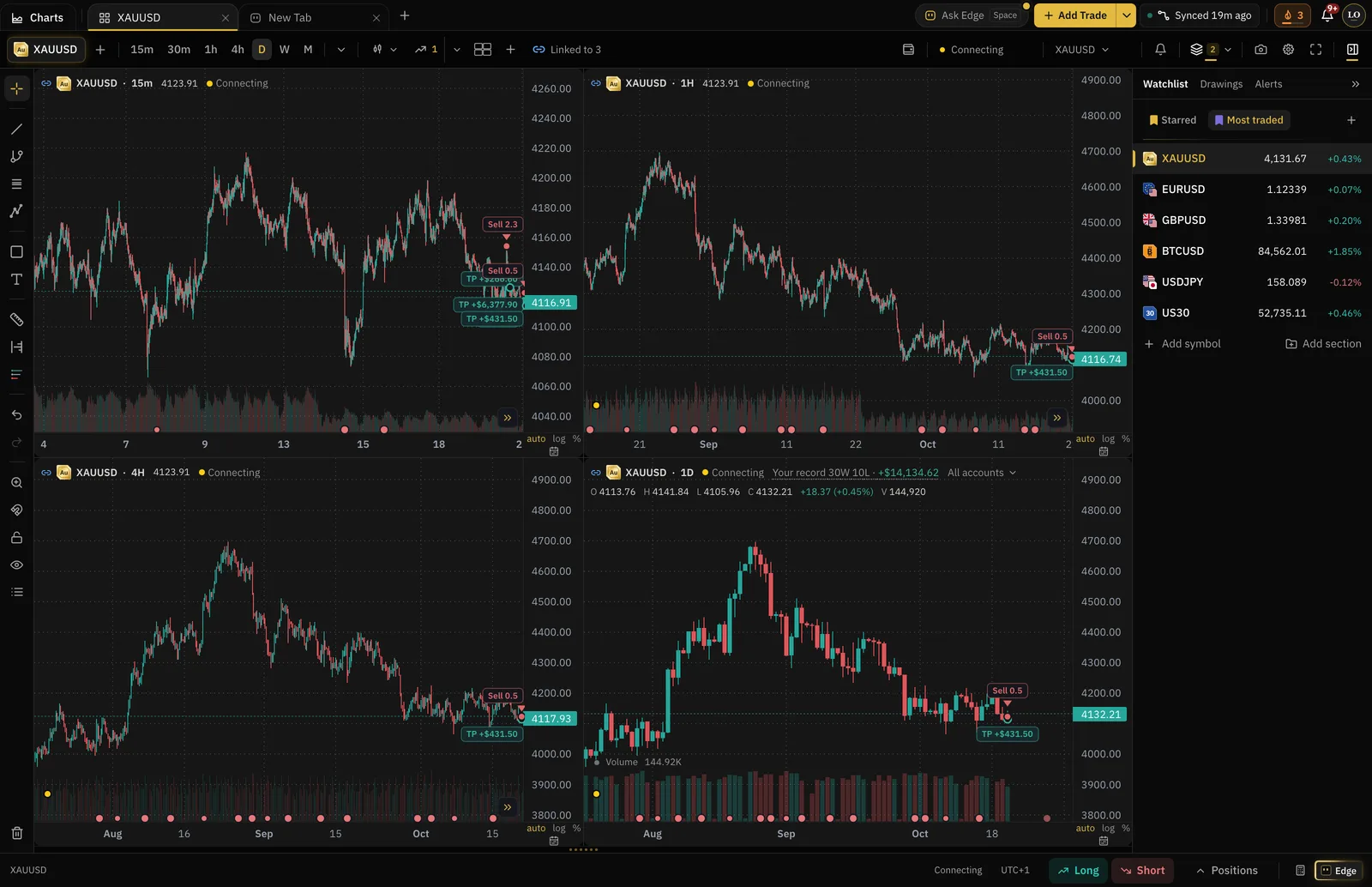
Up to 8 charts a screen
32 layouts, each pane on its own symbol and timeframe.
Linked charts
Share symbol, timeframe, crosshair or scroll across panes.
Compare symbols
Lay up to three more markets over one chart.
Any timeframe
From 1 minute to 12 months, or type your own.
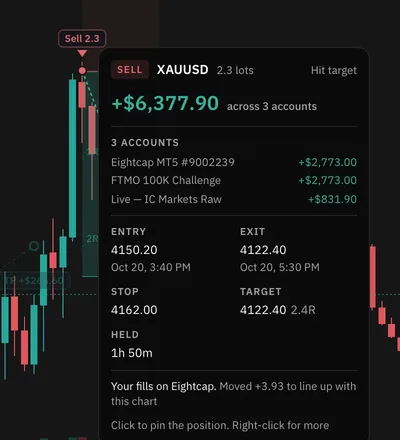
Every trade, where it happened.
Connect your broker once. Each fill lands on the chart with its stop, target and result, so you see the trade the way you took it.
- Trades from every synced account on one chart · filter by account
- A trade copied into several accounts shows once · with each account's split
- Entry, exit, stop, target, R and time held on every trade
- Open broker positions locked to the broker's own stop and target
- Your record on that symbol in the chart legend
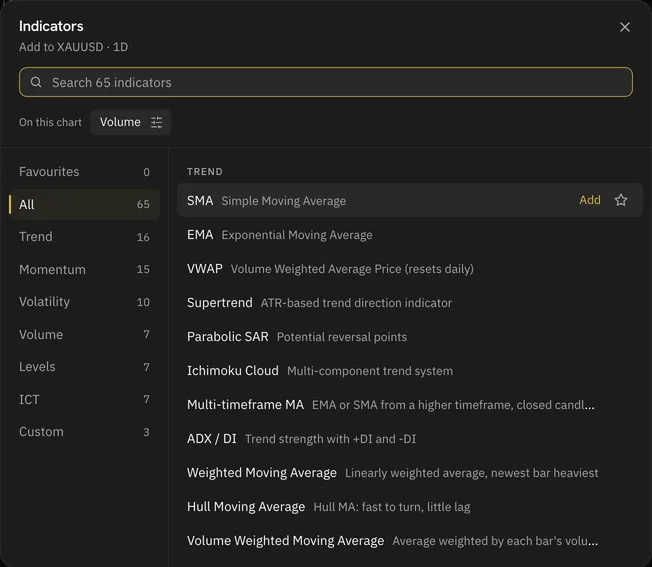
Every tool you reach for
- 65 built-in indicators, ICT concepts included
- 85 drawing tools: Fibonacci, Gann, pitchforks, harmonics, Elliott waves
- Position tools that show size, risk and net R after costs
- Candles, Heikin Ashi, bars, line, area and more chart types
- Drawing templates and favourite indicators
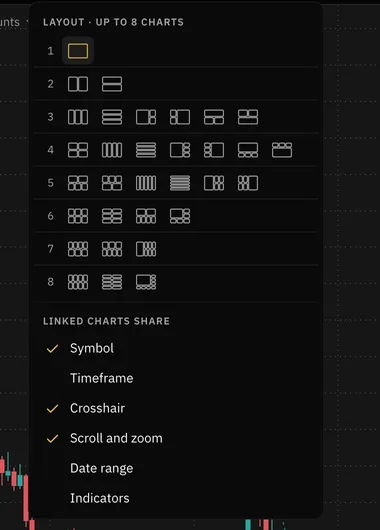
Layouts for how you work
- 32 layouts from one chart to eight
- Up to 16 chart tabs in a workspace
- Three colour link groups
- Pop charts out into their own windows · desktop app
- The same layouts in the Backtester and Trade Replay
Say it. Edge does the clicking.
Ask Edge to switch the symbol, change the timeframe, add an indicator, draw a level or change the layout. Every change can be undone, and Edge already knows the trades you are looking at.
Gold on the 4 hour, add the 50 EMA, and put a line at 4,150
- Set symbol
- Set timeframe
- Add indicator
- Draw a line
Alerts and news on the chart
- Alerts on a price, a drawing or an indicator
- Crossing, entering, exiting, inside, outside and more
- Economic events on the chart, filtered to the currencies you chart
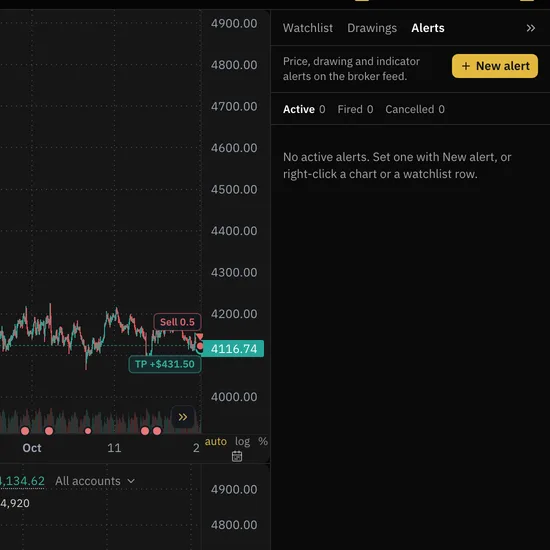
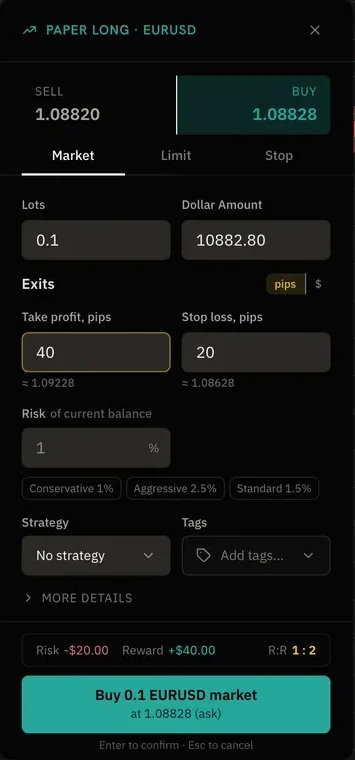
Practise on the same chart
- Paper orders: market, limit and stop, with stop and target
- Size by % risk, with risk, reward and R:R before you place it
- Right-click any bar to backtest from that point
189
Symbols with live prices, from the same broker feed for everyone.
- 93Forex pairs
- 38Crypto
- 22Indices
- 16Metals
- 13Commodities
- 4Energies
- 3Currency indices
- 189In total
Open your first chart.
Connect your broker once and your trades are already on it.