Watch the trade again. Then change the exit.
Every trade in your journal can be replayed bar by bar on our own charts, with your levels drawn where they were. What-if exits show what the edge left on the table.
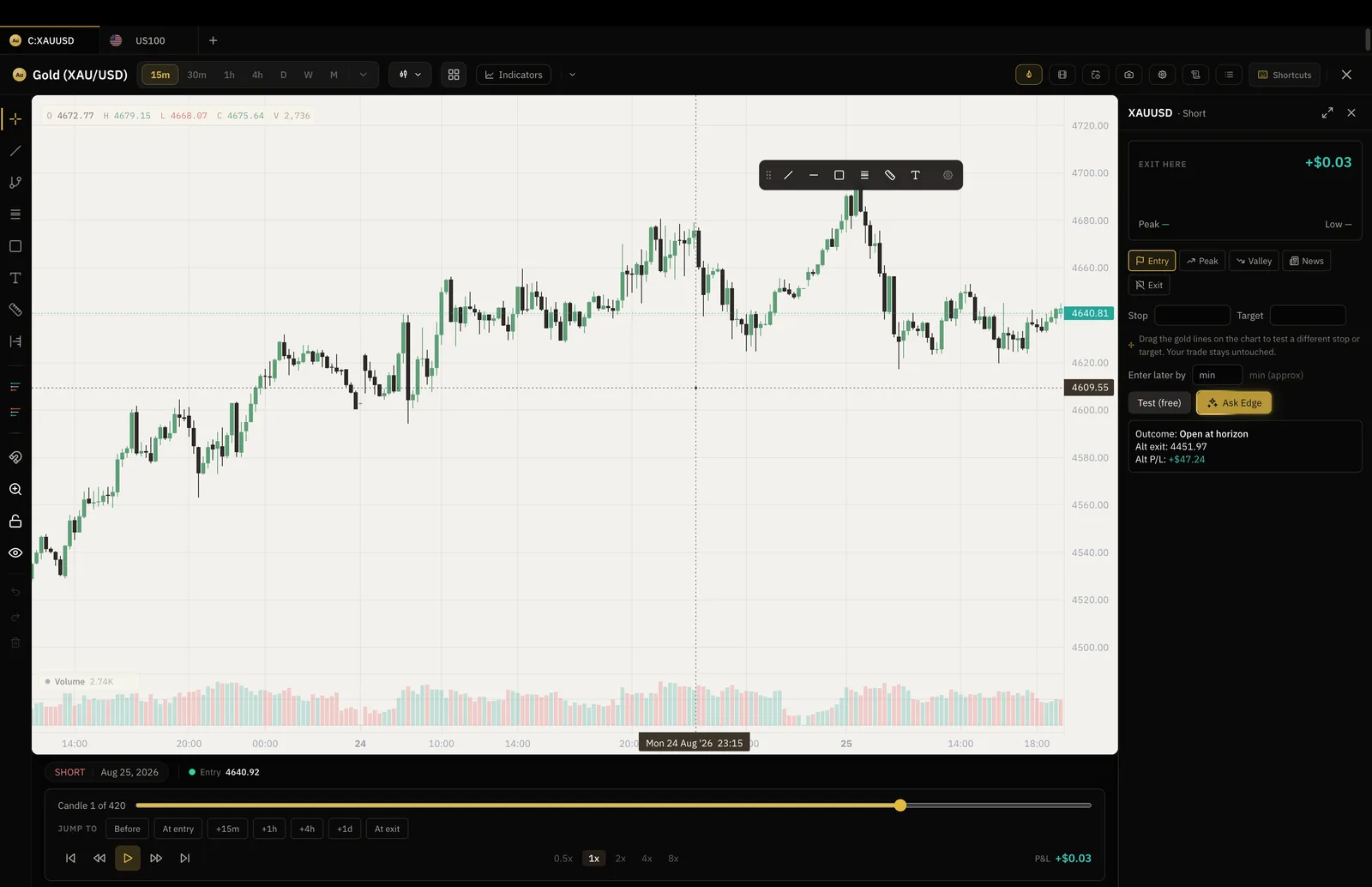
- At the speed you choose
- Bar by bar
- Drawn on the bars
- Entry, stop, exit
- Exits tested against the tape
- What-if
- $24 a month, $199 a year
- Pro
Where trade replay sits
Replay a live trade, then jump into the backtester and test the fix on history.
Open a trade
Any trade in your log, typed, imported or synced from your broker.
Replay it
The chart rewinds to the entry and plays forward one bar at a time, with your levels on it.
Try another exit
Move the stop or the target and see what the same trade would have paid.
What it paid, and what it could have.
The replay ends with the trade as it happened beside the trade as it might have gone, so a habit like cutting winners early shows up as a number rather than a hunch.
- Actual exit against the tested one
- R multiple for each
- Saved to the trade for the review
The replay sits inside the trade.
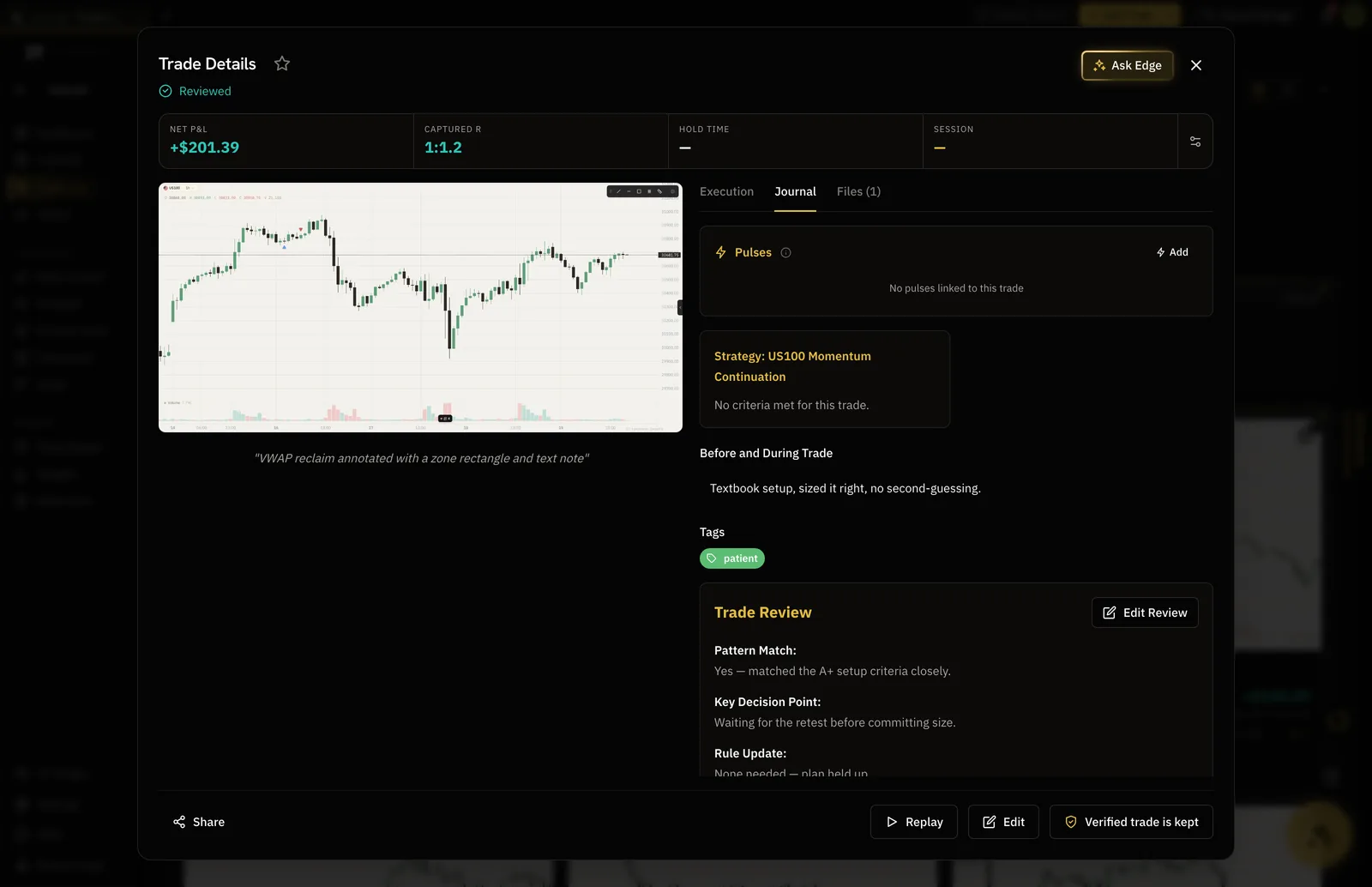
Notes, tags, screenshots and the replay live on one trade record, so the review you write is about the chart you just watched.
- Reviewed trades carry a mark
- Edge reads the review as well as the numbers
- The tested exit saved with the review
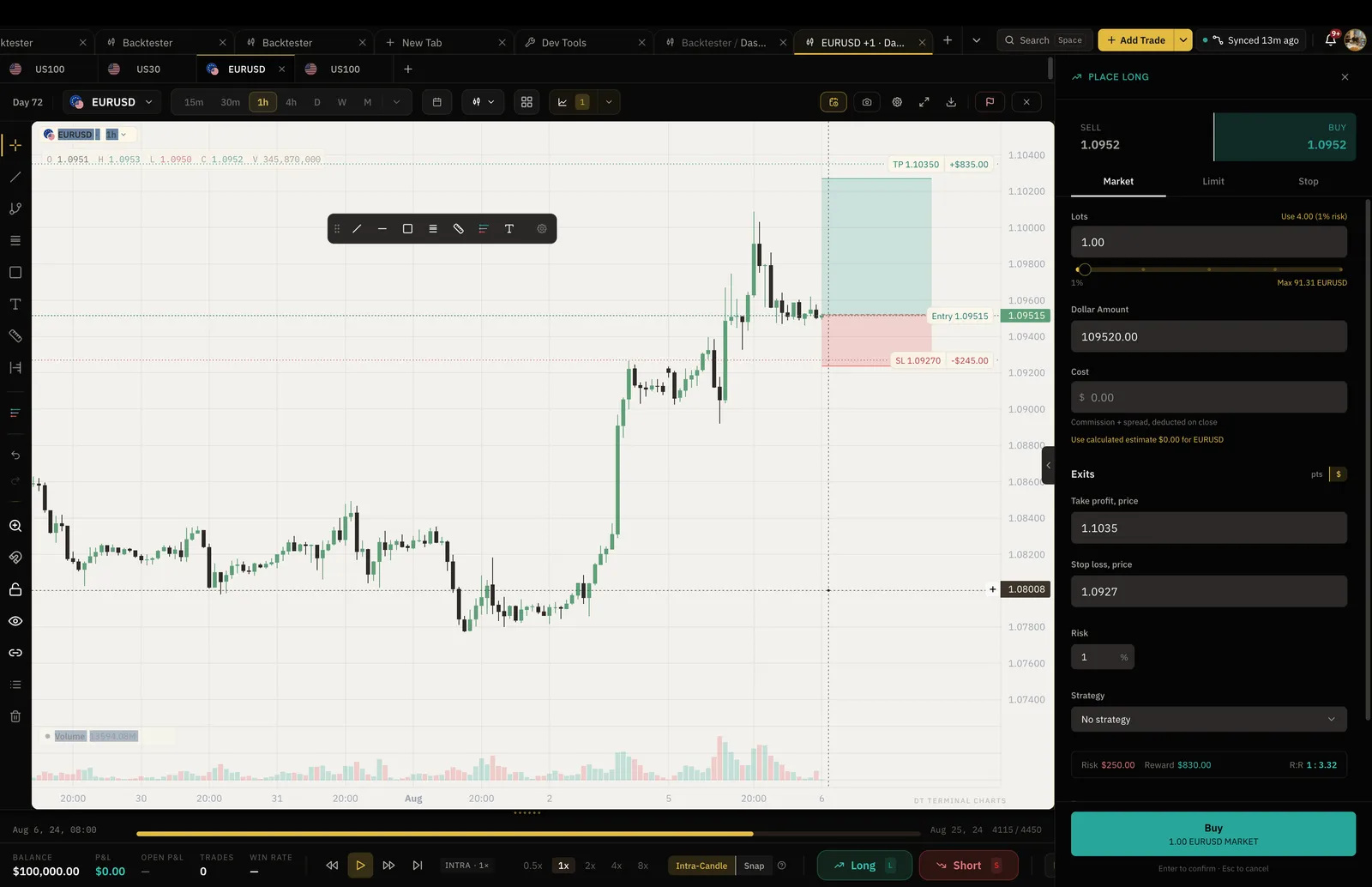
The backtester runs on the same charts.
Replay a live trade, then jump into the backtester and test the fix on history. One charting engine, so what you see in the review is what you test against.
- Our own charts, not an embed
- Drawings and templates shared
- Backtest results land in the same journal
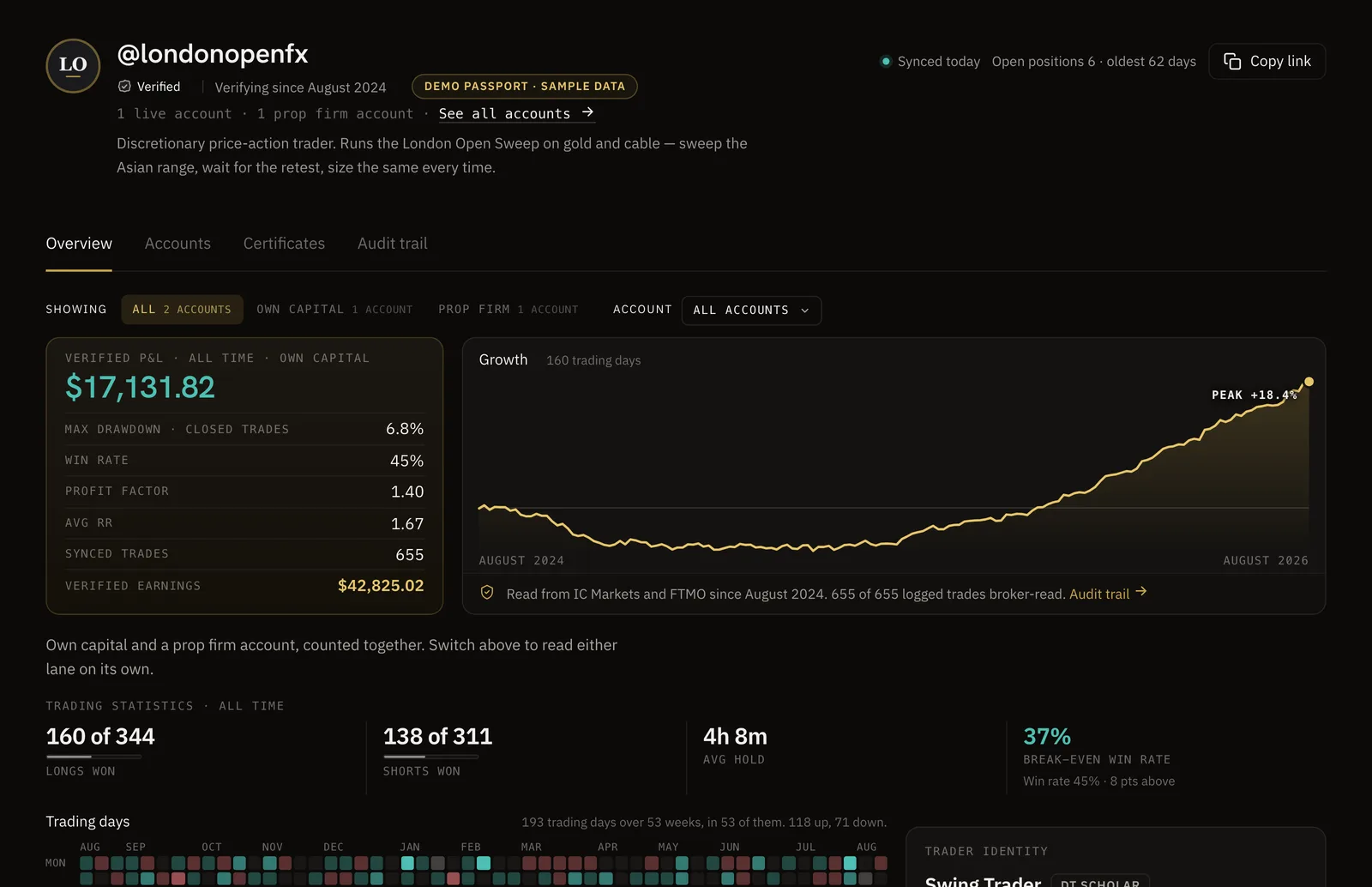
Numbers you can trust.
Sync your broker and your record becomes a DT Passport: one link with your P&L and growth read from the broker, shared only when you choose.
The log and the insights are free.
Replay and what-if exits are Pro.
| Feature | Free | Plus | Pro |
|---|---|---|---|
| Full trade log and journaling | |||
| Trade Replay and what-if exits | |||
| Basic performance insightsNet P/L, win rate, expectancy, profit factor, the equity curve and trading days |
Full comparison on the pricing page.
No. Trade Replay and what-if exits are Pro features, $24 a month or $199 a year. The trade log, journaling and basic insights are free.
Yes. Any trade with an instrument, a time and a price can be replayed, whether it was typed, imported by CSV or synced from a broker.
The forex pairs, indices, crypto and futures with historical candles in the app. Coverage grows as data partners are added.
Your levels are drawn where they were, the future is hidden until you step into it, and the outcome of the tested exit is written to the trade. It is a record, not a look.
Edge reads the outcome and the review you write after it, and can suggest a backtest for the exit rule you are wondering about.
The trade is already in your journal. Watch it again.
Start free, log a week, and replay the one that bothers you.