Your trading data, open to your own AI.
DT Terminal Connect brings your synced accounts, journal and backtests into Claude, ChatGPT and other AI apps, shared only through the permissions you choose.
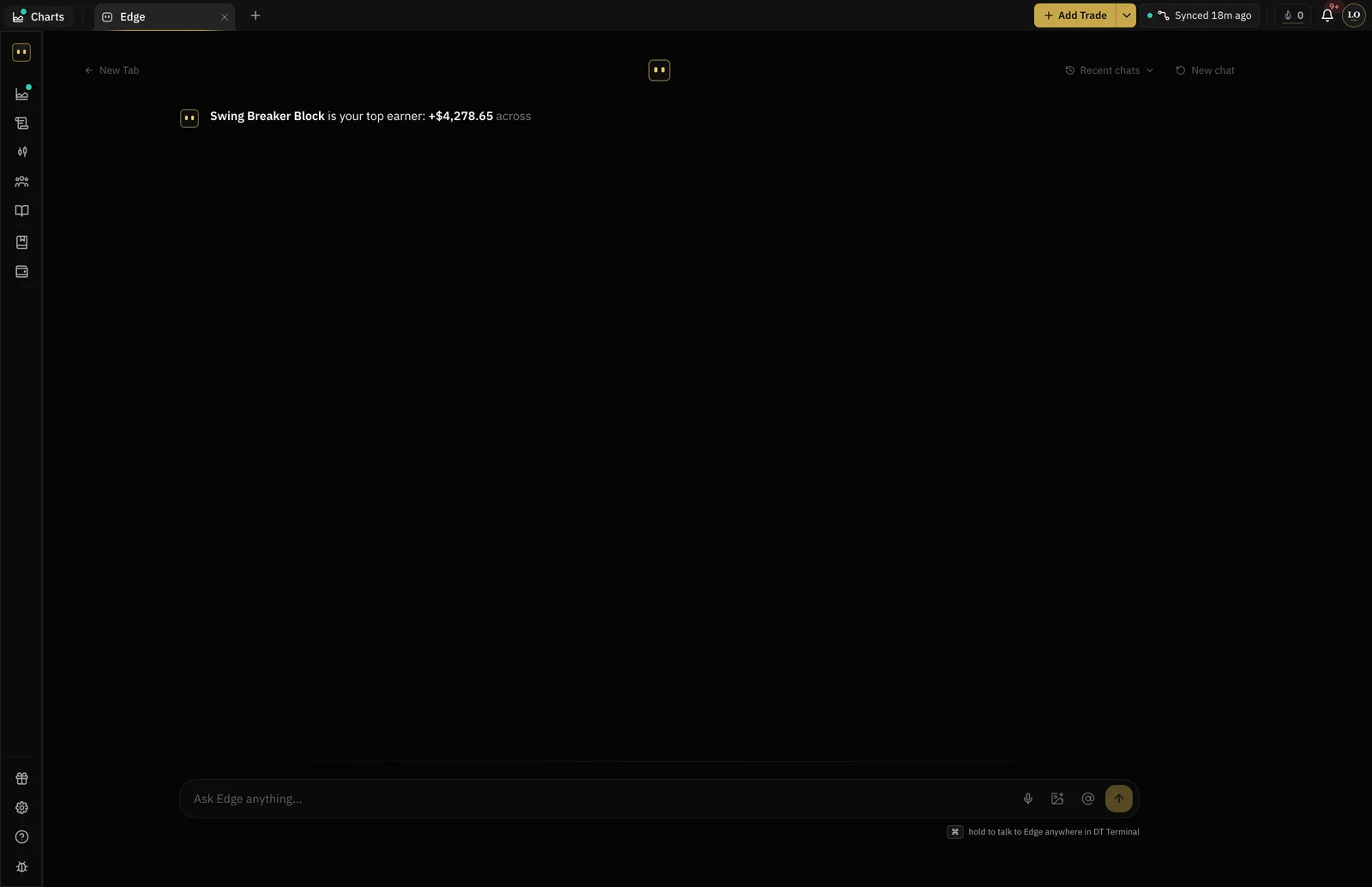
- Claude, ChatGPT, Claude Code, Cursor, VS Code
- Five apps
- Reads on Plus, writes on Pro
- Read and write
- Every call an app makes
- Logged
- Places a trade
- Never
Where DT Terminal Connect fits
Connect opens the Journal step to your own AI app: it reads your record, and on Pro it can write to it.
Add the connector
Copy the connector URL from Settings, MCP, or press the button for your app there.
Choose the scopes
Sign in, then tick what this app may do: profile, journal, backtester and broker accounts, each to read or to write.
Ask in your own app
It answers the way Edge does. Start from a ready-made prompt: Weekly debrief, Find my leaks or Review today.
Your record, not one exported table.
With the scopes you tick, an app can read your trades, notes, backtests and synced accounts, and write back: log a trade, file a review, record a backtest. Community rooms and chats stay out of reach.
- Journal: trades, entries, notes and goals
- Backtester: sessions and the trades inside them
- Synced accounts: balances, trades and orders
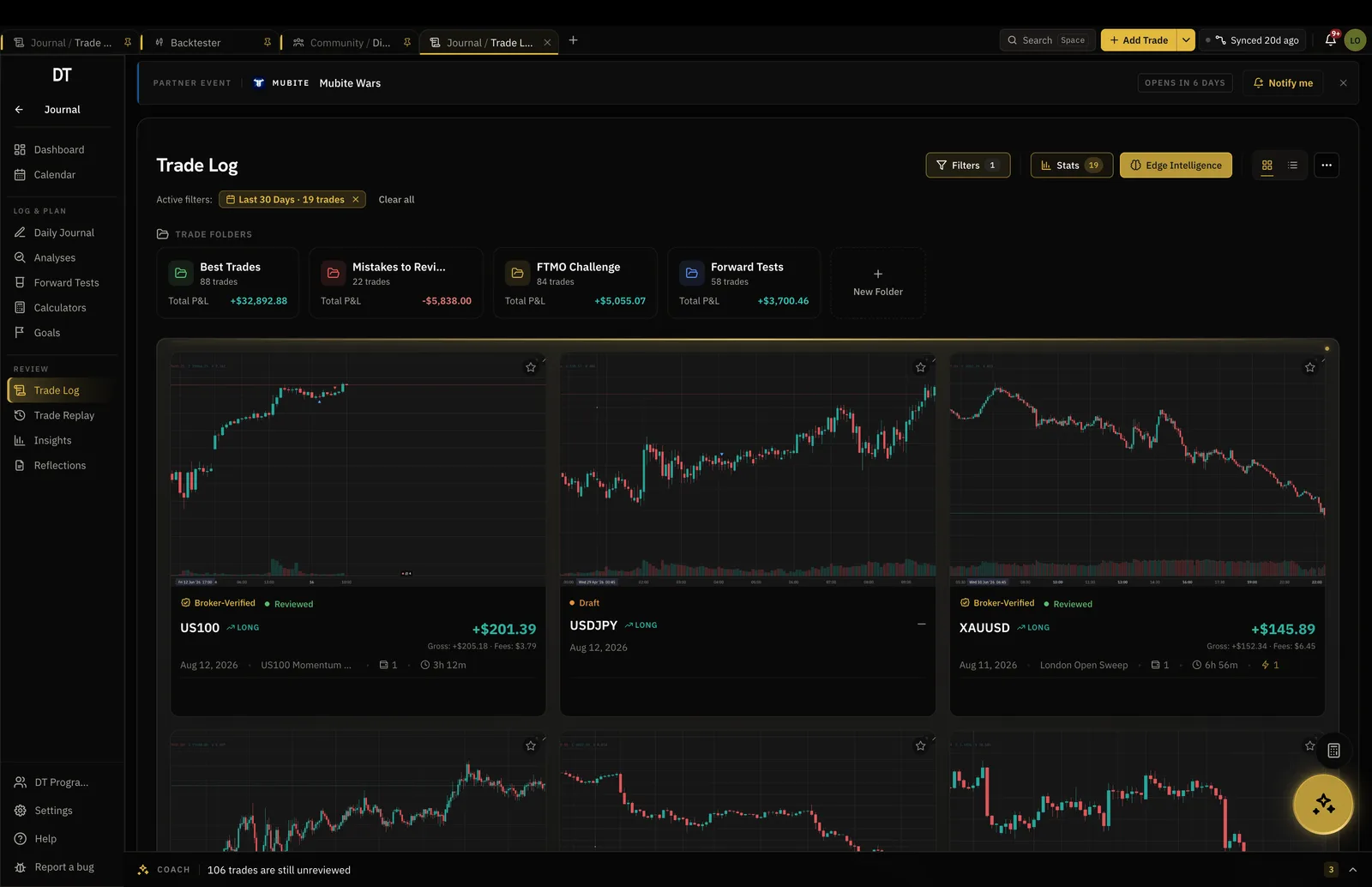
Every call on the record.
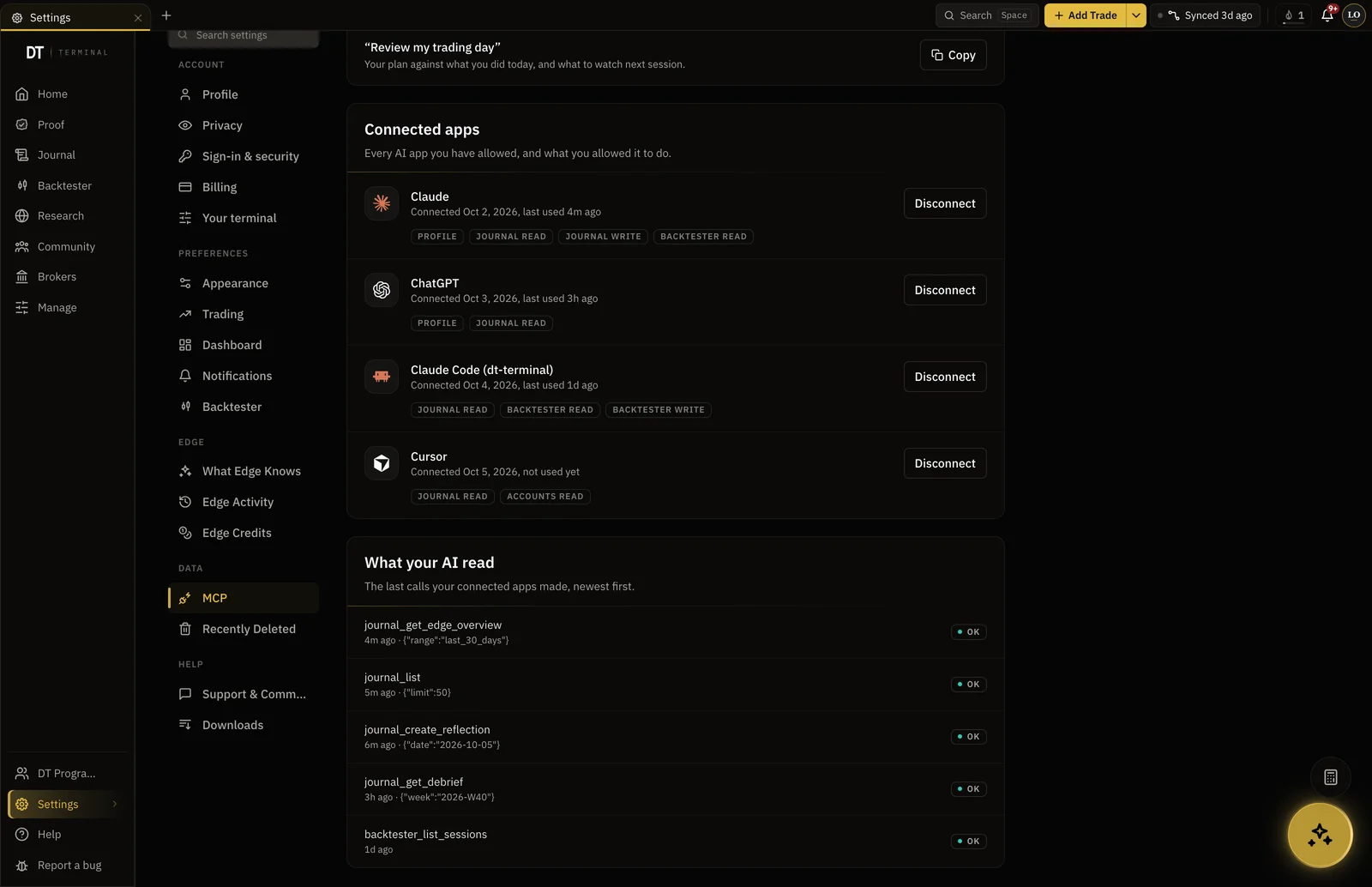
Every call a connected app makes is logged, and Settings, MCP lists each app with its recent calls. Disconnect one and its access stops at once. No scope can place a trade at your broker.
- See what each app did, newest first
- Disconnect any app at any time
- It never places a trade
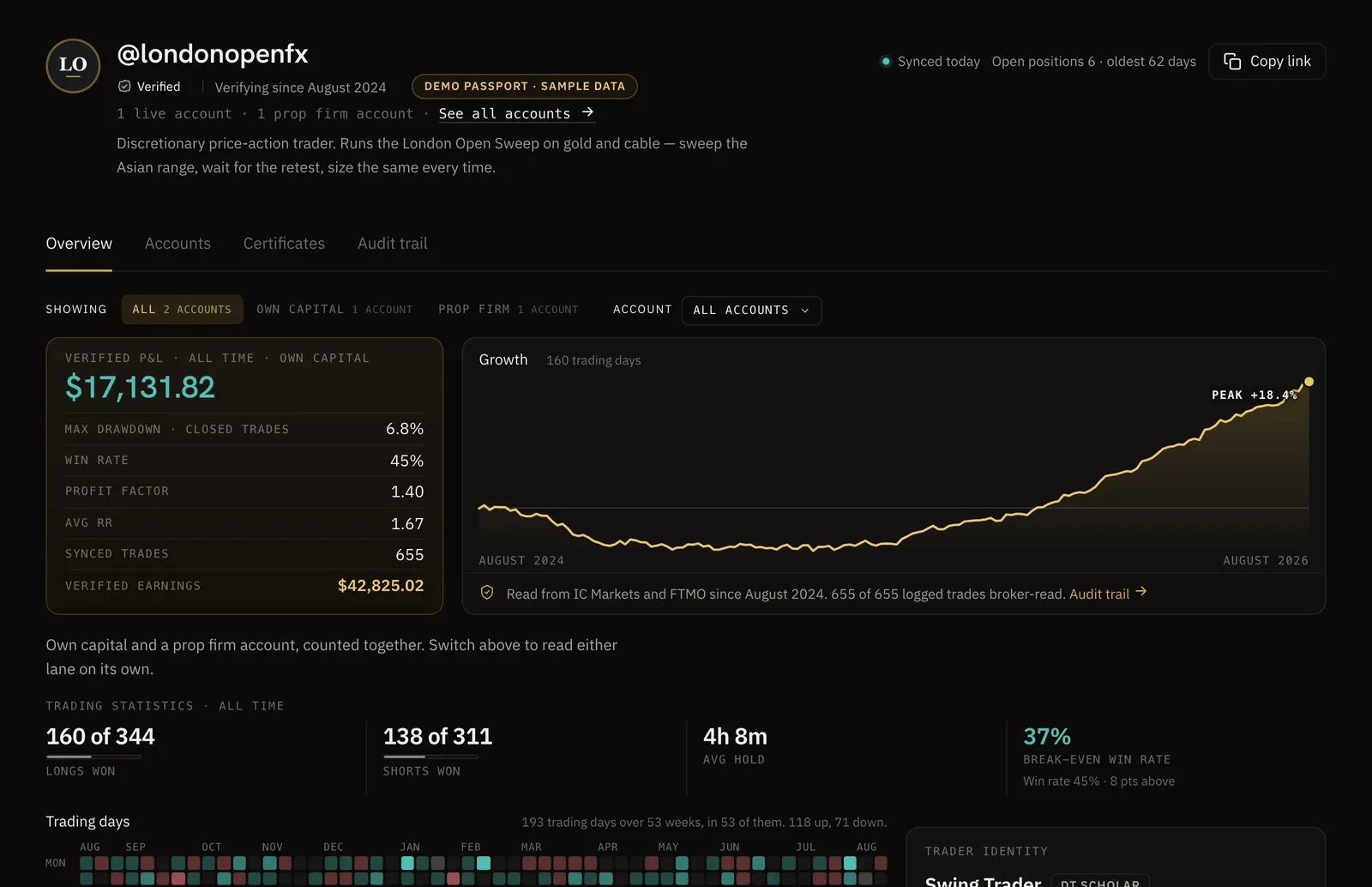
Numbers you can trust.
Sync your broker and your record becomes a DT Passport: one link with your P&L and growth read from the broker, shared only when you choose.
Pick your app for the steps.
Each one has its own page: where to paste the URL, the sign in, and what to tick.
- ClaudeA custom connector, on claude.ai and the desktop appHow to connect Claude
- ChatGPTA custom connector in Developer modeHow to connect ChatGPT
- Claude CodeOne command in your terminalHow to connect Claude Code
- CursorInstalls from a link in Settings, MCPHow to connect Cursor
- VS CodeInstalls from a link, then Copilot Chat in agent modeHow to connect VS Code
Another MCP app? Paste the connector URL
https://dtterminal.app/api/mcp
Your AI app gets only the permissions you tick.
Reading starts on Plus, and writing is Pro.
| Feature | Free | Plus | Pro |
|---|---|---|---|
| Read your profileYour name, handle, plan and trading preferences | |||
| Read your journalTrades, notes, reflections, daily entries, strategies, rules and goals | |||
| Add and change journal entriesLog trades, write notes and reflections, and edit them | |||
| Delete journal entriesDelete trades, daily entries, reflections, strategies and rules. Deleted items go to Recently Deleted | |||
| Read your backtestsBacktest sessions and the trades inside them | |||
| Add and change backtestsCreate sessions and record backtested trades | |||
| Delete backtestsDelete backtest sessions and backtested trades. Deleted sessions go to Recently Deleted | |||
| Read your connected accountsAccount names, balances, and the trades and orders synced from your broker | |||
| Change your accountsStart a sync and edit account details. It can never place a trade |
Full comparison on the pricing page.
The Model Context Protocol is an open standard for connecting an AI assistant to a tool it can read and use. An assistant that speaks it can work with any product that publishes a connector, without a bespoke integration for each one.
In Claude on the web or the desktop app, open Customize, then Connectors, choose Add custom connector and paste https://dtterminal.app/api/mcp. Sign in to DT Terminal when Claude asks, and tick the scopes you want. The Connect to Claude button in Settings, MCP copies the URL and opens the right page.
Run the command below in your terminal. Then start Claude Code, type /mcp, pick dt-terminal and choose Authenticate. Your browser opens DT Terminal to sign in and tick what Claude Code may do. The command adds it to the current project; add --scope user to use it in every project.
claude mcp add --transport http dt-terminal https://dtterminal.app/api/mcpIn ChatGPT, open Settings, then Plugins, then Developer mode, and turn it on. Then open Plugins in the sidebar, press +, choose Add custom MCP server and then Create MCP App. Name it DT Terminal, paste the URL below as the Server URL, keep Authentication on OAuth, tick I understand and want to continue, and press Create. Sign in to DT Terminal when ChatGPT asks. The ChatGPT setup page walks through every step.
https://dtterminal.app/api/mcpYes. Both install it from a link in Settings, MCP. If the link does not open the app, add a new MCP server by hand in its settings and paste the connector URL.
Only on Pro, and only if you let it. On Plus a connected app can read but not write. On Pro each area is its own permission, read or write, ticked on the consent screen for each app. With journal write it can log trades, write journal entries and notes, and edit them. Deleting is a separate permission that stays off unless you tick it, and what it deletes goes to Recently Deleted.
No. Broker connections are read-only by design. The broker write scope can start a sync and edit account details, and no scope opens order execution, whatever the assistant asks for.
Open Settings, MCP in DT Terminal and press Disconnect next to the app. Its access stops at once, and it cannot read or change anything until you connect it again. Remove the connector in the app as well, so it stops asking. What an app already read stays with that app, under its own terms, so disconnecting cannot recall it.
Connecting an AI app needs a paid DT Terminal plan, so on Free the sign in stops at that message. Plus lets an app read your record, and Pro lets it write to your journal as well.
Writing is Pro, and every write permission starts unticked on the consent screen, so a new connection only reads. On Pro, disconnect the app in Settings, MCP, connect it again and tick the write permissions you want.
Check the URL is exactly https://dtterminal.app/api/mcp, with nothing added, and that you sign in to the DT Terminal account you mean to connect. Then remove the connector in the app and add it again, so it signs in afresh.
Send the team a request through the support form at dtterminal.app/support and we will get back to you. Security reports go to hi@thedtterminal.com.
Yes. DT Terminal Connect is our MCP connector: Claude, ChatGPT and other AI apps can read and update your journal, backtests and synced accounts, with your consent per scope. It needs a paid plan: on Plus a connected app can read your account, and on Pro it can also write to your journal. Set it up in Settings, MCP. You choose what each app may do, see what it did, and can disconnect it there at any time.
Bring your trades. Then bring your AI.
Start free and connect your broker. Connect your AI app on Plus to read it, or on Pro to write to it too.