Charts show you the market. DT Terminal shows you yourself.
Bring your charts with you: drop a screenshot and Edge reads its colours, drawing styles and indicators, and your watchlists come in from their exported file. Then connect the MT4, MT5, cTrader, TradeLocker, Tradovate or crypto account that fills your trades, or bring them in by CSV, and Edge learns from them to show you what to fix.
Your charts to DT Terminal: Imported.
Your colours, drawings, indicators and watchlists come across. Trades come from your broker.
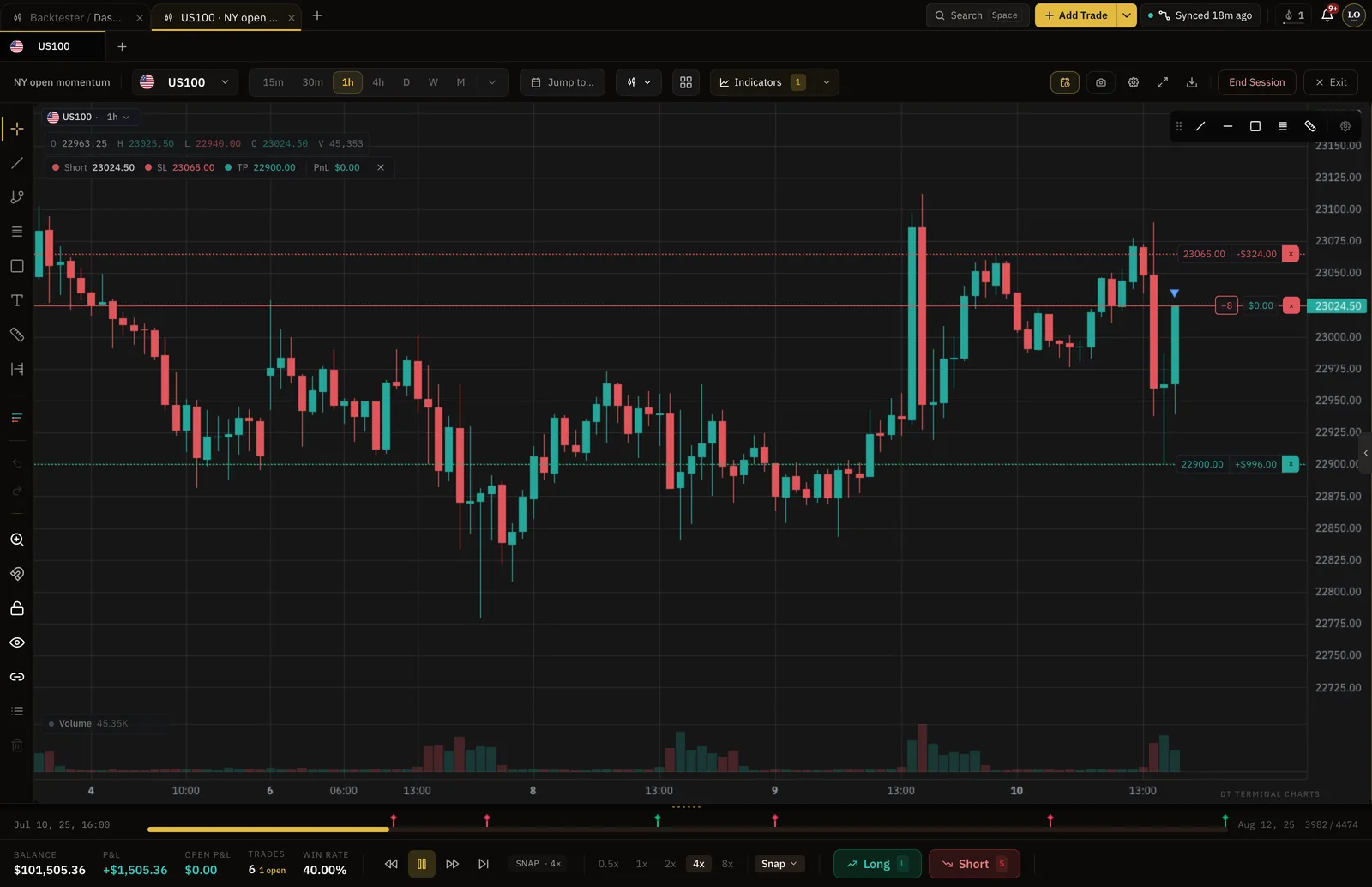
- Colours, drawings and indicators come across
- Screenshot
- Watchlists, with their sections
- .txt
- Backtest sessions free
- 2 at a time
- Pro, per month
- $24
How it works
- 01
Bring your charts
Drop a screenshot of your chart and Edge reads its colours, drawing styles and indicators. Import your watchlist from its exported .txt file.
- 02
Bring your trades
Connect the broker account that fills them read-only, import a CSV, or type a trade in with the reason you took it.
- 03
Fix one thing at a time
Edge learns from your trades and journal and shows you what to fix. Practice it in the backtester bar by bar, then trade it.
What comes across, and what can't
- Comes across: Chart colours and candle styleRead from a screenshot and previewed before you save
- Comes across: Drawing stylesAs drawing templates you check, rename or untick
- Comes across: Indicator sets with their settingsEach matched to ours from a screenshot
- Comes across: Watchlists with their sectionsFrom the exported .txt file
- Comes across: Your tradesA read-only sync of the MT4, MT5, cTrader, TradeLocker, Tradovate or crypto account that fills them, or a CSV
- Cannot happen: Custom scriptsEdge lists any indicator it could not match, so you know what stayed behind
- Cannot happen: Trades from the charting site itselfThe fills belong to your broker, so its account is what connects
How this differs from bar replay on a charting site.
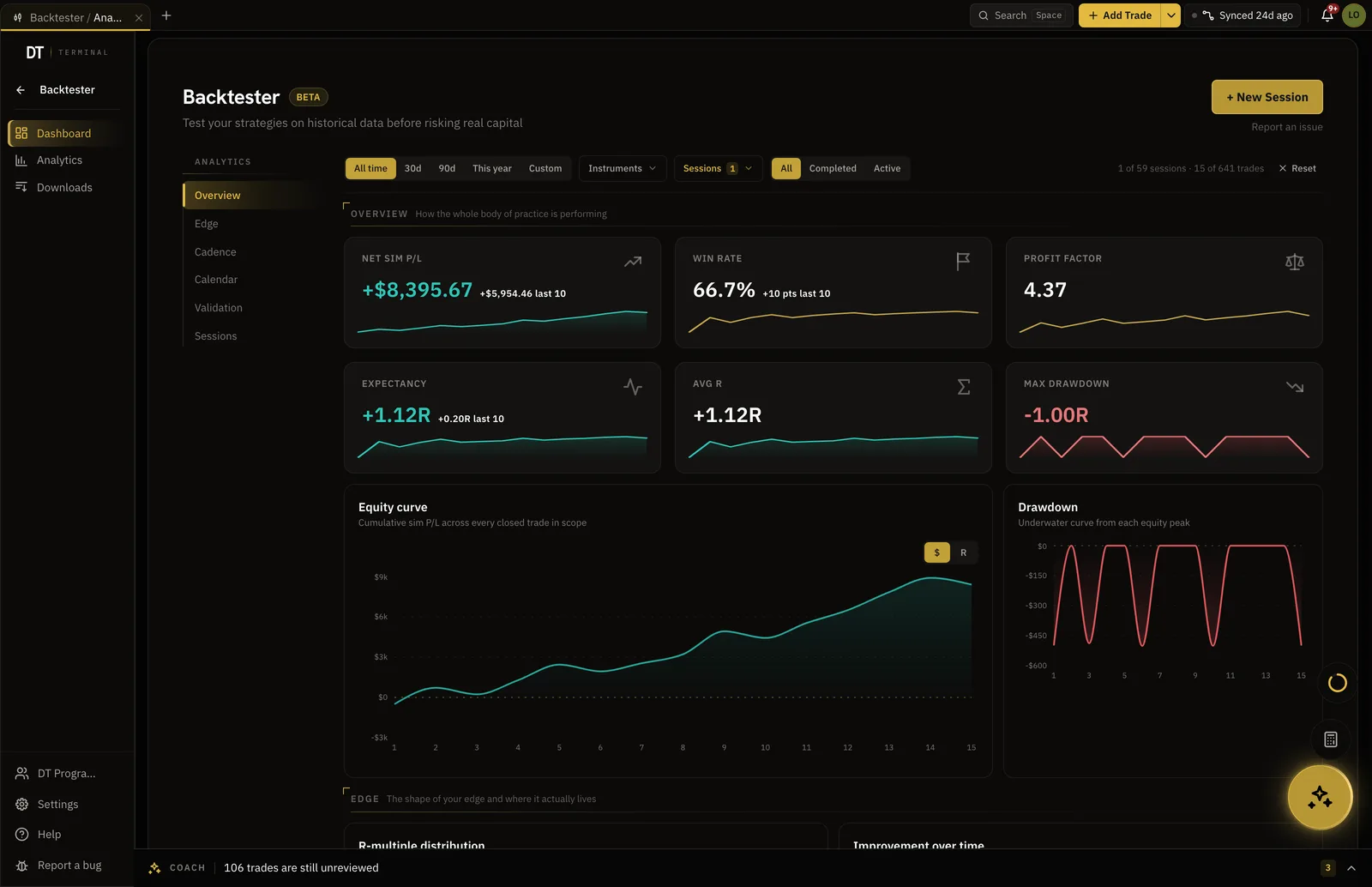
Both step a historical chart forward. Here each simulated trade is logged with its R multiple and the session ends with its own stats, so what you tested can be compared with what you actually traded.
- Every simulated trade logged with its R
- Win rate, expectancy and drawdown per session
- 2 sessions free, unlimited on Pro
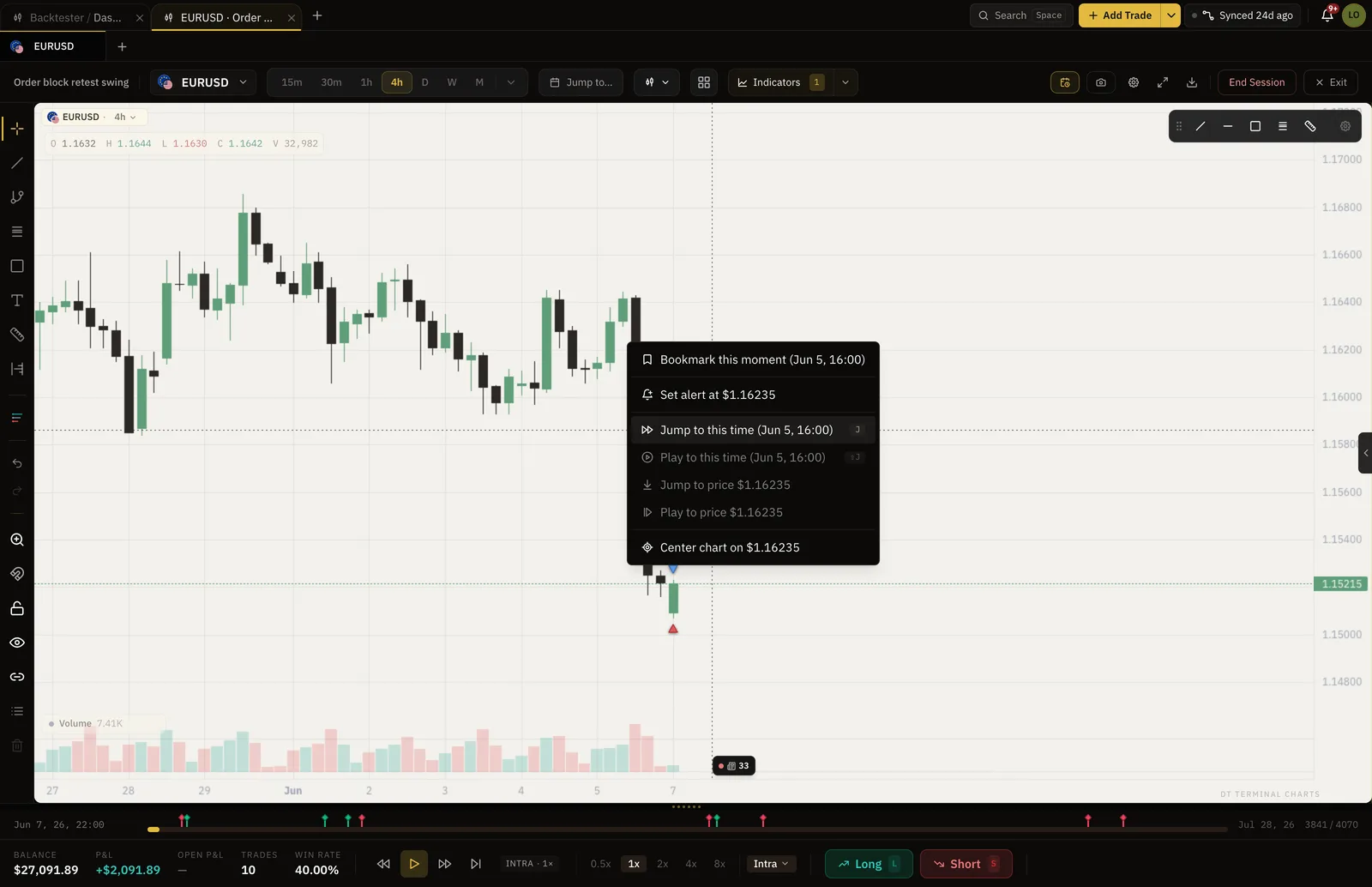
Start at the candle worth studying.
Jump to a release, a session open or the day a setup failed, instead of scrolling through the quiet hours to reach it.
- Any date and time
- The future stays hidden until you step into it
- Your drawings stay on the chart
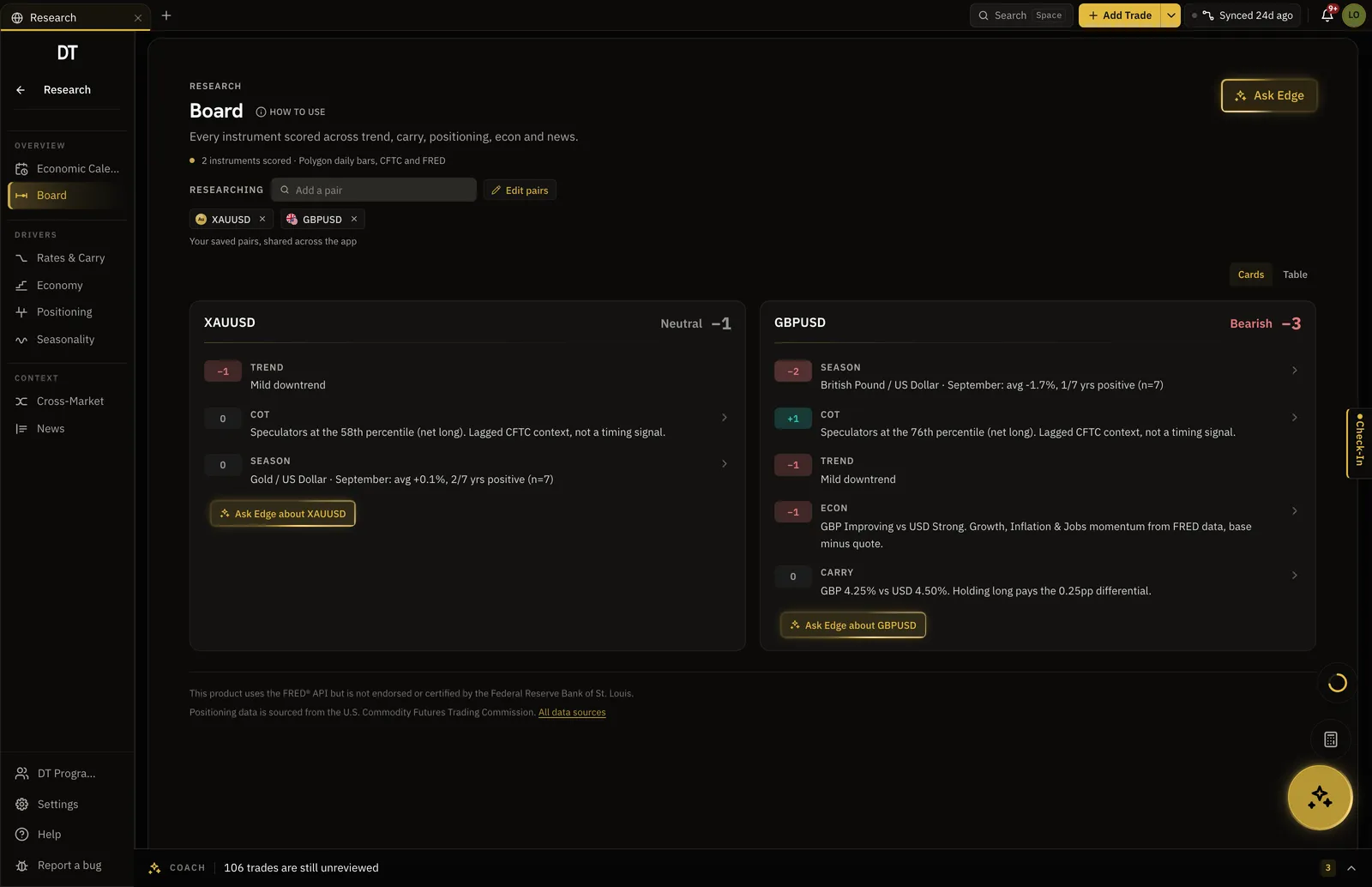
Calendar, positioning and seasonality, one tab away.
Trend, carry, positioning, seasonality and news are scored for each instrument you save, next to the journal rather than in another window.
- Economic calendar with alerts
- COT positioning
- Seasonal tendency by month
Watch your own trade again, then change the exit.
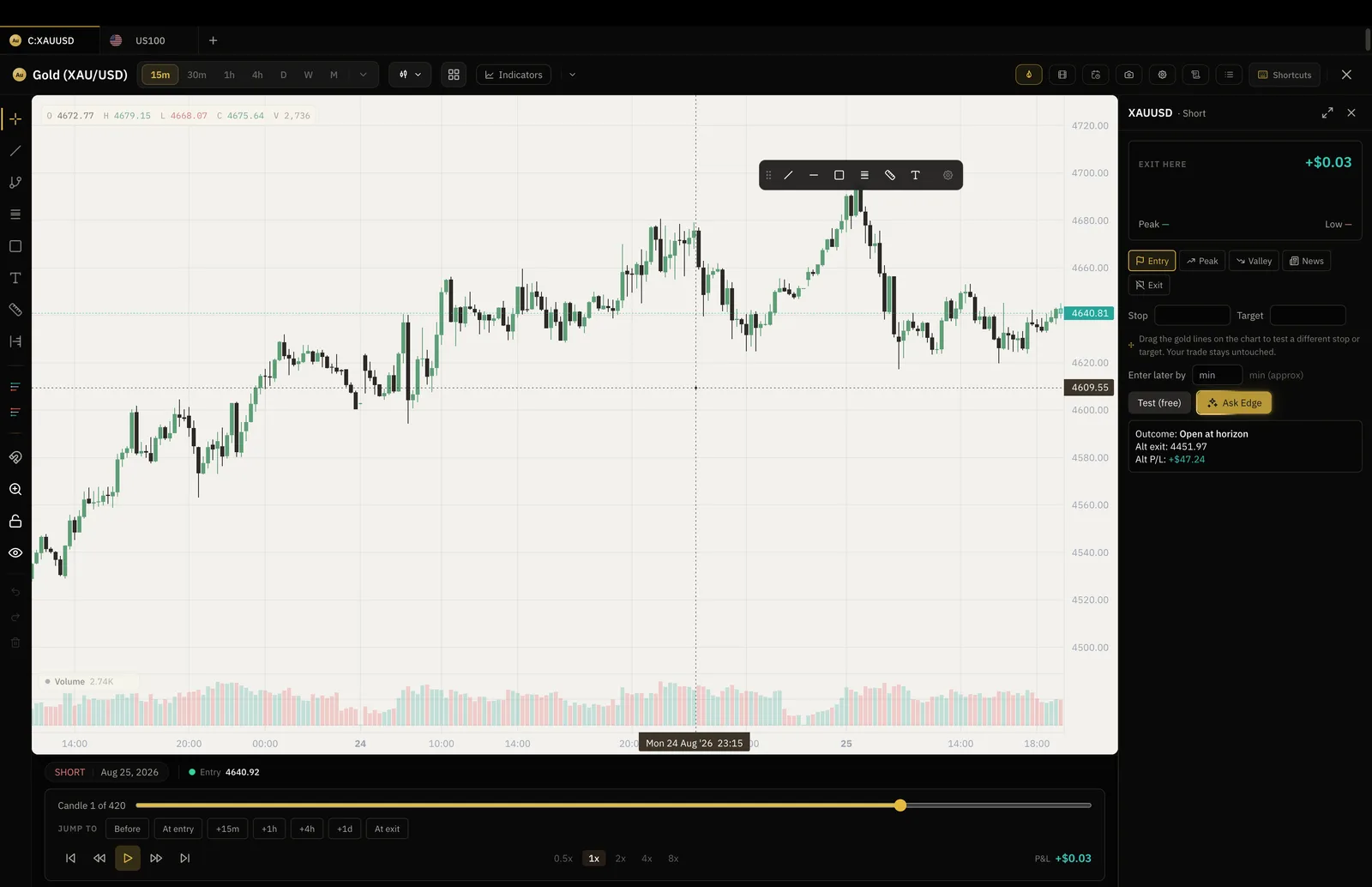
On Pro a logged trade replays bar by bar with its levels drawn where they were, and a what-if exit shows what another rule would have paid.
- Works on typed and imported trades
- Entry, stop and exit on the bars
- The tested exit is saved to the trade
Your charts come across. Your trades come from your broker.
A charting site draws the chart; the fills belong to your broker. So trades come in by hand, by CSV, or through a read-only connection to the MT4, MT5, cTrader, TradeLocker, Tradovate or crypto account that filled them.
Log, import and keep 2 backtest sessions at a time free.
Plus lifts the import cap and keeps 3 sessions for $9 a month, and Pro takes the caps off for $24.
| Feature | Free | Plus | Pro |
|---|---|---|---|
| Manual and CSV logging | |||
| Import per batch | 50 trades | Unlimited | Unlimited |
| Backtest sessionsHeld at a time. Delete one to start another | 2 at a time | 3 at a time | Unlimited |
| Trades per session | 50 | 50 | Unlimited |
| Chart tabs and markets per sessionTabs in Live Charts, and markets in one backtest session | 1 | 2 | 16 |
| Trade Replay and what-if exits |
Full comparison on the pricing page.
Yes, from a screenshot. Drop or paste a picture of your chart on Live Charts, or open Chart settings and its Import tab, and Edge reads the candle colours, background, grid and drawing styles and previews them on your chart before you save. A screenshot with your indicators showing becomes an indicator template, each indicator matched to ours with its settings, and anything Edge could not match, such as a custom script, is listed. Importing from a screenshot is free on every plan, with no limit.
Yes. Export the watchlist as a .txt file from your charting platform, then on the Charts page press the import button beside New watchlist and drop the file in. Your sections come with it, and symbols Live Charts does not carry yet, such as stocks, are listed so nothing goes missing quietly.
Trades sync from the broker that filled them. If that broker gives you an MT4, MT5, cTrader, TradeLocker or Tradovate account, or it is one of the 10 supported crypto exchanges, the account connects read-only and syncs. Otherwise export the history as a CSV, or log a trade by hand.
Both step a historical chart forward one bar at a time. The backtester also logs every simulated trade with its R multiple, and ends the session with win rate, expectancy and drawdown, so a tested idea has numbers you can hold your live trades against.
The forex pairs, metals, indices, crypto and futures with historical candles in the app, on the charts inside DT Terminal. Coverage grows as data partners are added.
Nothing. Importing your charts from a screenshot, logging by hand, CSV imports of 50 trades a batch and 2 full backtest sessions are free, with no card. Plus is $9 a month or $89 a year and lifts the import cap. Pro is $24 a month or $199 a year and makes backtesting unlimited.
Bring your charts. Find what to fix.
Chart imports, unlimited logged trades and 2 backtest sessions at a time are free.