The best TradingView alternative, because it learns from your trades.
DT Terminal Charts run on our own chart engine across 360+ live symbols, with every trade you sync drawn where you took it. Bring your Pine Script across, build your own indicators, and Edge learns from your trades and notes to give you live feedback on the chart as you trade.
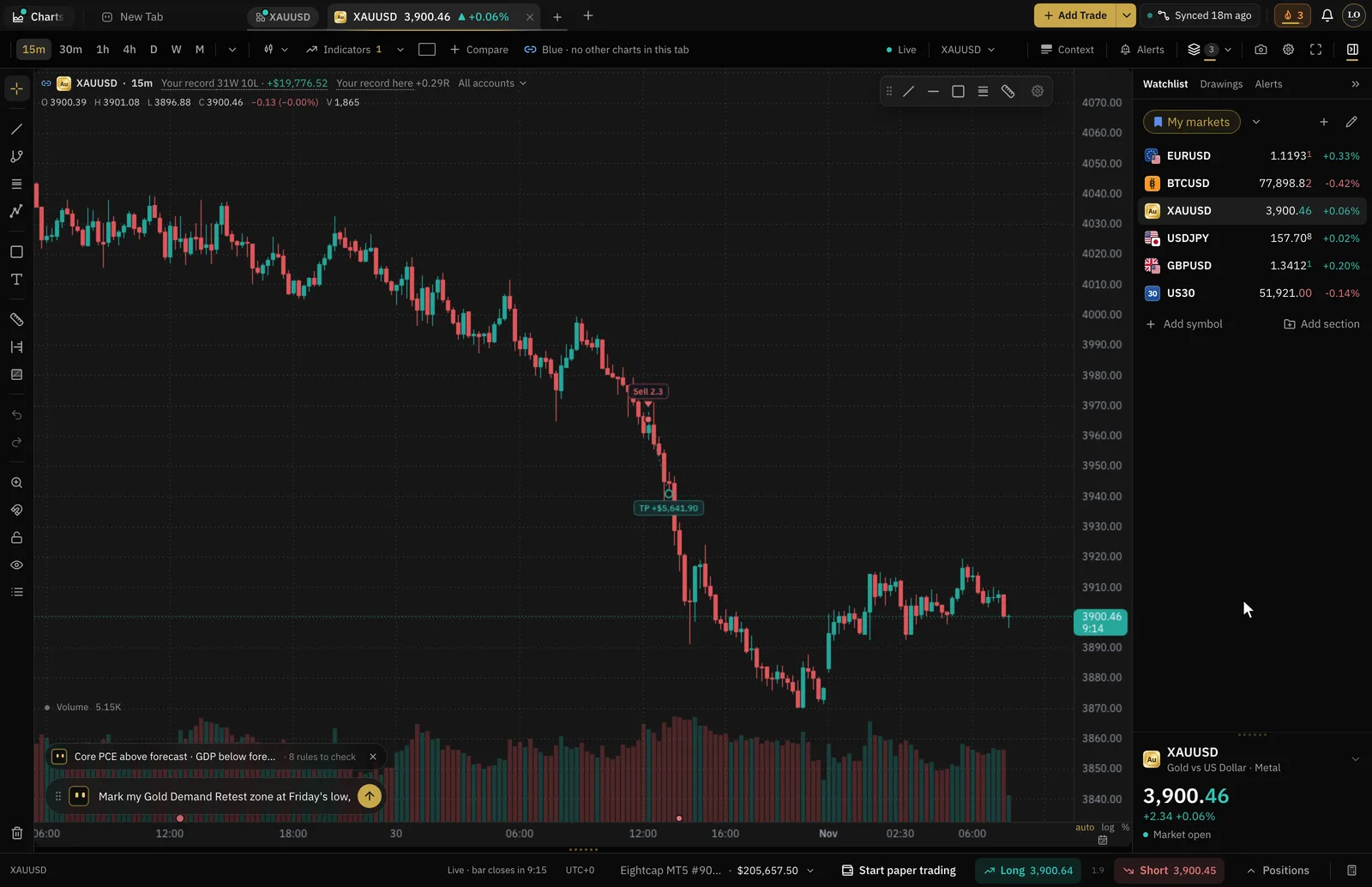
- Live symbols on our own charts
- 360+
- Converted to DT Script by Edge
- Pine Script
- Drawn on the chart from every account
- Your trades
- To start, no card
- Free
A chart that knows how you trade.
Ask Edge on any chart and it marks the zone your own rule describes. It tells you when price reaches your level, and with Warn me before I enter on, an order placed before your rule is met gets a warning first, with how often that happened last week.
- Levels from your own strategy and notes
- Alerts from your rules, not signals
- Every synced trade drawn where you took it
Bring your Pine Script with you.
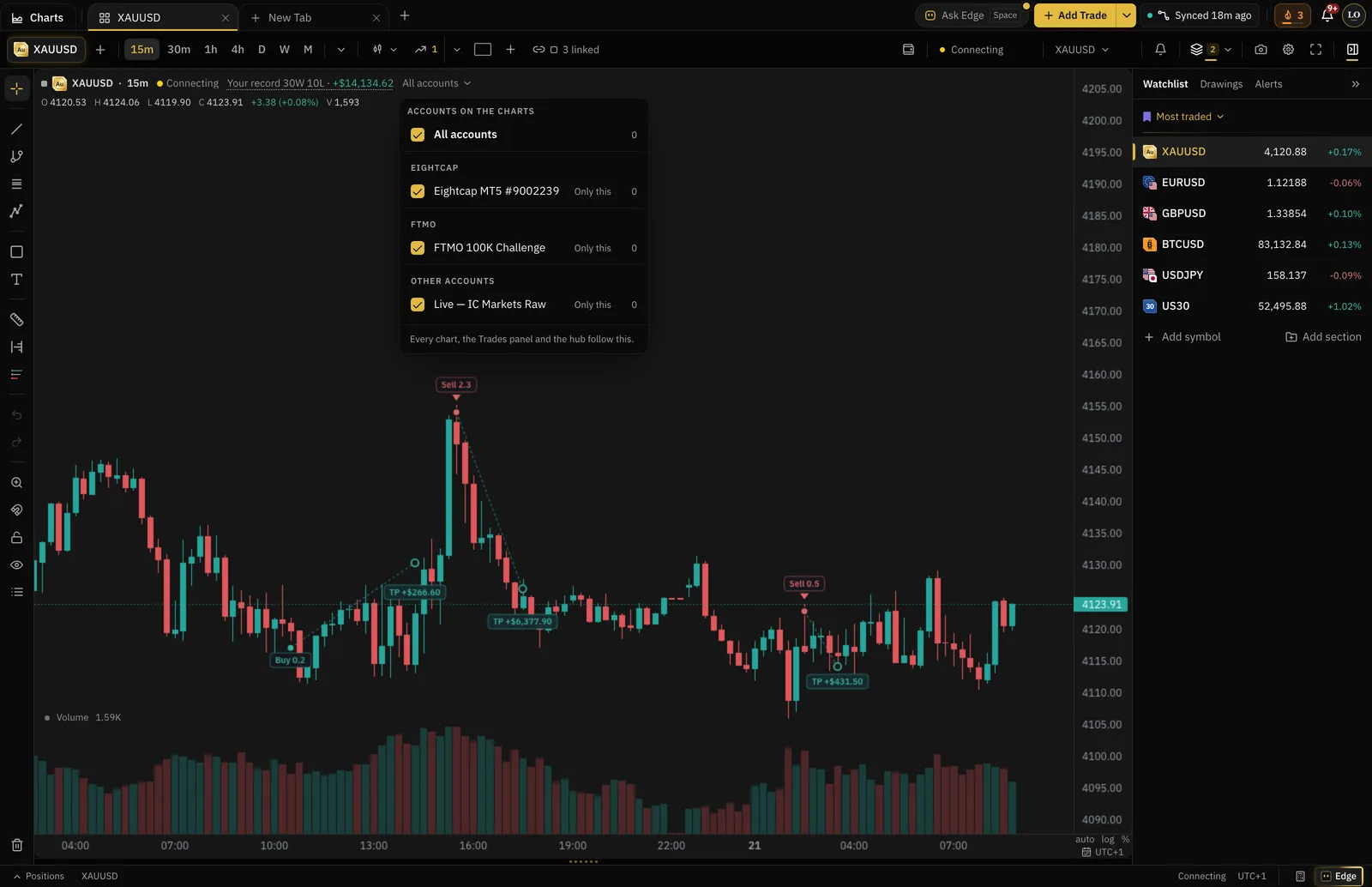
Paste a Pine Script indicator or strategy into the Script Playground and ask Edge to convert it. It comes back as DT Script you can read, run and change, and a strategy stays a strategy.
- Indicators and strategies
- Readable code you own
- Highlight lines and ask Edge to change them
Build your own indicators, in blocks or in code.
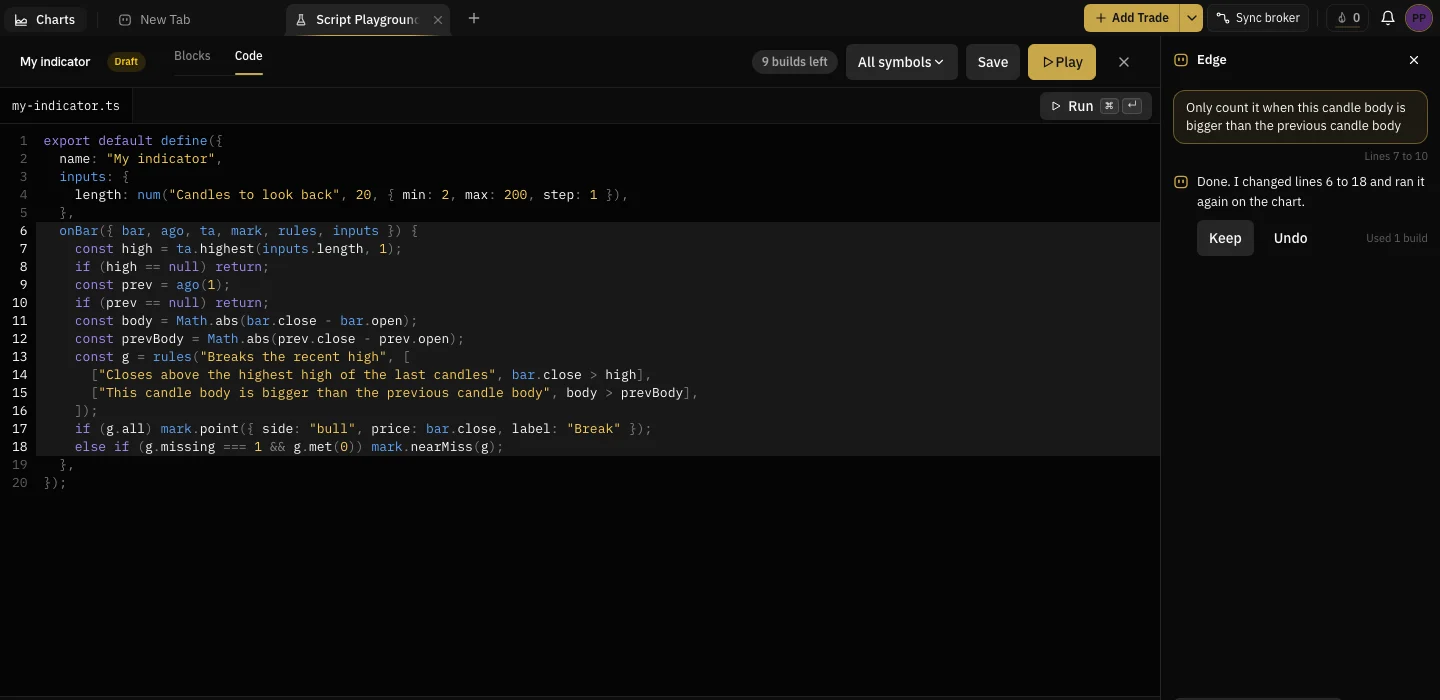
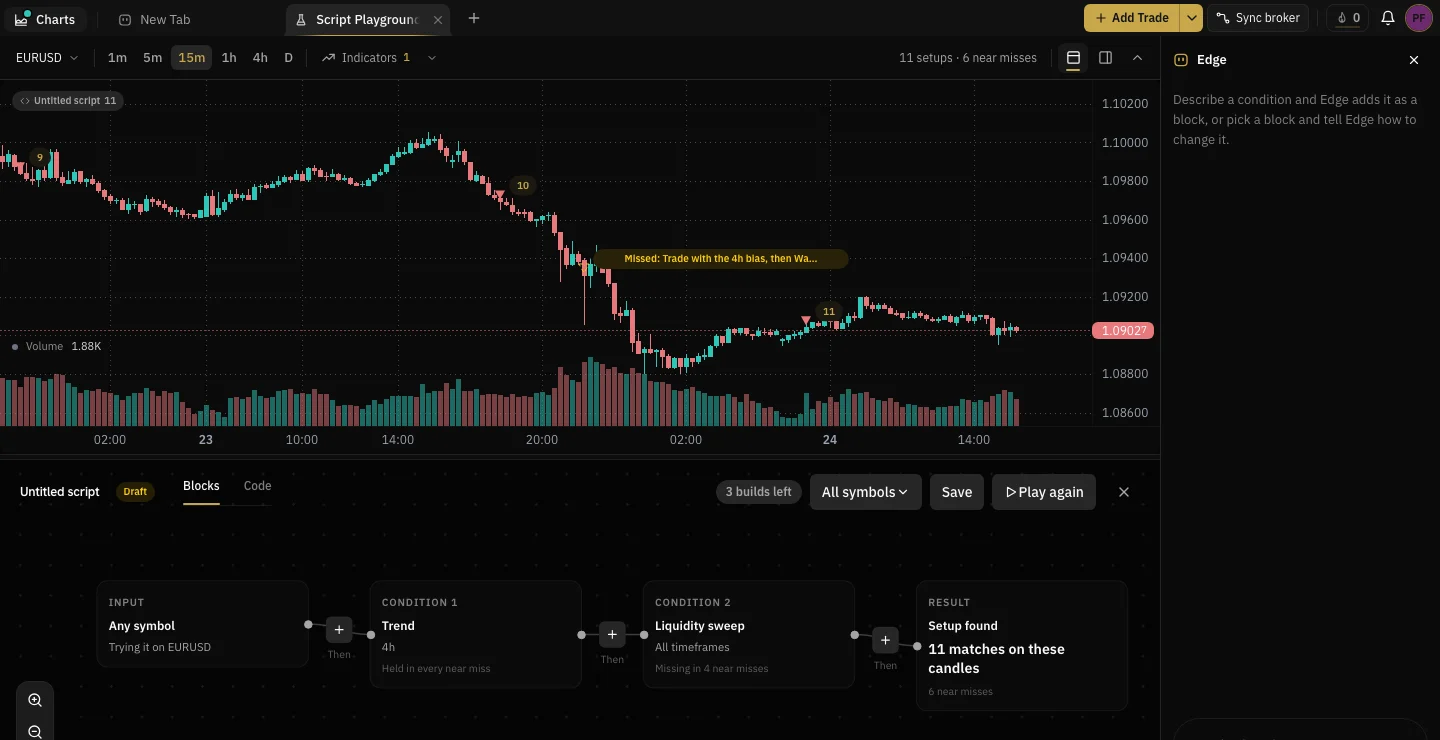
Describe a condition to Edge, pick from ready setups, or write it yourself. Press Play and every match is marked on the chart, with the near misses, so you see what your idea really catches before you trade it.
- Blocks for no-code building
- Code view for full control
- Matches and near misses marked on the chart
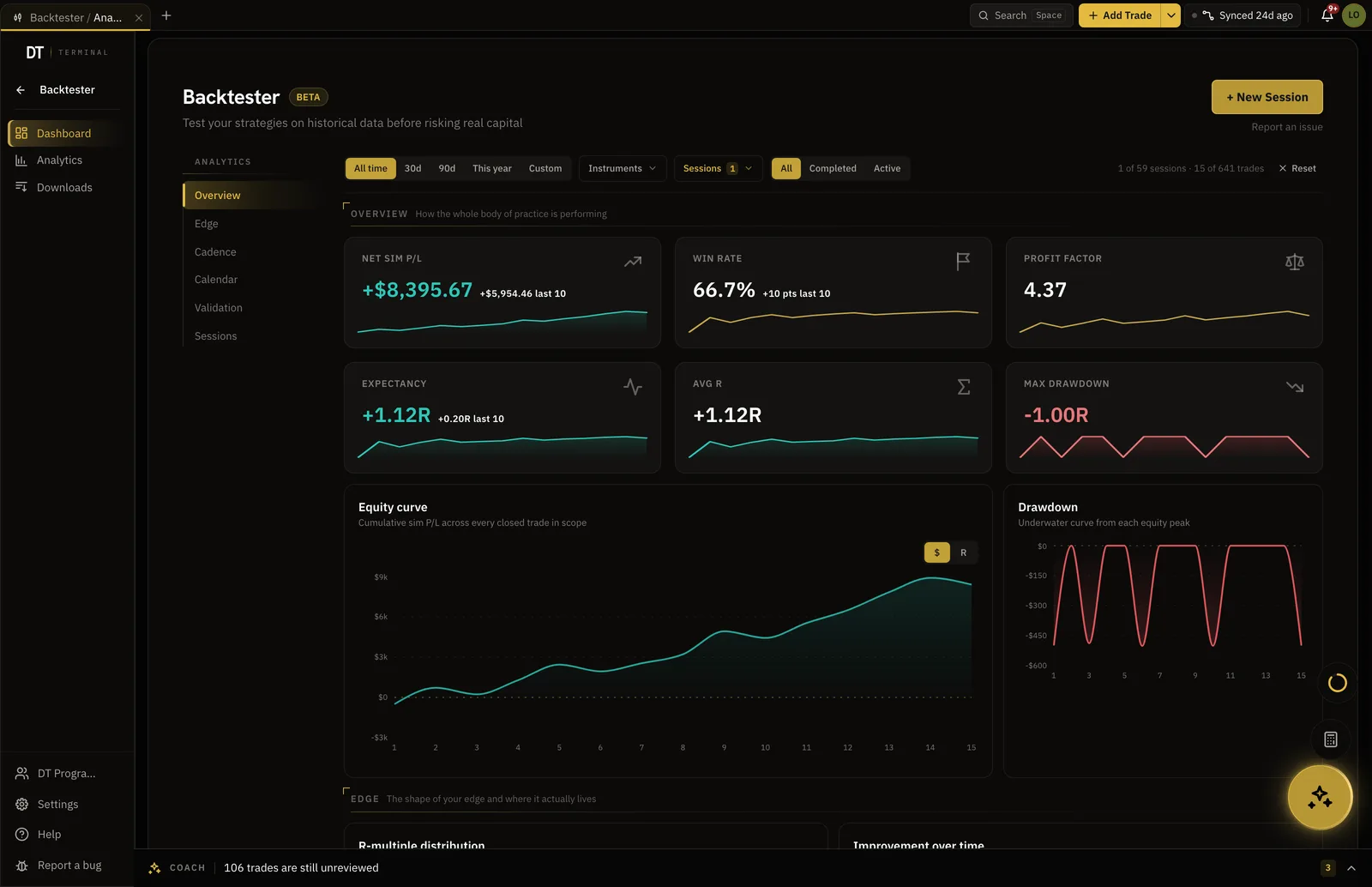
Replay the market, and keep the numbers.
Step a historical chart forward tick by tick and trade it. Every simulated trade is logged with its R multiple, and the session ends with win rate, expectancy and drawdown you can hold your live trades against.
- Jump to any date and time
- Every simulated trade logged with its R
- 2 sessions free, unlimited on Pro
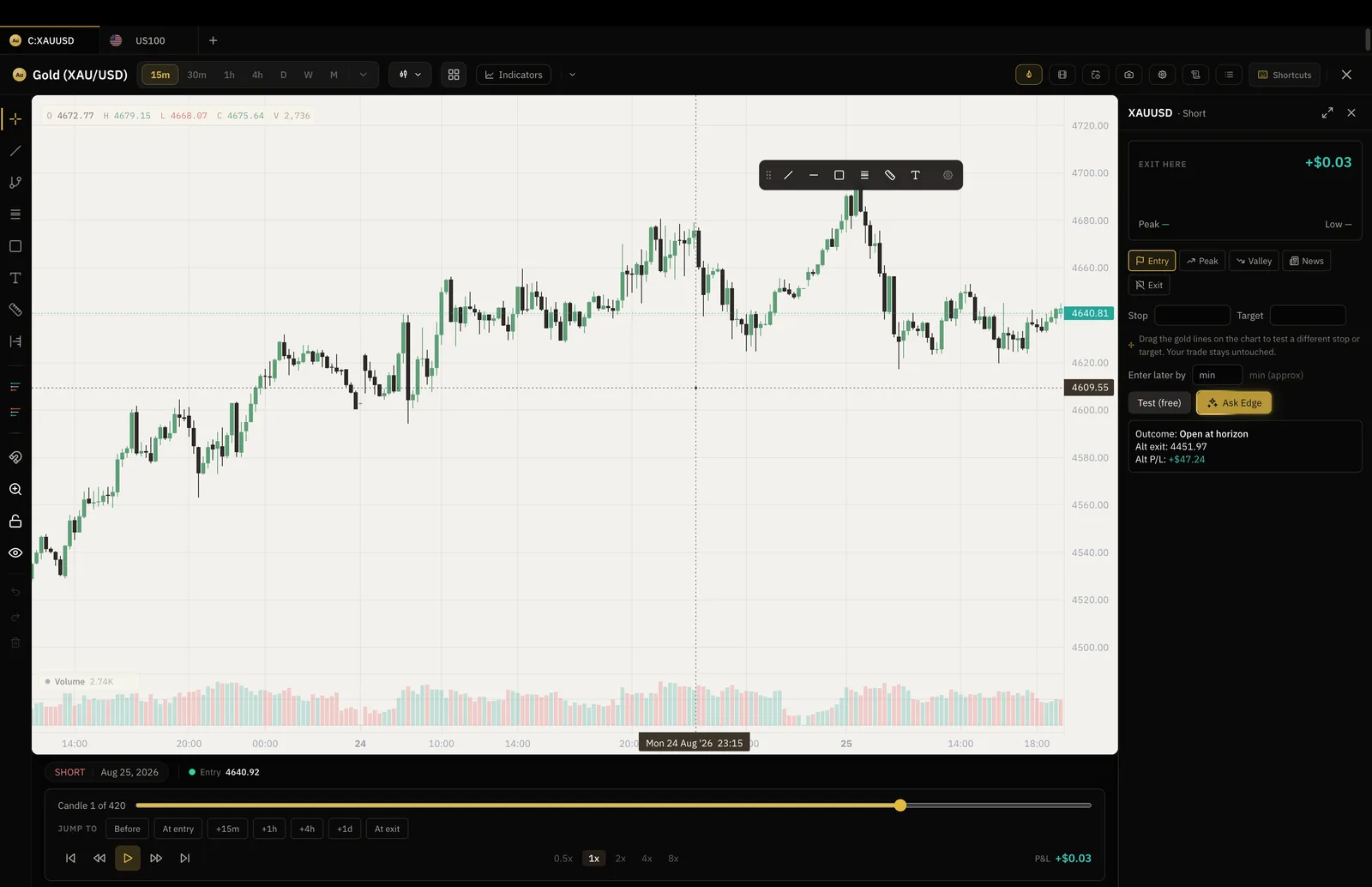
Every trade, reviewed where it happened.
Your synced trades land in the journal with their notes and screenshots. On Pro a trade replays tick by tick with its levels drawn where they were, and a what-if exit shows what another rule would have paid.
- Trades synced from your broker
- Trade Replay with what-if exits
- Edge reads every note you write
Keep the look you know.
Drop a screenshot of your TradingView chart and Edge copies its colors, drawing styles and indicators onto DT Terminal Charts. Your watchlists come in from the .txt file TradingView exports, sections included. Nothing signs in to your TradingView account.
Start free with live charts, the journal and 2 backtest sessions at a time.
Pro, at $24, takes the caps off.
| Feature | Free | Plus | Pro |
|---|---|---|---|
| Chart indicators at onceOn one chart in Live Charts, the Backtester and Trade Replay. Volume and Trading Sessions never count | 1 | 2 | Unlimited |
| Price alerts on chartsActive at once: a level, a drawn line, a channel or a move | 3 | 10 | 50 |
| Backtest sessionsHeld at a time. Delete one to start another | 2 at a time | 3 at a time | Unlimited |
| Paper trading accountsPractice on live prices. Paper trades never count toward your verified results | 1 | 3 | Unlimited |
| Edge questions a monthAsk Edge about your own trades. Short questions about the app and about plans are free, up to 30 a day. Resets every month. Unlimited plans are subject to fair use | 20 / month | 50 / month | Unlimited |
Full comparison on the pricing page.
Where DT Terminal Charts fits
The charts lean on the loop: synced trades from the Sync step are drawn where you took them, and a setup built in the Script Playground goes to the backtester to be practiced.
Questions
If you want to trade better, DT Terminal is the best TradingView alternative, because it is built around your own trades: they are drawn on the chart, your Pine Script comes across, and Edge learns from your trades and notes to give you live feedback as you trade. If you want the most indicators and a big public script library, there are platforms built for that.
Yes. Paste your Pine Script into the Script Playground's code view and ask Edge to convert it to DT Script. Indicators come back as indicators and strategies as strategies, as code you can read and change. Each conversion uses one Edge build from your plan.
Yes. In the Script Playground you build one from blocks, from code, or by describing it to Edge, and every match is marked on the chart with the near misses. You can save it, change it later, and start from ready setups.
Yes, with no TradingView login. A screenshot of your chart brings its colors, drawing styles and indicators, each indicator matched to ours with its settings. Watchlists come in from the .txt file TradingView exports, with their sections.
No. DT Terminal is a separate company and is not affiliated with TradingView. DT Terminal Charts run on DT Charts, our own chart engine, built in-house, and nothing syncs from TradingView.
No. Edge reads your trades, rules and notes and gives you feedback against them. It never gives signals and it cannot place a trade for you.
Nothing to start, with no card. Live charts, the journal and 2 backtest sessions at a time are free. Plus is $9 a month or $89 a year. Pro is $24 a month or $199 a year and takes the caps off.
Switch to the best TradingView alternative for getting better.
Start free. Bring your Pine Script, your chart look and your trades.